07
Return to Home (RTH)
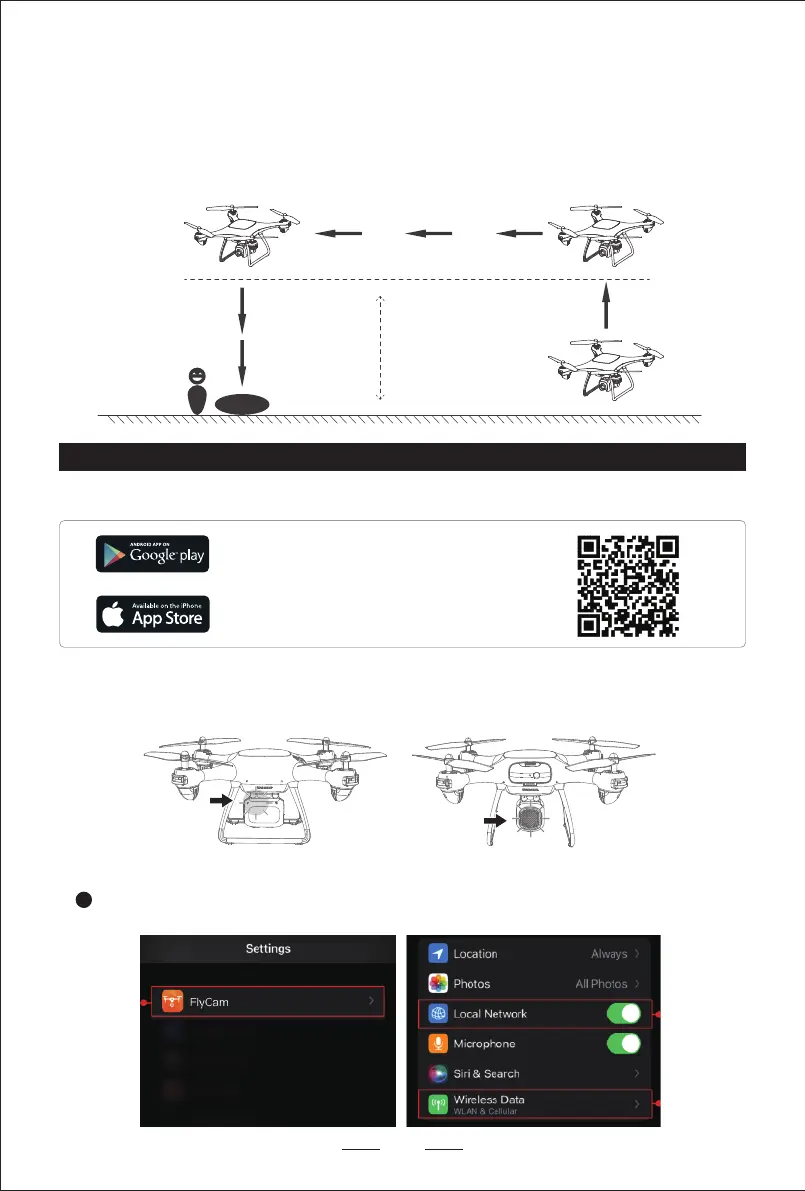
The aircraft has the function of automatic return. The takeoff point is the home point of the aircraft. The intelligent return function enables the
aircraft to return to the home point. When the flight altitude is less than 20 meters, the aircraft rises to 20 meters before returning. When the
flight altitude is more than 20 meters, and the aircraft will return with current altitude.
Note: The drone does not have automatic obstacle avoidance function. If the drone crashes into buildings or other obstacles on the way
back, it will fall and break.
(When the power of the drone is low, or the remote control and mobile phone signals are disconnected, the drone will automatical-
ly return)
FlyCam App
Search and download “FlyCam” app.
For smart phone with Android 5.0+:
Search and download “FlyCam” from Google Play.
For smart phone with iOS 9.0+:
Search and download “FlyCam” from App Store.
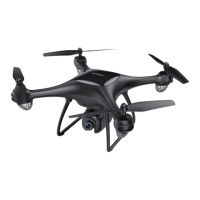
P5G 2K / 4K operation guide (GPS version)
1. Long press the power switch of the drone for 1S to start the drone, and confirm that the camera's WIFI
signal light (red light) enters the slow flashing state, indicating that the WIFI module is ready.
DSDR05C DSDR05A
Go to the setting, swipe down to find the FlyCam APP. Turn on the local network, WiFi and cellular
network authorization.
2.1 WIFI Connection (IOS)
1
Height: <20m
Ascending
Height: 20m
Height: 20m
Return to home
Landing
Height: >20m
H


 To Next Page