22
10. Focus the Microscope
Do not cover the microscope when it is in use.
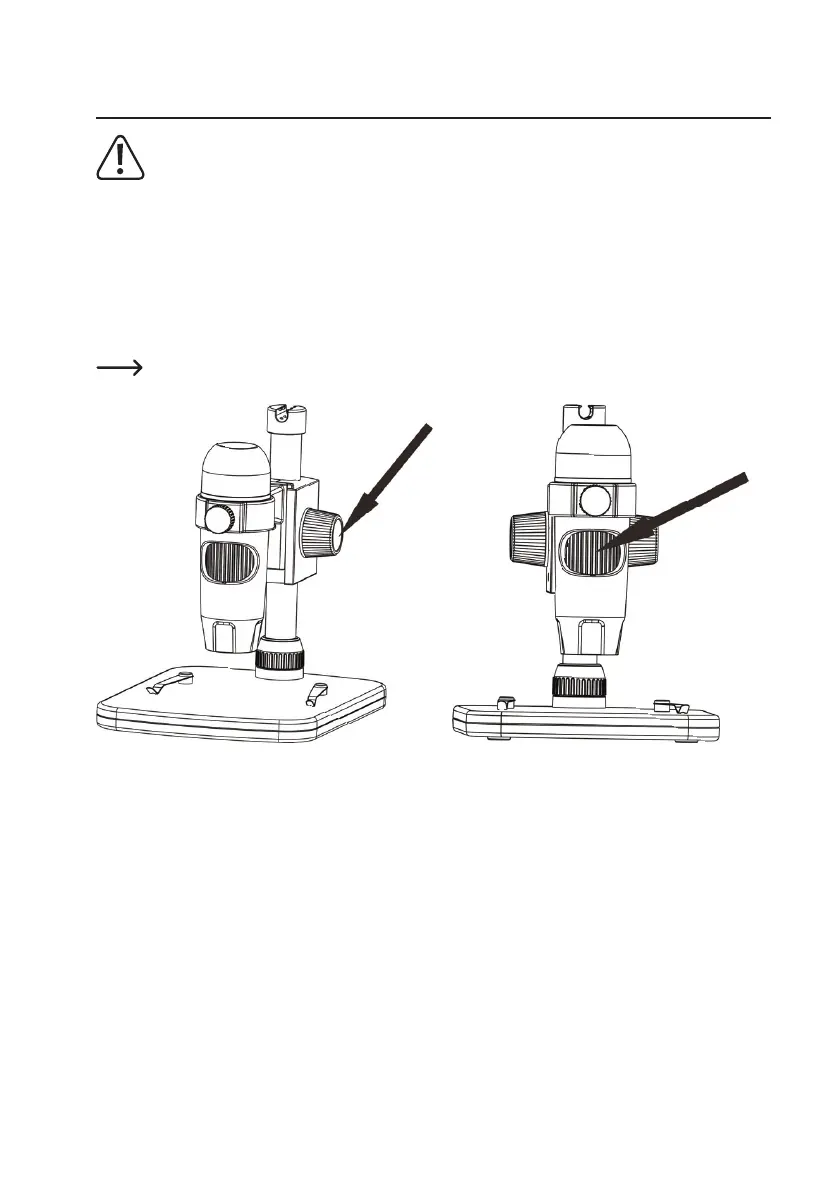
• Place the object to be examined onto the stage (A8). If observing slides or similar, insert under the stage clips.
• While holding the coarse focus dial in place (A4), release the coarse focus lock (A3).
• Rotatethecoarsefocusdial(A4) to lower the lens towards the object.
• Adjustthenefocusdial(A6) to bring the image into sharp focus.
• Depending on the size of the object, you may need to adjust the arm height by releasing the arm height adjustment
lock (A10), adjusting the position, then tightening it again.
It may take a few moments for the white balance to auto adjust and bring the image into focus. If there is
toomuchreectionfromtheobject,considerloweringtheLEDbrightness(A2) or turning it off completely.


 To Next Page