12
First steps
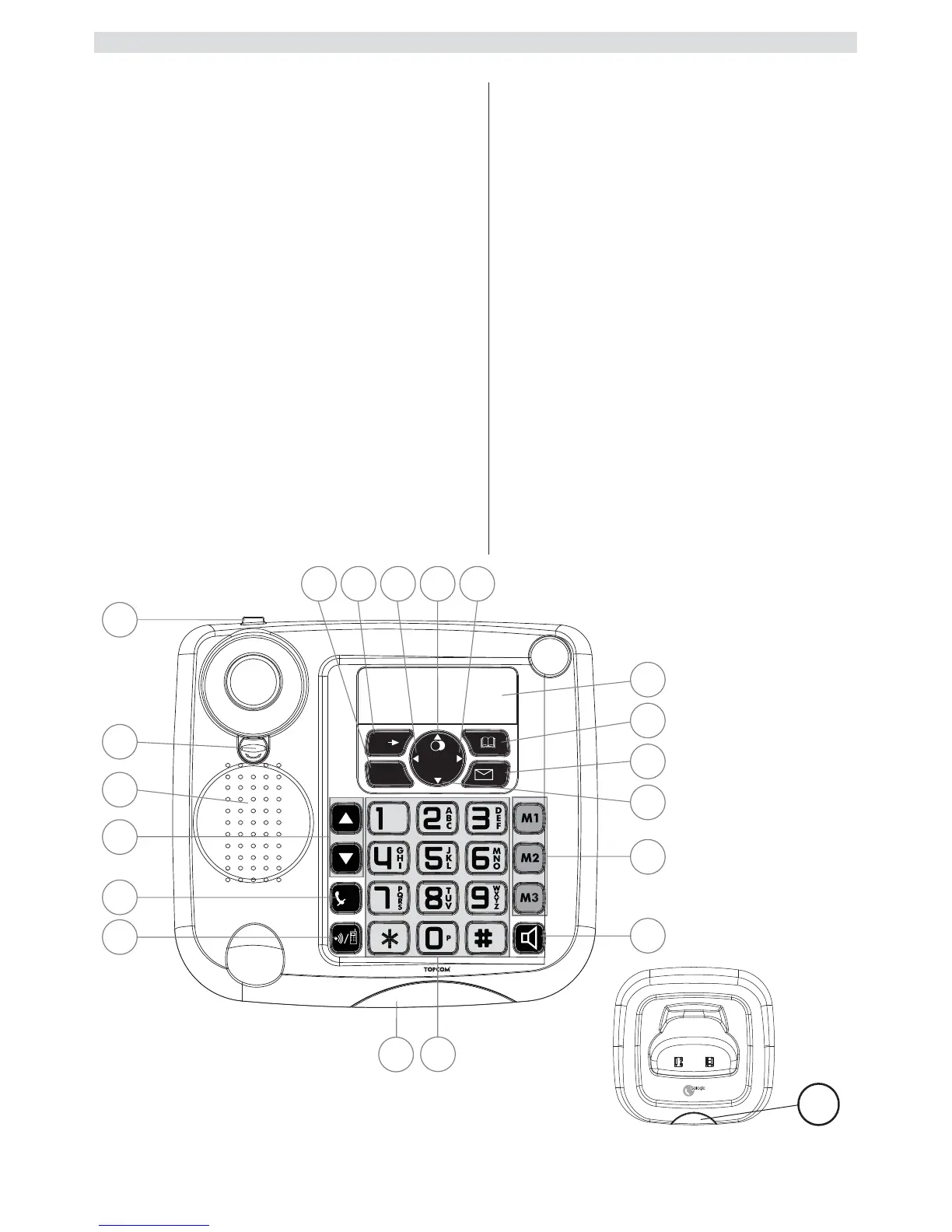
Base station
15.Escape
16.Menu / OK
17.Left
18.Redial / Up
19.Right
20.Display
21.Phone book
22.Calls list / Flash
23.Down
24.Abbreviated dialling
(M1 - M2 - M3)
25.Hands free
26.Alphanumeric keys
27.Red LED on the base station,
flashes during a call
28.Paging / Call diversion
Internal call
29.Mute / Delete
30.Volume control
31.Loudspeaker
32.Receiver holder for wall
mounting
33.Lug: for putting down the
receiver briefly during a call
when the phone is wall-
mounted
Charger
34.LED: Handset charging in
progress.



 To Next Page