EasyManua.ls Logo

Topcom SOLOGIC B901 COMBO - User Manual

Topcom SOLOGIC B901 COMBO
470 pages
Print Icon
To Next Page IconTo Next Page
Loading...
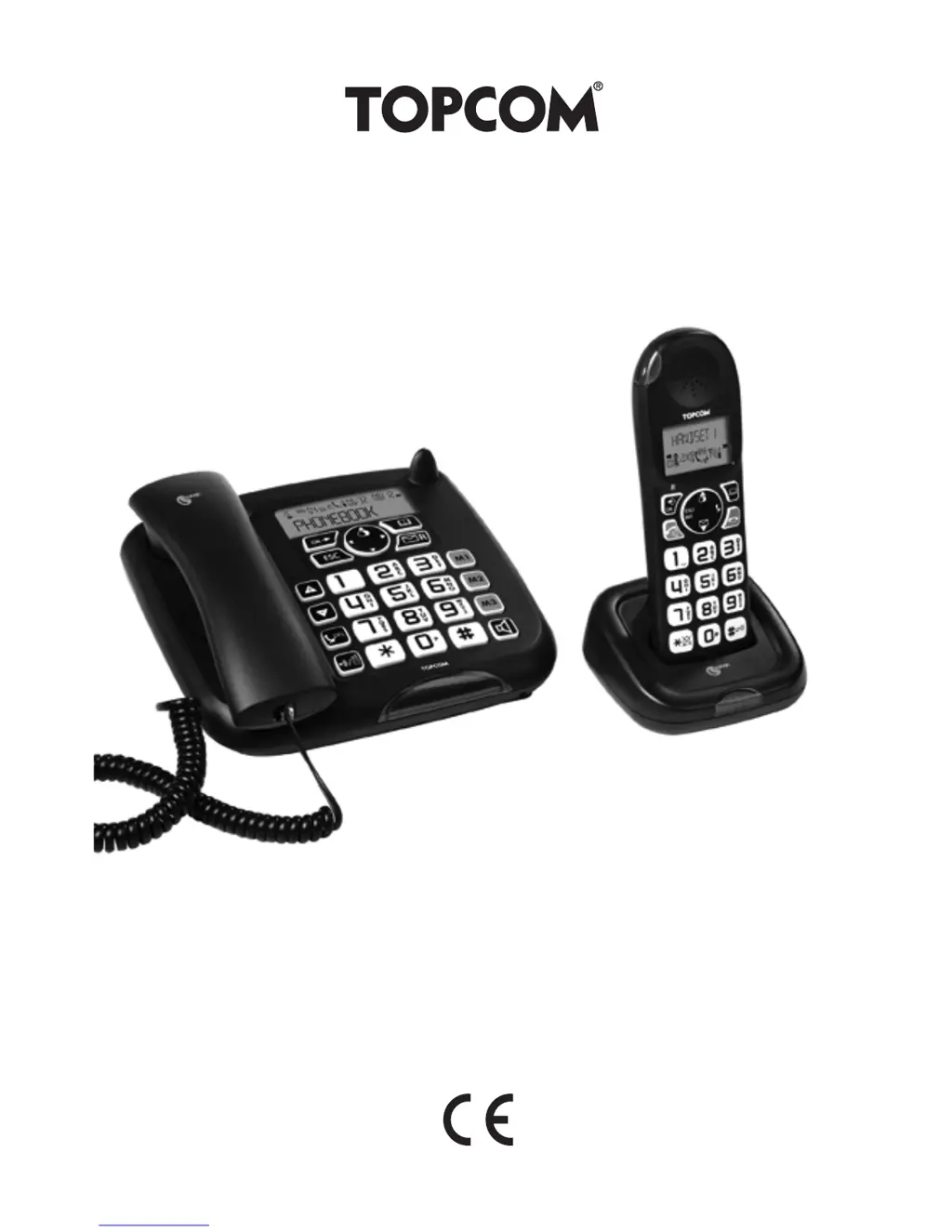
SOLOGIC B901 COMBO
USER GUIDE /
V 1.0 - 01/11

Other manuals for Topcom SOLOGIC B901 COMBO

Questions and Answers

  • B
    Billy LongAug 13, 2025
    Why does my Topcom SOLOGIC B901 COMBO say "LINE IN USE"?
    • S
      sloanalexandriaAug 13, 2025
      The "LINE IN USE" message on your Topcom Cordless Telephone indicates that another handset is currently using the line. Please wait until the other handset has ended their call.
  • G
    graynicholasAug 16, 2025
    What to do if the symbol is flashing on Topcom SOLOGIC B901 COMBO Cordless Telephone?
    • Y
      ynicholsAug 16, 2025
      If the symbol is flashing on your Topcom Cordless Telephone, it could be due to several reasons: * The handset may be out of range; try moving it closer to the base station. * The base station might not be receiving power; check the mains adapter and cable. * The handset might not be registered to the base station; try registering the handset to the base.
  • M
    Michael FrankAug 20, 2025
    Why is there no sound on my Topcom SOLOGIC B901 COMBO Cordless Telephone?
    • V
      vmeyersAug 20, 2025
      If you are experiencing no sound on your Topcom Cordless Telephone, there could be a couple of reasons: * The telephone cable may not be connected correctly; ensure the cable is properly connected. * Another handset might be using the line; wait until the other handset hangs up.
  • B
    Brian RichardsAug 25, 2025
    What to do if my Topcom SOLOGIC B901 COMBO Cordless Telephone does not respond when keys are pressed?
    • W
      Wesley TaylorAug 25, 2025
      If your Topcom Cordless Telephone is not responding when you press the keys, it may be due to an operating error. Try removing the batteries and then reinserting them.
  • R
    Robert GreenAug 28, 2025
    What to do if my Topcom SOLOGIC B901 COMBO has no display?
    • D
      Dawn RoyAug 28, 2025
      If your Topcom Cordless Telephone has no display, it could be because the batteries are not charged. Check that the batteries have been inserted correctly and charge the batteries.
  • J
    Jodi OwensAug 31, 2025
    Why does the Topcom SOLOGIC B901 COMBO Cordless Telephone base station or handset not ring?
    • T
      thompsonjackAug 31, 2025
      If the base station or handset of your Topcom Cordless Telephone is not ringing, the ring tone volume might be off or set too low. Adjust the ring tone volume to your desired level.
  • H
    hodgeelizabethSep 4, 2025
    How to adjust the volume if the caller is too quiet on Topcom Cordless Telephone?
    • C
      Christopher ColonSep 4, 2025
      If the caller's voice is too quiet on your Topcom Cordless Telephone, adjust the volume during the call using the volume key.
  • D
    Daniel MorenoSep 8, 2025
    Why a call cannot be forwarded to an extension on Topcom Cordless Telephone?
    • C
      Cody MillerSep 8, 2025
      If a call cannot be forwarded to an extension on your Topcom Cordless Telephone, the flash time may be too short. Set the device to a long flash time.

Summary

General Information

Product Overview: Sologic B901

Details the Sologic B901's DECT technology, features, and PBX capabilities.

Safety Notes

Electrical Safety Precautions

Warns about dangers associated with electrical current and proper handling.

Fire, Explosion, and Poisoning Risks

Highlights risks of fire, explosion from batteries, and poisoning from battery leakage.

Suffocation Risks, Faults, and Potential Damage

Addresses risks of suffocation, potential device faults, and possible damage from incorrect use.

First Steps

Installing the base station

Provides step-by-step instructions for connecting the base station to power and the telephone network.

Handset charger

Instructions on connecting the charger and its mains adapter to power the handset.

Handset

Details how to open the battery compartment, insert batteries, and close it correctly.

Operating the telephone

Setting the date and time

Guides on configuring the device's date and time settings, including automatic updates.

Abbreviated dialling keys

Instructions for saving, dialing, and managing speed dial numbers.

Resetting the base station

Procedure to restore the base station to its factory default settings.

Making an internal call to a handset and forwarding a call to the cordless handset

How to make internal calls, conference calls, and forward external calls.

Using the cordless handset

Outgoing calls

Guides on initiating calls, call preparation, and redialing using the handset.

Phone book

Covers adding, dialing, and editing entries in the handset's phone book.

Registering and de-registering a handset

Registering a handset to the Sologic B901 base station

Step-by-step guide to pair a cordless handset with the Sologic B901 base station.

Deregistering a handset from the Sologic B901 base station

Procedures for removing a handset from the base station's registration list.

Deregistering a handset from the Sologic B901 base station via the handset

How to de-register a handset using its own interface.

Call forwarding and internal calls

Call forwarding and conference calls during an external call

How to forward calls and set up conference calls during an external conversation.

Internal call (house phone function)

Making internal calls between the base station and handsets, or between handsets.

Troubleshooting

Troubleshooting Guide

Provides solutions for common problems encountered with the telephone system.

Topcom Warranty

Warranty Period and Handling

Information on the warranty duration, coverage, and procedures for claims.

Warranty Exclusions

Lists conditions and damages not covered by the warranty, including misuse and unauthorized repairs.

Topcom SOLOGIC B901 COMBO Specifications

General IconGeneral
BrandTopcom
ModelSOLOGIC B901 COMBO
CategoryCordless Telephone
LanguageEnglish

Related product manuals