3.6 Battery status display
The handset will stop working when the batteries are flat. If the
batteries are completely flat and you place the handset on the base
station for just a short time, the battery charge indicator will show that
they are full. However they are not and the battery performance will
deteriorate rapidly. You must leave the handset on the charger for
16 hours to charge batteries fully.
The handset will emit a warning tone when the batteries are nearly flat
during a call. Place the handset on the handset charger to recharge the
batteries.
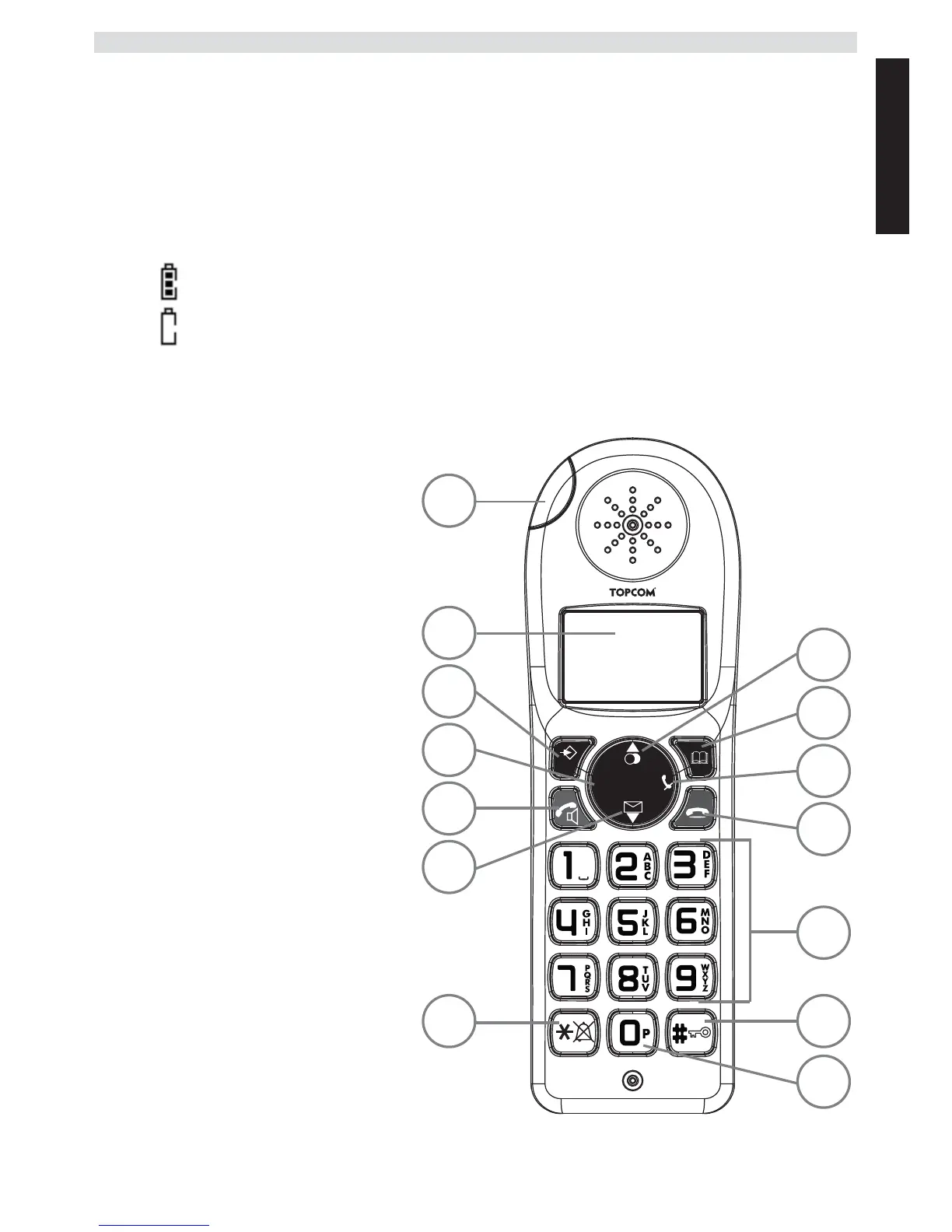
3.7 Keys/Display
Cordless handset
1. Redial / Up
2. Phone book
3. Mute / Delete
4. Hang up
5. Alphanumeric keys
6. Key lock
7. Pause
8. Ringer ON/OFF
9. Calls list / Down
10.Answer call / Hands free /
Call button
11.INT / Escape
12.Menu / OK / Flash
13.Display
14.Red LED, flashes during
a call
Charged batteries
Flat batteries



 To Next Page