10 TOPCOM TWINTALKER 3700
TOPCOM TWINTALKER 3700 DCP
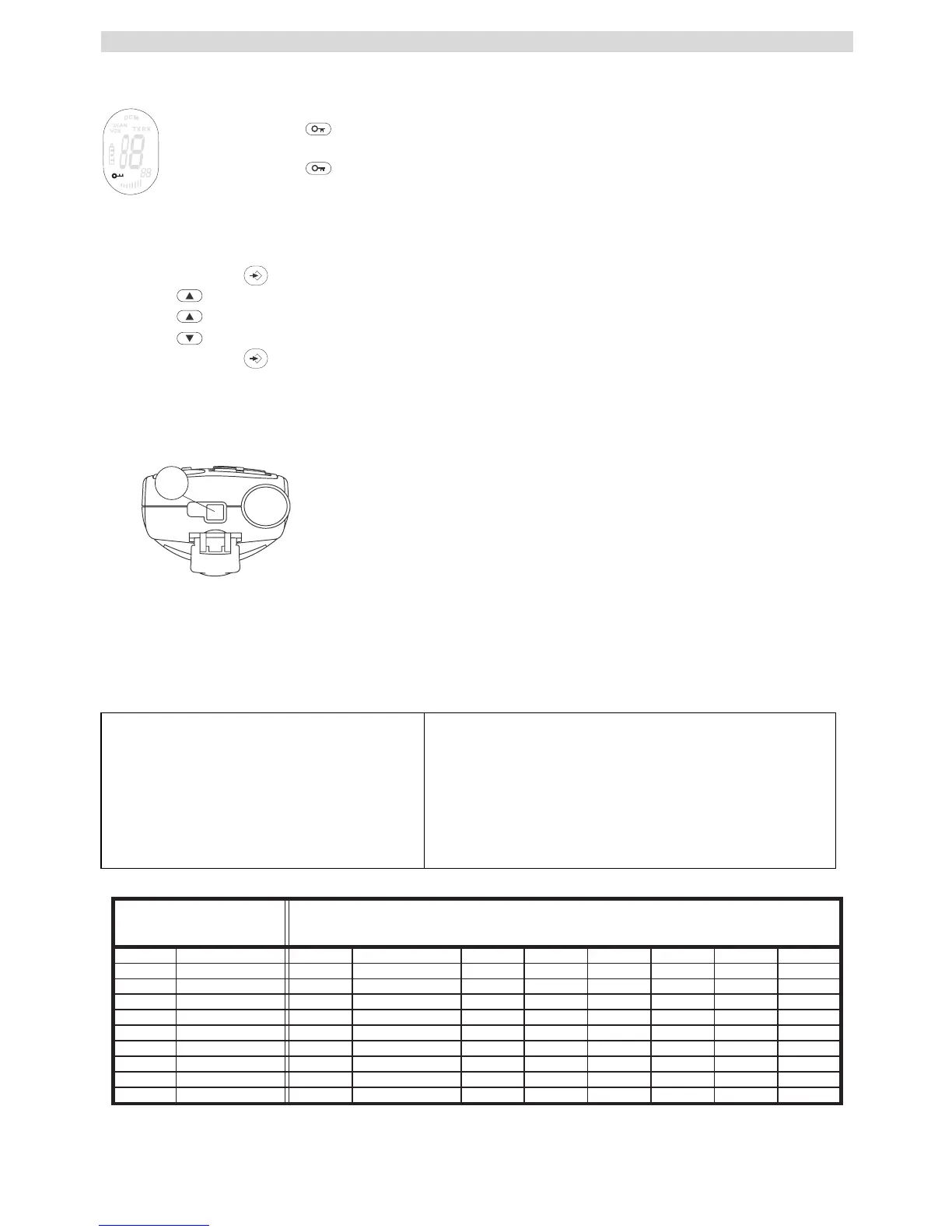
12.14 BUTTON LOCK
• Press and hold for 3 seconds to activate or deactivate the BUTTON LOCK mode. The
BUTTON LOCK icon is displayed on the LCD Screen.
• Press and hold again to deactivate BUTTON LOCK
12.15 STOPWATCH
• Press and hold for 3 seconds to enter stopwatch mode
• Press to start counting
• Press to stop counting
• Press to reset the timer
• Press and hold for 3 seconds to exit stopwatch mode
12.16 HEADSET CONNECTION
The Twintalker 3700 can be used with an external microphone and
speaker (included)
The connector is located under the protective rubber cover on the top
of the unit.To attach the external speaker/microphone headsets or
earpiece, lift the rubber flap on the top of the unit to expose the
connector.
Insert the appropriate plug into the connector.
13 TECHNICAL SPECIFICATIONS
Channels
CTCSS
Frequency
Range
Batteries PMR
Transmission Power
Modulation Type
Channel spacing
8
38
446.00625MHz - 446.09375 MHz
Up to 3 Km (Open field)
3 x AAA Alkaline or NiMh rechargeable
=< 500mW ERP
FM - F3E
12,5 Khz
13
Channel Frequency Chart: CTCSS Code Chart
Channel Frequency (MHz
Code Frequency (Hz) Code Freq. (Hz) Code Freq. (Hz) Code Freq. (Hz)
1 446,00625 0 Disabled 10 94,8 20 131,8 30 186,2
2 446,01875 1 67,0 11 97,4 21 136,5 31 192,8
3 446,03125 2 71,9 12 100,0 22 141,3 32 203,5
4 446,04375 3 74,4 13 103,5 23 146,2 33 210,7
5 446,05625 4 77,0 14 107,2 24 151,4 34 218,1
6 446,06875 5 79,7 15 110,9 25 156,7 35 225,7
7 446,08125 6 82,5 16 114,8 26 162,2 36 233,6
8 446,09375 7 85,4 17 118,8 27 167,9 37 241,8
8 88,5 18 123,0 28 173,8 38 250,3
9 91,5 19 127,3 29 179,9




 To Next Page