TOPCOM TWINTALKER 3700 5
ENGLISH
TOPCOM TWINTALKER 3700 DCP
7 GETTING STARTED
7.1 REMOVING/INSTALLING THE BELT CLIP
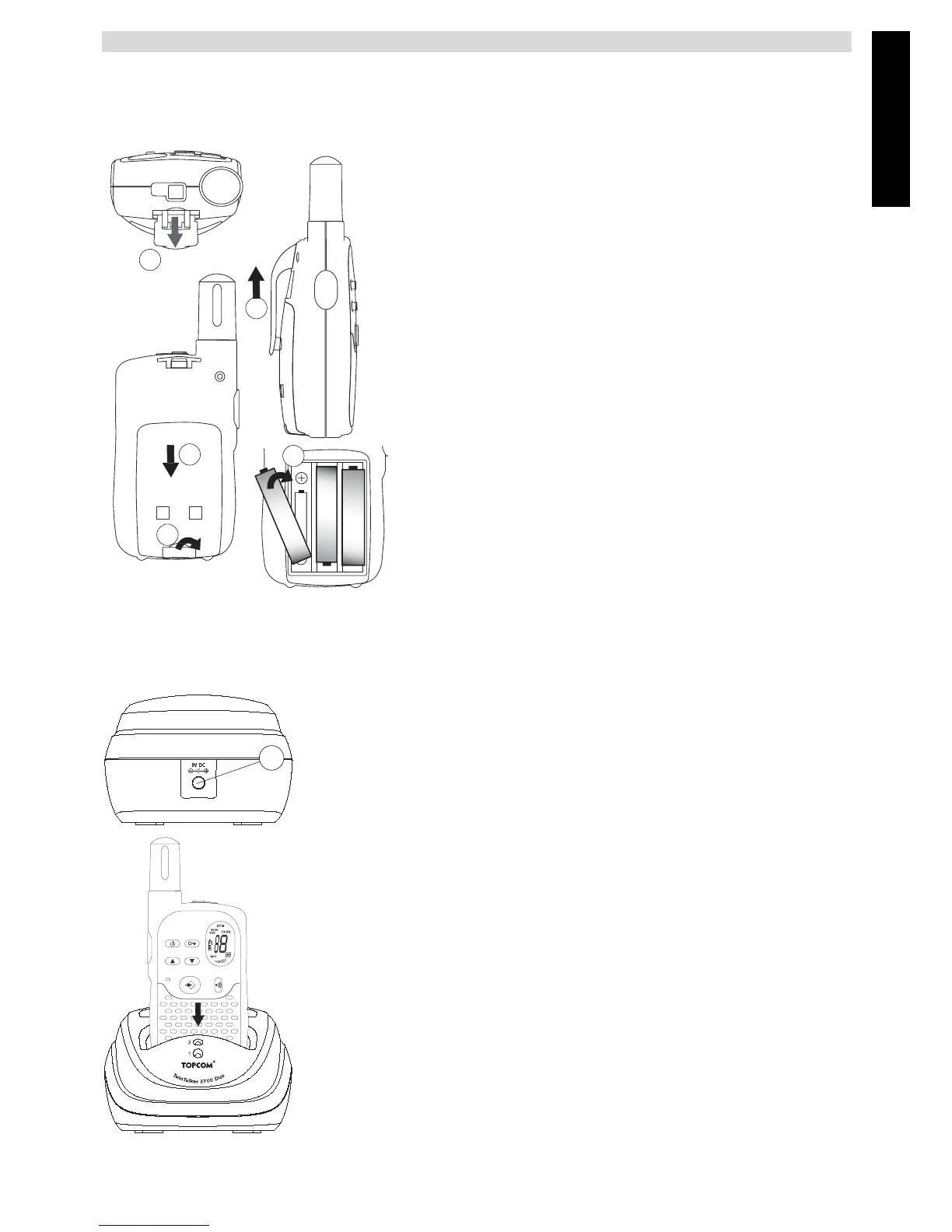
1.To remove the clip from the unit, push the belt clip (B)
towards the antenna, while pulling the clip tab (A).
2.When re-installing the belt clip, a click indicates the
BeltClip is locked into position.
7.2 BATTERY INSTALLATION
1.Remove the belt clip (§ 7.1).
2.Pull the battery door tab down (C) and slide the bat-
tery cover away from the antenna. (D)
3.Install the rechargeable battery pack following the
polarity as shown. Ensure that the metal contacts on the
site are facing outwards from the radio to connect on the
battery door.(E)
4.Re-install the Battery Cover and Belt Clip (§ 7.1).
Note: Instead of the supplied battery pack, the
TT3700 can be used with 3xAAA standard
rechargeable batteries. Follow the polarity as shown
in the battery compartment when installing. You are
not able to use the desktop charger with standard
rechargeable AAA batteries installed.
8 CHARGING BATTERIES
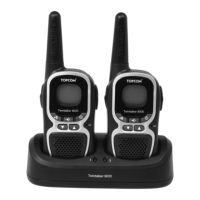
When battery packs are installed, the desktop charger provides drop-in
charging conveniency
1.Put the desktop charger on a flat surface.
2.Plug one end of the supplied adapter into the electric socket and the other
end into the connector on the backside of the desktop charger (13).
3.Put the radio in the charger as indicated.
4.The charging LED will turn on if it’s properly inserted and charging.
It will take about 8 to 10 hours to fully charge the batteries
A
+
-
1 x AAA
+
-
1 x AAA
+
-
1 x AAA
D
B
C
E
13




 To Next Page