TOPCOM TWINTALKER 3700 9
ENGLISH
TOPCOM TWINTALKER 3700 DCP
12.10 CALL TONES
A call tone alerts others that you want to talk.
a. Setting the Call Tone
5 different Call Tones can be selected.
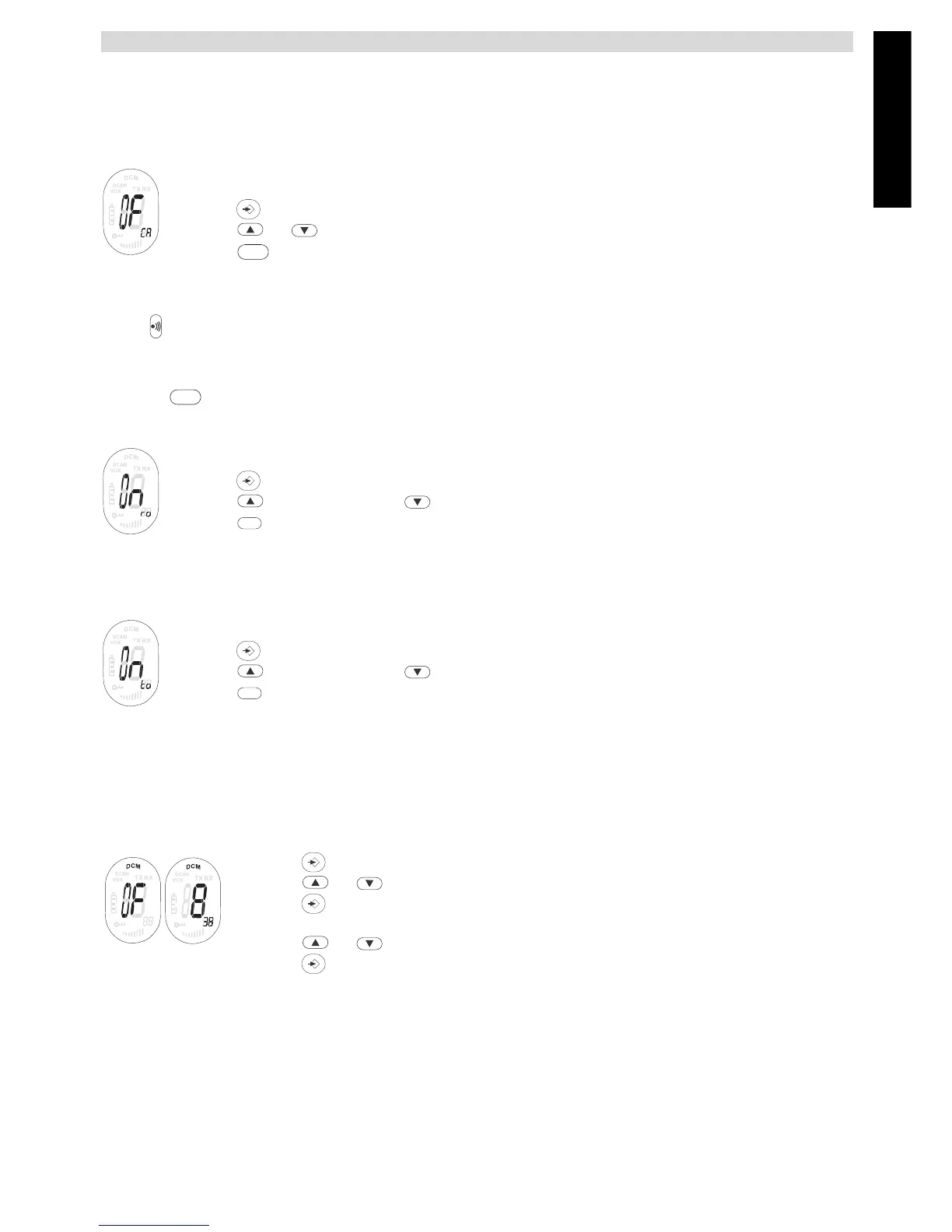
• Press 4 times. CA will be displayed.
• Press or to select another call tone or select OF to enable call tones.
• Press to confirm your selection and return to the standby mode.
b. Sending a call Tone
Press briefly. The call tone will be transmitted for 3 seconds on the set channel.
12.11 ROGER BEEP ON/OFF
After the - button is released, the unit will send out a roger beep to confirm that you have stopped
talking.
To set the Roger Beep.
• Press 5 times. ‘ro’ will be displayed.
• Press to enable (ON) or disable the Roger-Beep (OF).
• Press to confirm your selection and return to the standby mode.
12.12 KEY-TONE ON/OFF
When a button is pressed, the unit will beep briefly.
To set the key-tone.
• Press 6 times. ‘to’ will be displayed.
• Press to enable (ON) or disable the Roger-beep (OF).
• Press to confirm your selection and return to the standby mode.
12.13 DUAL CHANNEL MONITOR FUNCTION
In stand-by, the PMR is set on one set channel with CTCSS code. The PMR will only receive signals
transmitted on that channel and CTCSS code.
Dual Channel Monitor allows you to monitor a second channel with CTCSS code.
• Press 7 times, DCM appears on the display.
• Press or to change the channel.
• Press to confirm the channel selection and go to CTCSS SUB-CHANNEL
SELECTION
• Press or to change the CTCSS.
• Press to confirm.
To disable the function select channel ‘O’
When the Dual Channel Monitor function is activated, the PMR will switch sequentially between the
standby channel + CTCSS and the Dual Channel + CTCSS.
PTT
PTT
PTT
PTT





 To Next Page