TOPCOM TWINTALKER 3700 7
ENGLISH
TOPCOM TWINTALKER 3700 DCP
When the BATTERY CHARGE LEVEL is low, the BATTERY icon will flash to indicate that the batteries
need to be replaced or recharged.
12 USING THE TWINTALKER 3700
12.1 TURNING THE UNIT ON/OFF
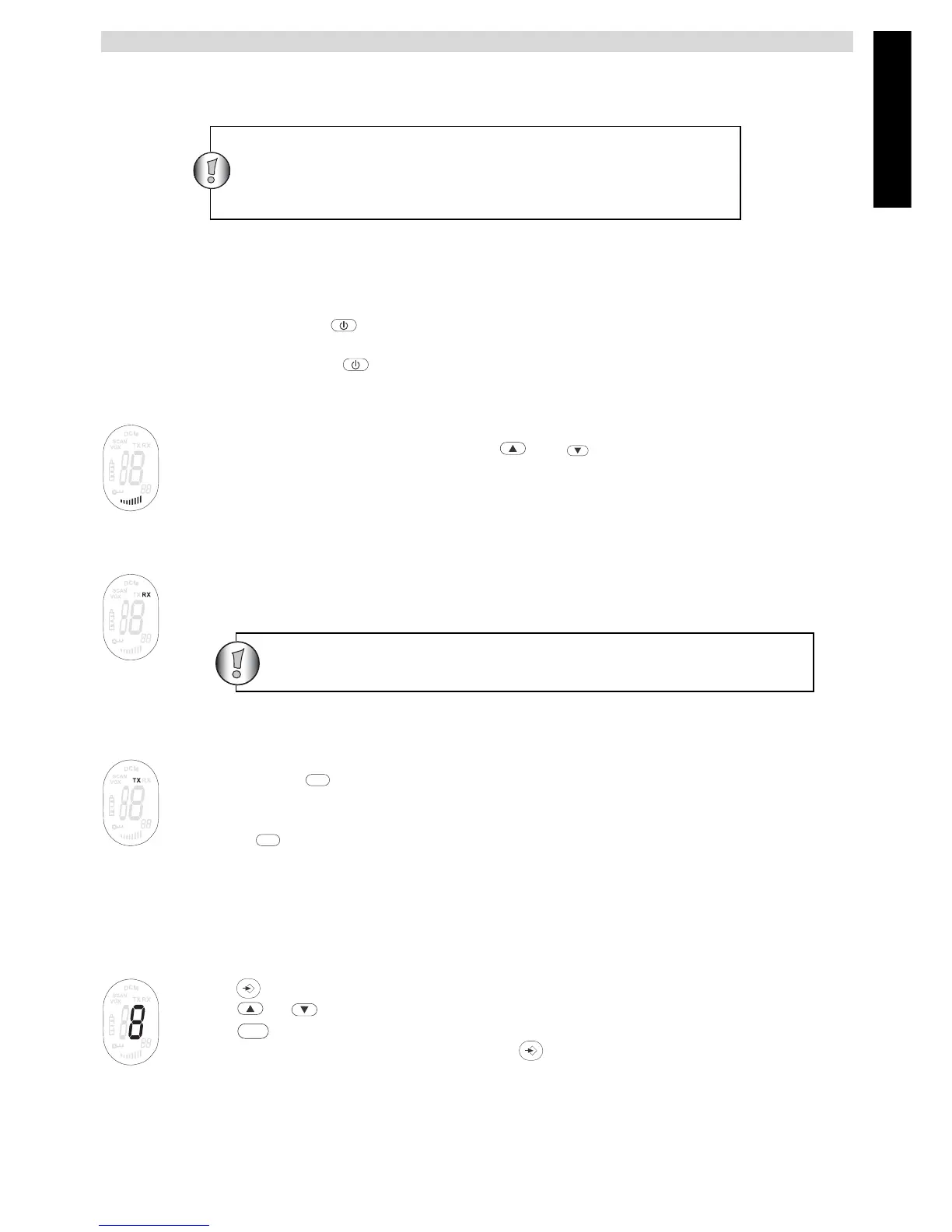
• To activate; press and hold . The unit will “beep” and the LCD Screen will display the current
channel.
• To switch off; press and hold again. The unit will “beep” and the LCD Screen will turn blank.
12.2 ADJUSTING SPEAKER VOLUME
The Speaker Volume can be adjusted using and . The Speaker Volume level is
displayed on the LCD.
12.3 RECEIVING A SIGNAL
The unit is continuously in the RECEIVE mode when the unit is ON and not transmitting. When
you receive a signal on the current channel, the RX icon is displayed.
12.4 TRANSMITTING A SIGNAL
• Press and hold to TRANSMIT.
• Hold the unit in a vertical position with the MICROPHONE 10 cm from the mouth and speak
into the microphone.
• Release when you have finished transmitting.
12.5 CHANGING CHANNELS
The PMR has 8 available channels.
To change channels:
• Press once, the current channel number flashes on the LCD Screen.
• Press or to change the channel.
• Press to confirm your selection and return to the NORMAL mode.
• To confirm and shift to the next option, press .
NOTE: Any PMR set on the same channel can receive and listen to the conversation, also when the other
use a CTCSS code.
Dispose of batteries at a designated battery disposal
unit and not in the household waste. Do not short-circuit
& dispose of in fire. Remove the batteries if this device
is not going to be used for a long period.
In order for other people to receive your transmission, they
must be set on the same channel and CTCSS code.
PTT
PTT
PTT




 To Next Page