45
11. DISTANCE MEASUREMENT
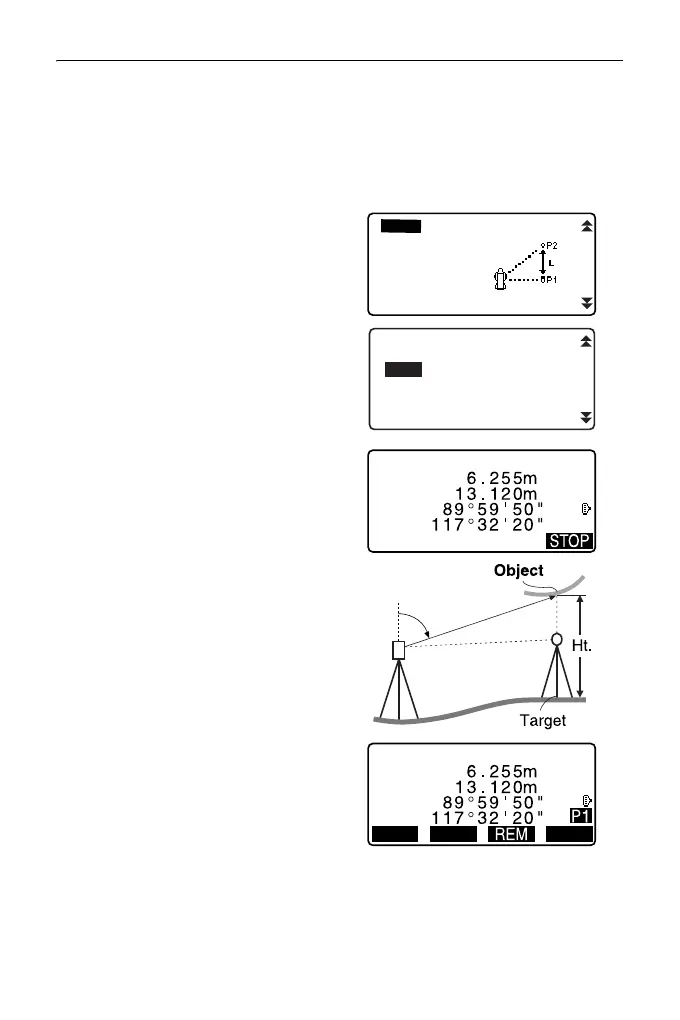
The measured distance data (SD),
vertical angle (ZA), and horizontal
angle (HA-R) are displayed.
Press [STOP] to stop the
measurement.
3. In the second page of OBS mode
screen, press [MENU], then select
"REM".
4. Enter into the REM menu. Select
"REM."
5. Sight the target.
Pressing [REM] starts REM
measurement.
The height from the ground to the
object is displayed in “Ht.”.
6. Press [STOP] to terminate the
measurement operation.
• To re-observe the target, sight
the target, then press [MEAS].
REM
Area calc.
S-O Line
S-O Arc
PT to line
P-Project
REC
REM
Ht.
SD
ZA
HA-R
H T MEAS



 To Next Page