14. SETTING-OUT MEASUREMENT
76
• When [LOAD] is pressed,
registered coordinates can be
recalled and used. Distance and
angle are calculated using the
coordinate value.
"12.1 Entering Instrument
Station Data and Azimuth
Angle PROCEDURE Reading
in Registered Coordinate
Data"
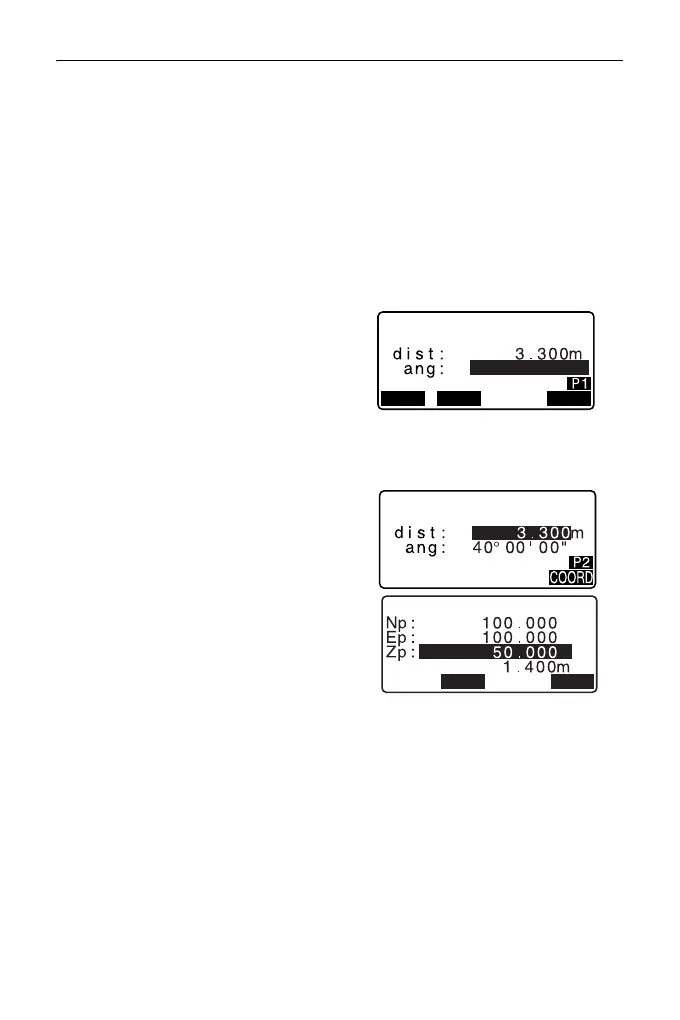
5. Set the following items.
(1) Sdist/Hdist/Vdist: distance
from the instrument station to
the position to be set out.
(2) H ang: included angle
between the direction of the
reference and the point to be
set out.
• Pressing [COORD] in the
second page allows you to enter
the coordinates of the point to be
set out.
6. Press [OK] to set the input values.
• The tilt screen is displayed if the
instrument is out of level.
Level the instrument.
"7.2 Levelling"
7. Rotate the top of the instrument
until “dHA” is 0° and place the
target on the sight line.
H
H
40.0000
OK
LOAD DISP
S-O HD



 To Next Page