2031005680 Rev. C, 06/2016 5
4.6 Ophthalmic Chair (Topcon OC-2200/2300/2400) – Optional
Connect the chair power cable to a wall outlet. Connect the Ophthalmic Chair to the
stand using the provided low voltage control cable onto the back of its bottom shroud.
This will allow the chair to go up/down using the stand control panel.
5. SYSTEM OPERATION
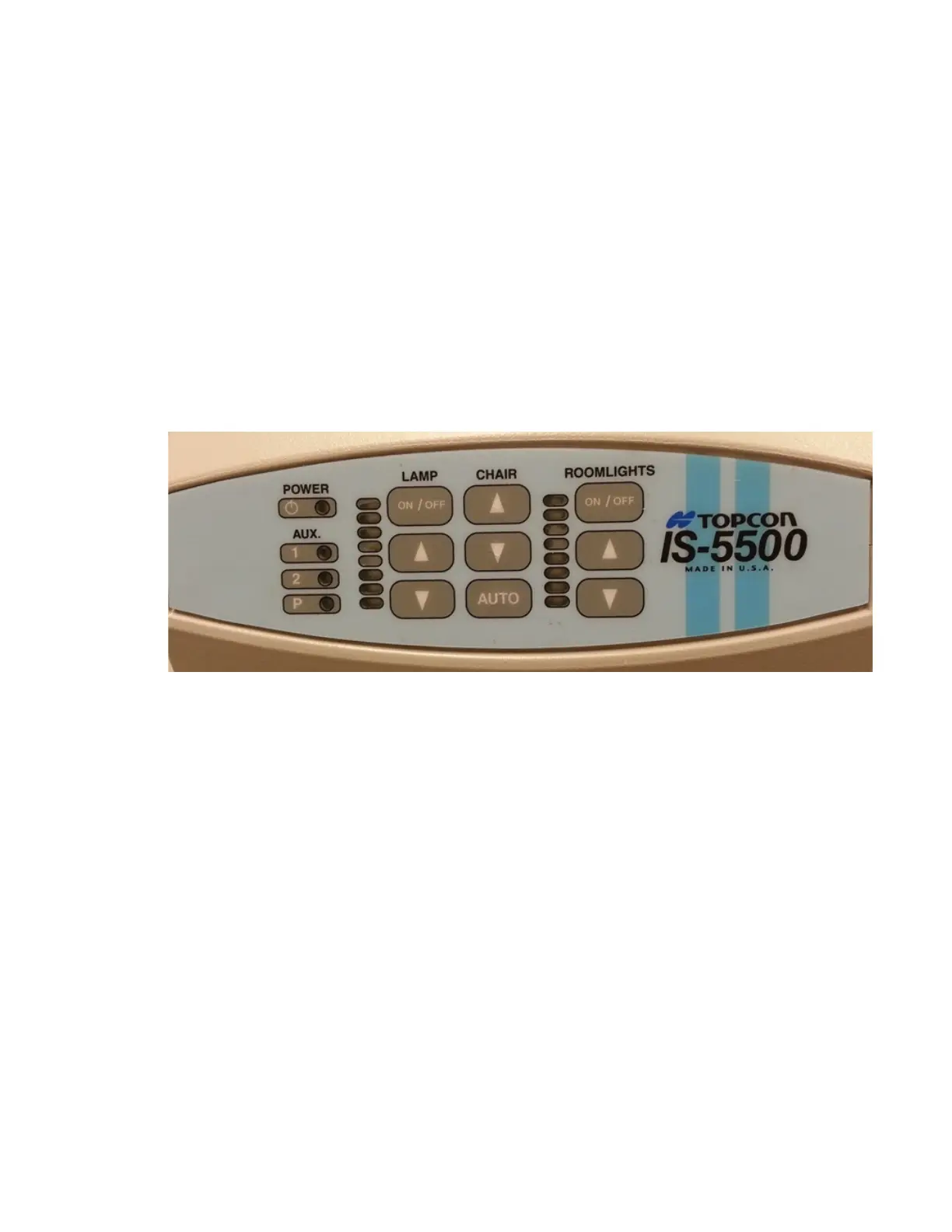
Each of the control panel buttons performs a specific function. Refer to Figure 2 for the locations
of the buttons on the control panel.
5.1 Main Power Switch
The main power switch button controls the power to the system and is located on the control
panel. Press on the power button to switch to ON prior to performing any examinations.
A green LED, located next to it, will light to indicate that the system power is ON.
Figure 2: Control Panel
5.2 Lamp Switch
The LAMP power and dimmer switch controls the power and light intensity to the overhead
lamp. Press ON/OFF to switch the overhead lamp ON or OFF. This switch has to be in the
ON position to control the overhead lamp using the dimmer. To adjust brightness of the
lamp, simply press the ▲ or ▼ (UP or DOWN) button under LAMP.
Warning: Lamp head and lens are hot during use. Do not touch them. Use the lamp handle
to position the overhead lamp.
5.3 Chair-Control Switch
The exam chair height can be controlled from the control panel. Press the ▲ or ▼ (UP or
DOWN) button on the control panel to adjust the chair to the desired height.
5.4 Chair Auto-Return Button
Pressing the AUTO button on the control panel will return the chair lift to its lowest position.


 To Next Page