5. BASIC OPERATION
26
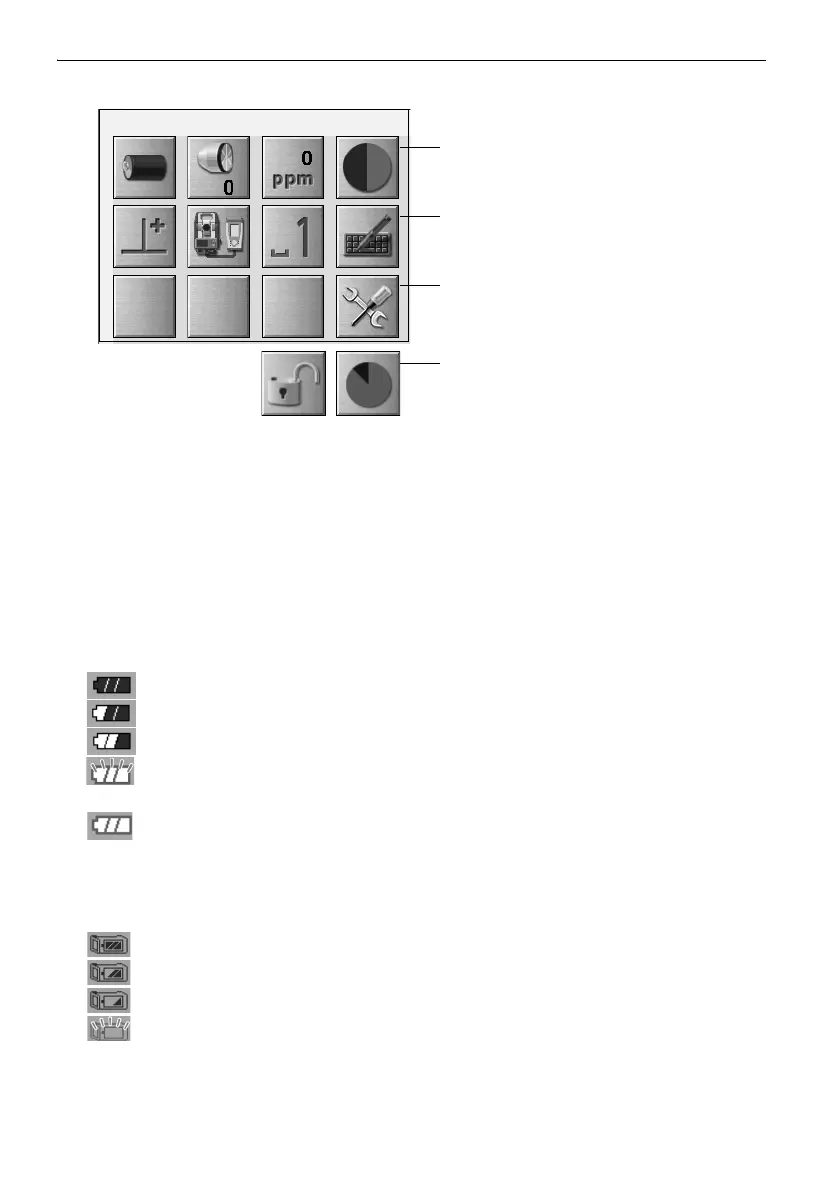
Indicates the current status of the instrument.
Tapping icons will switch between the relevant options for that item. Tapping and holding will display
a list of all available options for that item and, in certain cases, a link to the configuration screen for
that item.
Details of each icon are described below. (The numbers correspond to above icons).
(1) Battery icon
Remaining battery power indicator (BDC70/external battery BT-73Q and BT-73QA, Temperature
= 20°C, EDM on).
The remaining battery power displayed when distance measurement is in progress may differ to
that displayed at other times.
: Level 3 Full power
: Level 2 Plenty of power remains
: Level 1 Half or less power remains
Level 0 Little power remains Prepare a replacement battery.
(Flashes red and black)
: No power Stop operation and charge the battery.
(Red display in the center of the screen)
"7.1 Battery Charging"
When using external battery
: Level 3 Full power
: Level 2 Plenty of power remains
: Level 1 Half or less power remains
: Level 0 Little power remains. Prepare a replacement battery.
"7.1 Battery Charging"
(1) (2) (3) (4)
(5) (6) (7) (8)
(9)
(10) (11)
when instrument was shipped.
10 and 11 are not allocated



 To Next Page