Power Source and Charging
22
Power Source and Charging
To charge
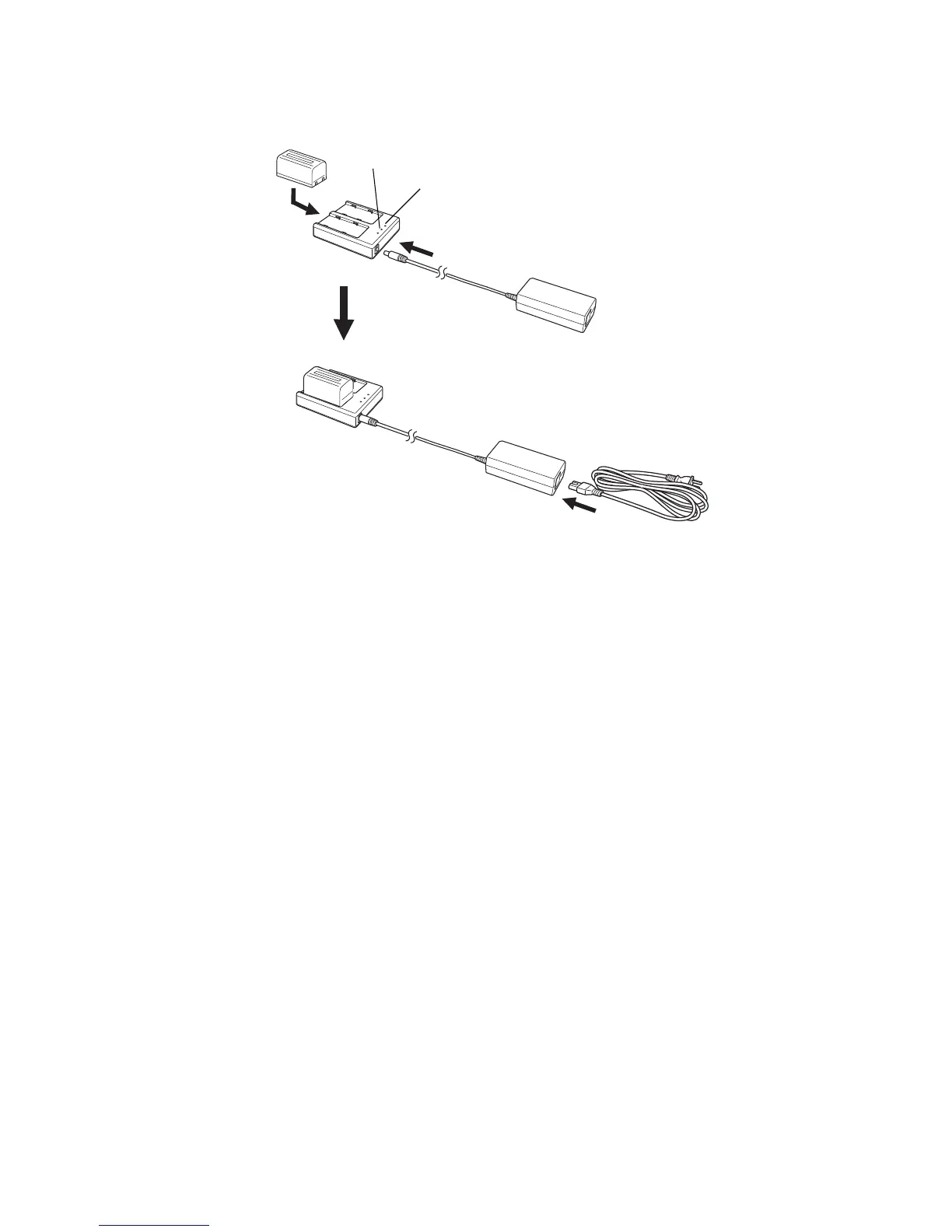
1 Connect the AC/DC converter AD-14 and AC-Cable to the charger. *1)
2 Plug the AC-Plug into the outlet. (The POWER LED will light.)
3 Attach the battery in the charger. Charging will start. (The CHARGE LED will light up in
orange.)
Charging will take approximately 3 hours per battery. (The CHARGE LED will light up in
green.)
If two batteries are attached to the charger, it will take approximately 6 hours to charge them
completely.
If battery power is at a very low level when beginning charging, such as after the instrument
has been in storage over an extended period of time in a discharge state, a full charge may
not be possible with a single charging. In such a case, recharge a second time.
4 After charging, remove the battery from the charger.
Remove the AC-Plug from the outlet.
The POWER LED
Red ON : Power is on.
The CHARGE LED will indicate charging status;
OFF : Wait for charging.
Orange ON : Charging.
Green ON : Charging completed.
Orange Flashing: Charging error.
CHARGE LED will flash when the battery life is over or the battery is
broken down. Replace the battery to new one.
*1) Always use the AC/DC converter provided with the product.



 To Next Page