8. CHANGING OPERATING PARAMETERS
56
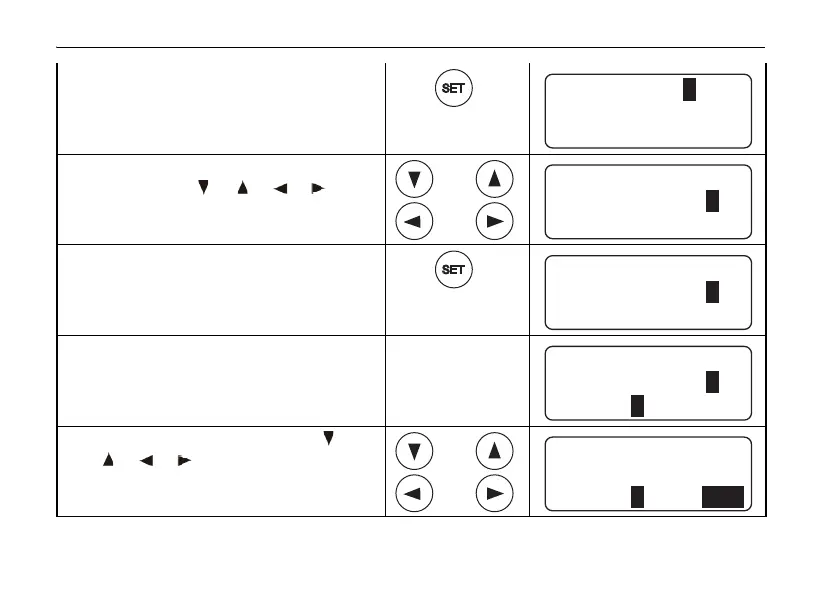
3 Press SET key.
*3
4 Select a numeric character by
pressing the [ ], [ ], [ ], [ ] keys.
Example: 7
5 Press SET key.
6 Repeat steps 4 and 5 to set
remaining three code numbers.
Example: 7777
*4
7 Select "SET" by pressing the [ ],
[], [], [] keys.
CODE [_ _ _ _] SET
SECURITY
56789
ENTER
01234
CODE [_ _ _ _] SET
SECURITY
56789
ENTER
01234
CODE [ 7_ _ _ ] SET
SECURITY
56789
ENTER
01234
CODE
SECURITY
56789
ENTER
01234
[ 7777 ] SET
CODE
SECURITY
56789
ENTER
01234
[ 7777 ] SET















 To Next Page