1.2 Controlling the digital receiver 3
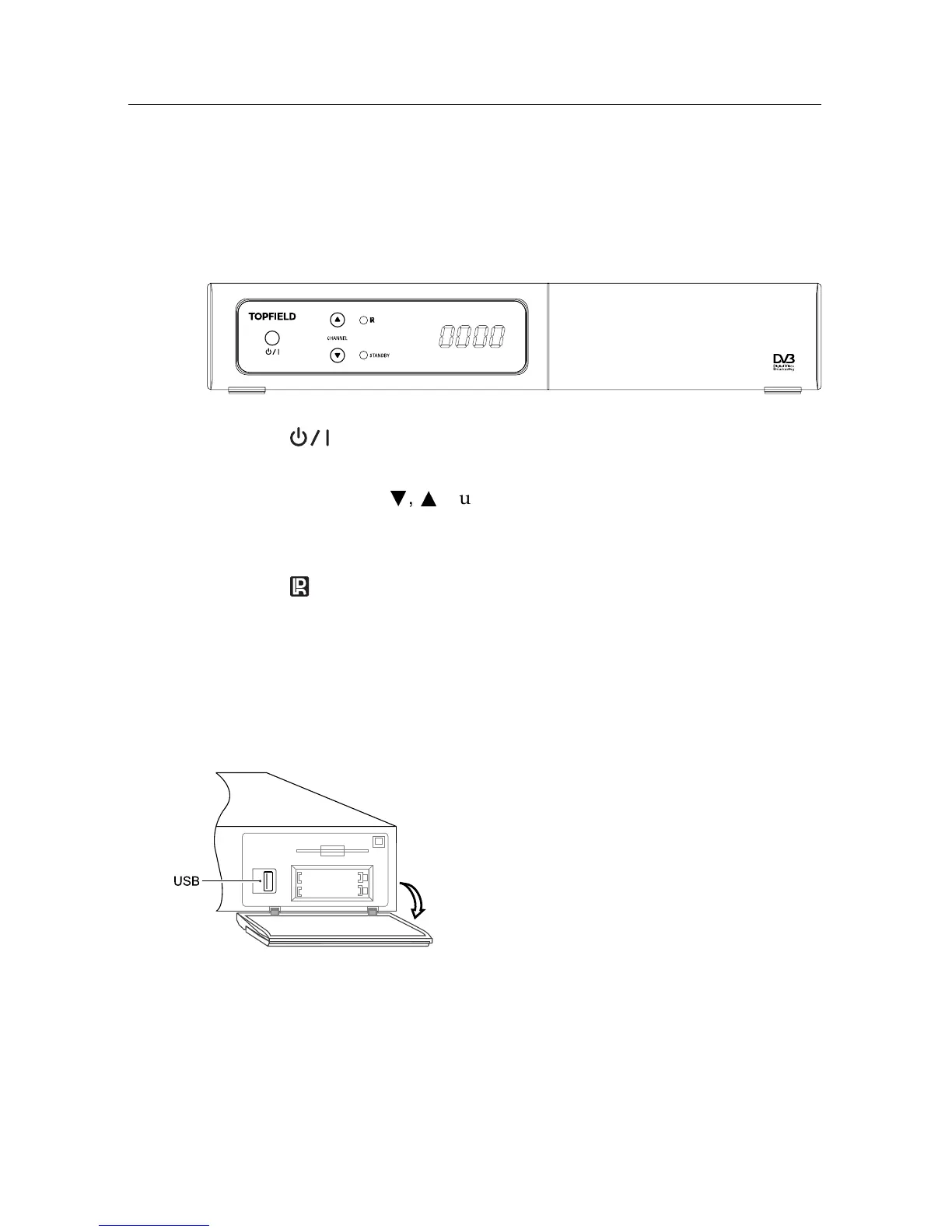
1.2.1 Front panel
The front panel of the digital receiver has buttons to control
the digital receiver, specific lights and a display to indicate its
status. The following indicates what they mean.
button switches the digital receiver between standby mode
and active mode.
CHANNEL
c
,
a
buttons switch to the previous or next ser-
vice. They are also used to navigate in menus and inter-
active screens.
light blinks every time you press a button on the remote
control.
STANDBY light lights up while the digital receiver is in standby
mode.
Front display shows the current time in standby mode, and
displays the current service in active mode.
There is a USB port on the front panel for
firmware update and data transfer. If you
have an external hard drive connected to the
digital receiver via the USB port, you can
record television programmes into it.














 To Next Page