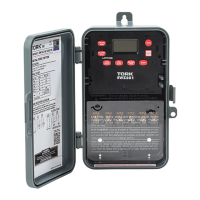
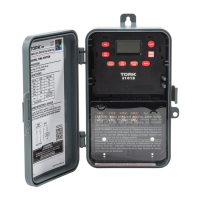
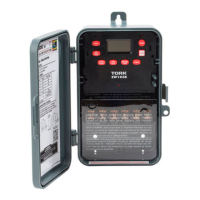
Need help?
Do you have a question about the Tork EW103B and is the answer not in the manual?
Steps for installing the digital time switch unit and enclosure.
Lists the functional capabilities of the time switch, including scheduling.
Outlines the key features of the digital time switch, such as display and power outage handling.
Controls load status in AUTO and MANUAL modes.
Deletes displayed entries or decrements selected values.
Sets hour in CLK/SCH modes and month in DATE/DST modes.
Sets minutes in CLK/SCH and date in DATE mode.
Sets year in DATE, day in DST, and days in SCH.
Selects ON/OFF events or updates load status.
Instructions for setting the current time on the device.
How to change the clock settings after initial setup.
Guide for setting the current date on the device.
How to change the date settings after initial setup.
Configuration of Daylight Saving Time (DST) rules.
How to alter or remove existing DST configurations.
Accessing the mode for setting ON/OFF schedules.
Configuring specific ON/OFF times and days for schedules.
Procedures for viewing, changing, or removing programmed schedules.
How to manually control the load status temporarily or indefinitely.
Using the EVENT key to update the load status to the last scheduled event.
Behavior of the unit when set to manual mode, disregarding schedule.
Unit automatically enters RUN MODE if no key is pressed for five minutes.
Procedure to erase all programmed data, including time and date.
Display of operating frequency and indication of power failure.
Indication of low super capacitor and required charging time.

 To Next Page
 General