Operation
StartingtheTrimmer
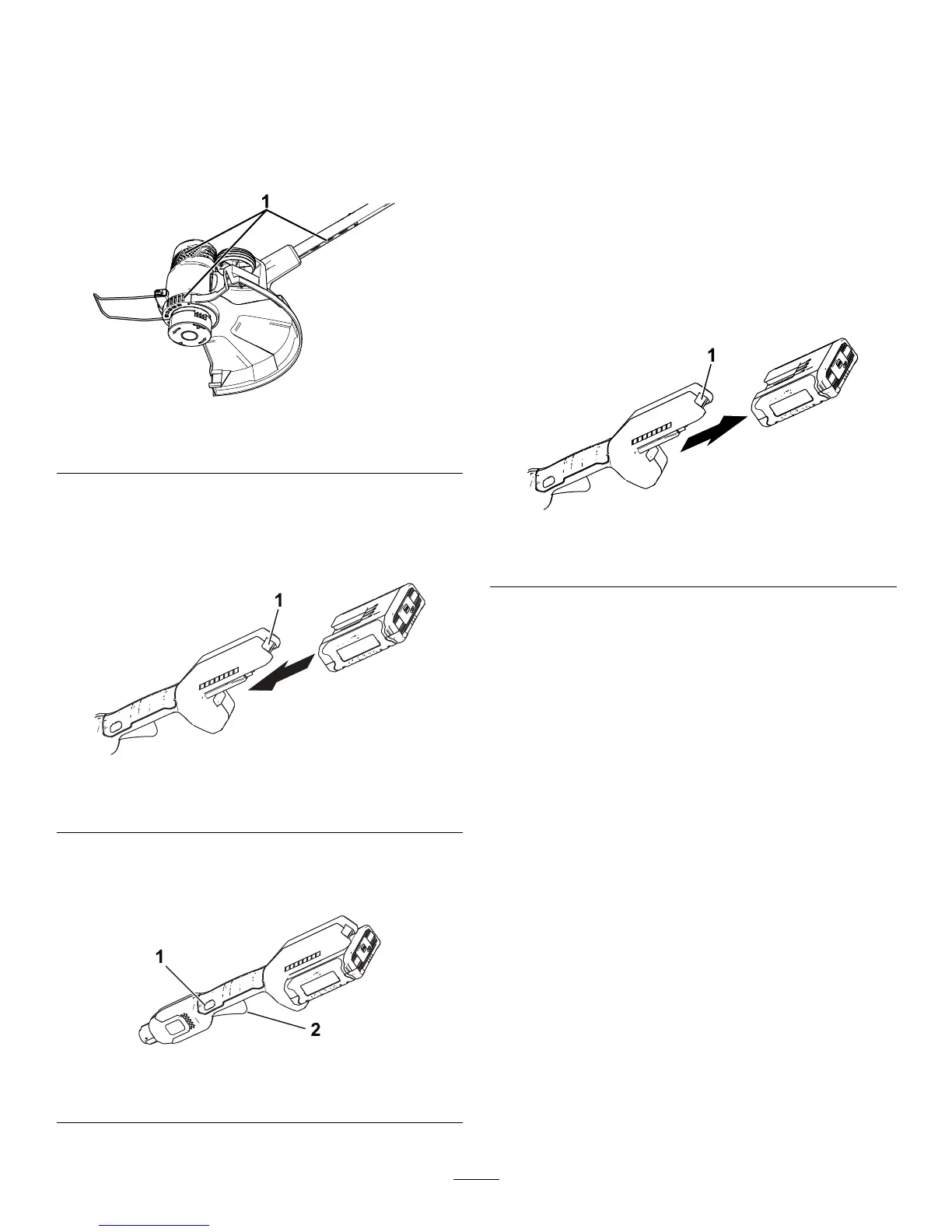
1.Makesurethattheventsonthetrimmerare
clearofanydustanddebris.
g194612
Figure7
1.Trimmerventingareas
2.Alignthecavityinthebatterypackwiththe
tongueonthehandlehousing(Figure8).
3.Pushthebatterypackintothehandleuntilthe
batterylocksintothelatch(Figure8).
g189881
Figure8
1.Batterylatch
4.Tostartthetrimmer,pressthelockoutbutton,
thensqueezethevariable-speedtrigger(Figure
9).
g189886
Figure9
1.Lockoutbutton2.Variable-speedtrigger
ShuttingOfftheTrimmer
Toshutoffthetrimmer,releasethetrigger.
Wheneveryouarenotusingthetrimmerorare
transportingthetrimmertoorfromtheworkarea,
removethebatterypack.
RemovingtheBatteryPack
fromtheTrimmer
Pressthebatterylatchonthemachinetoreleasethe
batterypackandslidethebatterypackoutofthe
machine(Figure10).
g192774
Figure10
1.Batterylatch
11





 To Next Page