EasyManua.ls Logo

Toro PowerPlex 40 V MAX - User Manual

Toro PowerPlex 40 V MAX
56 pages
Print Icon
To Next Page IconTo Next Page
Loading...
FormNo.3417-957RevB
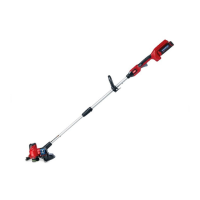
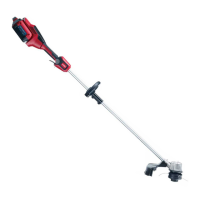
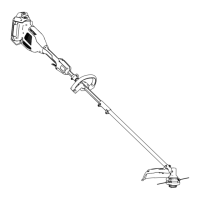
PowerPlex13in40VMAX
StringTrimmer/Edger
51481,51481T
Desbrozadora/cortabordes
PowerPlex™40VMAXde33
cm(13")
51481,51481T
Débroussailleuse/
CoupeborduresàlPowerPlex
33cm(13po)40VMAX
51481,51481T
www.T oro.com.
*3417-957*B

Questions and Answers

  • T
    thomasarmstrongAug 18, 2025
    Why my Toro PowerPlex 40 V MAX does not start?
    • M
      monique13Aug 18, 2025
      If your Toro Trimmer isn't starting, there are several potential reasons: * The battery might not be fully installed. Ensure it's properly inserted and latched. * The battery pack may need charging. Remove it and charge it fully. * The battery pack could be damaged, requiring a replacement. * There might be an electrical problem with the tool. In this case, it is recommended to contact an Authorized Service Dealer.
  • A
    anita96Aug 20, 2025
    How to fix excessive vibration or noise from my Toro PowerPlex 40 V MAX?
    • J
      john56Aug 20, 2025
      If your Toro Trimmer is producing excessive vibration or noise, consider the following: * There may be debris on the drum area. Clean off any debris. * The spool might not be wound correctly. Try advancing the line using the trigger switch, or remove the line and rewind the spool.
  • C
    Charles DunnAug 23, 2025
    How to remove the battery pack from my Toro PowerPlex 40 V MAX Trimmer if it is difficult?
    • C
      charleshenryAug 23, 2025
      If it's difficult to remove the battery pack from your Toro Trimmer, it may be due to the tool or battery being new, or corrosion in the terminals. Clean the terminals on both the battery pack and the tool, then apply dielectric grease to the battery terminals. Do not use other lubricants.
  • S
    samuel18Aug 26, 2025
    Why my Toro Trimmer does not reach full power?
    • L
      Lisa FernandezAug 26, 2025
      If your Toro Trimmer isn't reaching full power, it could be due to: * Low battery charge. Remove the battery pack and fully charge it. * Blocked air vents. Clean the air vents to ensure proper airflow.
  • J
    Jeffrey IngramAug 28, 2025
    Why does the battery pack lose charge quickly in my Toro Trimmer?
    • C
      Caitlin GrayAug 28, 2025
      If your Toro Trimmer's battery pack is losing charge quickly, it might be due to the battery pack being outside the recommended temperature range. Move the battery pack to a dry place where the temperature is between 0°C (32°F) and 40°C (104°F).
  • H
    Henry CarrAug 30, 2025
    What to do if all 4 LED indicators are blinking on the battery pack after releasing the trigger of my Toro PowerPlex 40 V MAX Trimmer?
    • A
      Amber HollandAug 30, 2025
      If all 4 LED indicators are blinking on the battery pack after releasing the trigger on your Toro Trimmer, it indicates that the battery pack is either too hot or too cold. Move the battery pack to a dry location where the temperature is between 0°C (32°F) and 40°C (104°F).
  • K
    Kristen LopezSep 2, 2025
    What does it mean if all 4 LED indicators are blinking on the battery pack after I press the battery-charge-indicator button on my Toro Trimmer?
    • M
      Melanie ParrishSep 2, 2025
      If all 4 LED indicators are blinking on the battery pack of your Toro Trimmer after pressing the battery-charge-indicator button, the battery pack is outside the correct temperature range. Move it to a dry place where the temperature is between 0°C (32°F) and 40°C (104°F).
  • M
    Michael DiazSep 4, 2025
    What to do if my Toro PowerPlex 40 V MAX battery charger is not working?
    • M
      martinjulieSep 4, 2025
      If your Toro Trimmer's battery charger isn't working, consider these possibilities: * The charger's temperature may be outside the recommended range. Unplug it and move it to a dry place where the temperature is between 0°C (32°F) and 40°C (104°F). * The outlet may not be providing power. Contact a licensed electrician to repair the outlet.
  • T
    Thomas AdamsSep 7, 2025
    Why are 2 LED indicators blinking on the battery pack after I press the battery-charge-indicator button on my Toro PowerPlex 40 V MAX Trimmer?
    • J
      Jeffrey ReedSep 7, 2025
      If 2 LED indicators are blinking on the battery pack of your Toro Trimmer after pressing the battery-charge-indicator button, it indicates a voltage difference between cells in the battery pack. Place the battery on the charger until it is fully charged.
  • K
    Kenneth WoodsSep 9, 2025
    Why are 2 LED indicators blinking on the battery pack after releasing the trigger of my Toro PowerPlex 40 V MAX?
    • J
      Jose BoothSep 9, 2025
      If 2 LED indicators are blinking on the battery pack of your Toro Trimmer after releasing the trigger, it indicates a voltage difference between cells in the battery pack. Place the battery on the charger until it is fully charged.

Summary

Introduction

Safety

Work Area Safety

General precautions for maintaining a safe work environment.

Personal Safety

Guidelines for operator's personal safety and protective measures.

Power Tool Use and Care

Best practices for operating and maintaining the power tool.

Service

Guidelines for professional servicing and using identical replacement parts.

Battery Safety

Specific safety instructions for handling and using the battery pack.

Safety and Instructional Decals

Setup

Loose Parts

Lists parts to verify shipment and their use.

Mounting the Battery Charger

Instructions for securely mounting the battery charger indoors.

Unfolding the Handle

Installing Components

Installing the Auxiliary Handle

Procedure for attaching the auxiliary handle to the trimmer.

Installing the Guard

Steps to install the guard onto the trimmer base using screws.

Product Specifications and Edge Guard

Installing the Edge Guard

Instructions for attaching the wire edge guard to the trimmer housing.

Specifications

Lists appropriate temperature ranges for battery and product use/storage.

Operation

Starting the Trimmer

Steps to safely start the string trimmer.

Shutting Off the Trimmer

How to stop the trimmer operation.

Removing the Battery Pack

Instructions for safely detaching the battery from the tool.

Battery Charging and Line Management

Charging the Battery Pack

Detailed steps for charging the battery pack and interpreting LED indicators.

Advancing the Line

Method for advancing the trimmer line using the auto-feed head.

Adjustments and Trimming

Advancing the Line Manually

Procedure to manually advance the trimmer line using the spool retainer.

Adjusting the Auxiliary Handle

Steps to adjust the height of the auxiliary handle.

Adjusting the Handle Height

Instructions for adjusting the telescoping shaft to the desired height.

Trimming

General illustration of the trimming operation.

Specialized Operations

Edging

Steps to use the trimmer as an edger by rotating the head.

Operating Tips

Advice for efficient and safe operation, including cutting techniques and avoiding damage.

Maintenance

Routine Maintenance

Routine maintenance tasks to be performed after each use.

Replacing the Spool

Instructions for replacing the spool with new string.

Replacing the String

Detailed steps for replacing the trimmer line on the spool.

Storage and Battery Recycling

Storage

Guidelines for storing the tool, battery pack, and charger properly.

Preparing the Battery Pack for Recycling

Instructions for preparing the battery pack for recycling.

Troubleshooting

The tool does not start

Solutions for when the trimmer fails to start.

The tool does not reach full power

Corrective actions for insufficient power output.

Excessive vibration or noise

Troubleshooting steps for unusual tool vibration or sound.

Battery pack loses charge quickly

Reasons and fixes for rapid battery discharge.

Battery charger is not working

Solutions for a non-functional battery charger.

Battery pack shows 3 LED indicators

Explains the meaning of three LED indicators on the battery pack.

All 4 LED indicators blinking (battery not in use)

Interprets four blinking LEDs when the battery is idle.

All 4 LED indicators blinking (battery in use)

Interprets four blinking LEDs during tool operation.

2 LED indicators blinking (battery not in use)

Interprets two blinking LEDs when the battery is idle.

2 LED indicators blinking (battery in use)

Interprets two blinking LEDs during tool operation.

1 LED indicator blinking

Explains the meaning of a single blinking LED on the battery pack.

Difficult to remove battery pack

Solutions for difficulty in removing the battery from the tool.

Toro PowerPlex 40 V MAX Specifications

General IconGeneral
Battery Voltage40V
Power SourceBattery
Battery TypeLithium-Ion
Line Diameter0.080 inches
Run TimeUp to 45 minutes

Related product manuals