EasyManua.ls Logo

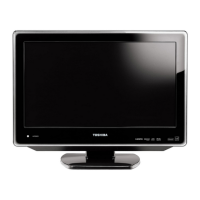
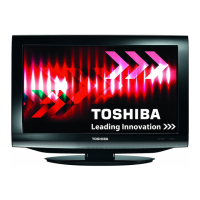
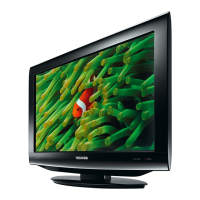
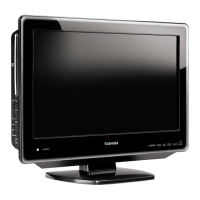
Toshiba 19DV555DB - User Manual

Toshiba 19DV555DB
64 pages
Print Icon
To Next Page IconTo Next Page
Loading...
19DV555DB
19DV556DB
22DV555DB
22DV556DB
OWNER’S MANUAL
©2008 Toshiba Corporation
Before operating the unit, please read this manual thoroughly.
19/22-inch
*
Diagonal LCD TV/DVD
COMBINATION
*Screen size is approximate.
Owner’s Record
The model number and serial number
are on the back of your TV/DVD. Record
these numbers in the spaces below.
Refer to these numbers whenever you
communicate with your Toshiba dealer
about this TV/DVD.
Model number:
Serial number:
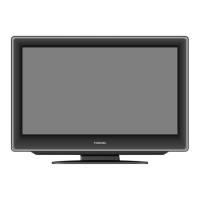
Illustration of 19DV555DB
51Z0101A_ENG.indd 151Z0101A_ENG.indd 1 9/9/08 3:12:35 PM9/9/08 3:12:35 PM

Other manuals for Toshiba 19DV555DB

Questions and Answers

  • B
    Brittney FoleyAug 13, 2025
    How to fix no picture and sound on Toshiba 19DV555DB?
    • M
      Ms. Jennifer DiazAug 13, 2025
      First, ensure the Toshiba TV DVD Combo is switched on and properly connected to the mains power outlet. Then, select the appropriate input mode. If the issue persists, unplug the unit for 1 minute, then plug it back in.
  • W
    William MacdonaldAug 17, 2025
    Why is there no reception on my Toshiba 19DV555DB TV DVD Combo?
    • S
      Shelly SteeleAug 17, 2025
      Make sure that you have tuned in the TV stations. Also, connect the antenna and check that the Toshiba TV DVD Combo is ON and not in Standby mode.
  • J
    Jonathan HowardAug 21, 2025
    What to do if Toshiba TV DVD Combo does not start playback?
    • C
      Chelsea BoydAug 21, 2025
      The Toshiba TV DVD Combo might not start playback for several reasons. Ensure a disc is inserted. If a disc is already inserted, it might be unplayable, so try a playable disc, checking the disc type and colour system. A dirty disc can also cause this issue, so clean the disc. Finally, check if the parental lock function is enabled; if so, cancel it or change the parental lock level.
  • M
    Manuel FieldsAug 25, 2025
    How to fix blocky image on Toshiba 19DV555DB?
    • M
      Michelle MitchellAug 25, 2025
      Check all antenna connections on your Toshiba TV DVD Combo. Move the antenna away from areas of possible interference. You might also want to try using an antenna booster.
  • D
    Donald RodgersAug 28, 2025
    What to do if “Database empty” message appears on Toshiba TV DVD Combo?
    • K
      Kendra StoneAug 29, 2025
      Check all antenna connections on your Toshiba TV DVD Combo and try auto tuning again.
  • J
    jacqueline13Sep 1, 2025
    Why does Toshiba TV DVD Combo playback picture have occasional distortion?
    • K
      kimbrianSep 1, 2025
      If the playback picture on your Toshiba TV DVD Combo has occasional distortion, eject the disc and clean it. Sometimes a small amount of picture distortion may appear, and this is not a malfunction.
  • M
    Melissa MuellerSep 5, 2025
    Why can't I select TUNING option in Toshiba TV DVD Combo menu?
    • M
      Michael TurnerSep 5, 2025
      If the TUNING option cannot be selected in the menu of your Toshiba TV DVD Combo, it is likely because the unit is set to AV mode. Press 1 on the remote control to exit AV mode.
  • T
    Tyler HowardSep 8, 2025
    Why does Toshiba 19DV555DB switch off with missing antenna input signal?
    • J
      Jose ThompsonSep 8, 2025
      This is normal. 15 minutes after the antenna signal has disappeared, the Toshiba TV DVD Combo will change to standby mode.

Summary

Precautions

Safety Warnings and Laser Product Caution

Details safety warnings, laser product caution, and headphone risks.

Important Safety Information

Installation and Usage Guidelines

Covers placement, ventilation, power connection, and handling precautions.

Location of Controls

Remote Control Guide

Installing Remote Control Batteries

Step-by-step guide for inserting batteries into the remote control.

Aerial Connection

Connecting the Aerial Input

Instructions on connecting an outdoor aerial to the unit's input socket.

Auto Setup Procedure

Automatic Installation Steps

Guides through language, country, and auto-tuning for channel setup.

Basic Operation Guide

Channel Presetting and Management

Automatic Station Presetting

Searching and storing available analogue TV programmes.

Manual TV Station Presetting

Manually tuning specific stations into program positions.

Basic Operations

Channel Selection and Volume Control

How to change channels and adjust volume using the remote.

Picture Format Settings

Other Convenience Functions

Digital Menu System Guide

Accessing and Navigating Digital Menus

How to access and navigate the main and sub-menus.

Language Setup and Auto Scan

Language Setup Procedure

Selecting menu, audio, and subtitle languages.

Auto Scan Process

Initiating an automatic scan for digital TV channels.

Manual Scan and Carrier Setup

Channel Organizer

Channel Management Features

Options to lock, skip, go to, delete, rename, and move channels.

Password Setup and Parental Lock

Setting Parental Controls

Restricting viewing based on age-based ratings.

Password Management and Reset

Changing the password and procedures for forgotten passwords.

EPG (Electronic Program Guide)

EPG Timer Function

Setting Timer Events for Programs

Choosing whether the screen switches on for timer events.

Disc Handling and Playback Basics

Playing a Disc and Playback Controls

Basic Playback Steps

How to insert a disc and start playback.

Disc Playback Modes

Zooming and Scene Locating

Media File Playback (MP3;JPEG;DivX;Audio CD)

Customizing Function Settings

Security and Content Control

Managing parental controls, passwords, and DivX VOD.

PC Connection

Monitor Display Modes and Input Selection

Selecting PC input and adjusting monitor display settings.

HDMI and DVI Device Connection

Connecting HDMI and DVI Devices

How to connect HDMI or DVI devices to the TV's HDMI input.

Connecting Other Equipment

Connecting External Audio;Video Devices

Connecting satellite receivers, DVD players, VCRs, and cameras.

Troubleshooting Guide

TV and DVD Issue Resolution

Common issues and their possible solutions for TV and DVD playback.

Toshiba 19DV555DB Specifications

General IconGeneral
Screen Size19 inches
Resolution1366 x 768
Display TechnologyLCD
DVD PlayerYes
HDMI Ports1
USB Ports1
Scart Ports1
Weight5.5 kg
Aspect Ratio16:9

Related product manuals