EasyManua.ls Logo

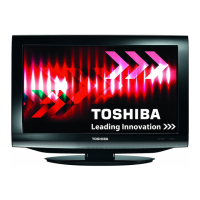
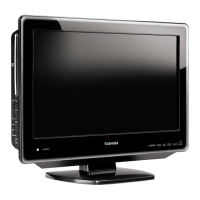
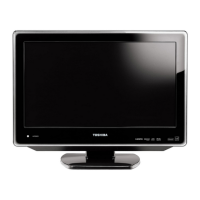
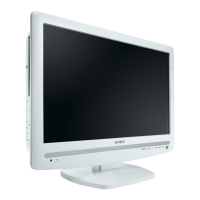
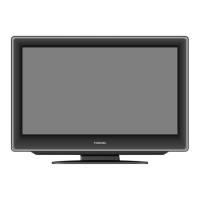
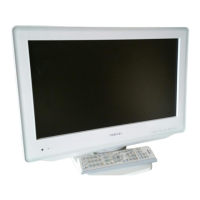
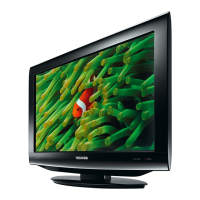
Toshiba 19DV733G - User Manual

Toshiba 19DV733G
92 pages
Print Icon
To Next Page IconTo Next Page
Loading...
LCD TV/DVD COMBINATION
©2010 Toshiba Corporation
Before operating the unit, please read this manual thoroughly.
Owner’s Record
The model number and serial number
are on the back of your TV/DVD.
Record these numbers in the spaces
below. Refer to these numbers whenever
you communicate with your Toshiba
dealer about this TV/DVD.
Model number: _________________
Serial number: _________________
OWNER’S MANUAL
19DV733G
19DV734G
22DV733G
22DV734G
26DV733G

Table of Contents

Other manuals for Toshiba 19DV733G

Questions and Answers

  • B
    Briana ConnerSep 15, 2025
    Why is there no subtitle on my Toshiba TV DVD Combo?
    • K
      Katherine ScottSep 15, 2025
      If there is no subtitle on your Toshiba TV DVD Combo, the disc may not have subtitles encoded on it, or subtitles may be disabled. Try pressing the SUBTITLE button.
  • M
    Mary SmithAug 25, 2025
    How to troubleshoot a Toshiba TV DVD Combo that does not operate?
    • A
      Amber FullerAug 25, 2025
      If your Toshiba TV DVD Combo does not operate, ensure the power cord is properly plugged in and press the POWER button. Try using a different AC outlet. You can also try unplugging the power cord, waiting a moment, and then plugging it back in. If you're using the remote control, the batteries might be dead, so try replacing them or using the buttons on the control panel.
  • M
    Michael NguyenAug 25, 2025
    What to do if my Toshiba TV DVD Combo has no picture and sound?
    • R
      Robert SmithAug 26, 2025
      If your Toshiba TV DVD Combo has no picture and no sound, first, ensure the TV is switched on. Check that the main power outlet is properly connected. Select the appropriate input mode. As a last resort, unplug the TV for one minute, and then plug it back in.
  • A
    amber29Aug 26, 2025
    What to do if my Toshiba TV DVD Combo shows a blocky image?
    • S
      Sarah GloverAug 27, 2025
      If your Toshiba TV DVD Combo displays a blocky image or the image stops intermittently, check all antenna connections. Try moving the antenna away from potential sources of interference. You might also consider using an antenna booster to improve the signal.
  • C
    Casey GibbsSep 16, 2025
    Why REGZA-LINK® does not function on my Toshiba TV DVD Combo?
    • D
      Deborah TorresSep 16, 2025
      The REGZA-LINK® feature is available for Toshiba REGZA-LINK® compatible devices. Use cables with the HDMI Logo. If the connected REGZA-LINK® device does not work correctly after changing settings, turn off your TV, unplug the power cord, plug it back in, and turn on the TV again. If several devices are connected, the REGZA-LINK® feature may not operate properly.
  • T
    Thomas ThomasSep 23, 2025
    Why scene angle cannot be changed on my Toshiba TV DVD Combo?
    • R
      Richard PatrickSep 23, 2025
      The disc has no multi-angle scenes.
  • S
    schultzjimmySep 8, 2025
    What does 'X' on the screen of my Toshiba TV DVD Combo mean?
    • N
      Nathan CantrellSep 8, 2025
      If an "X" appears on the screen of your Toshiba TV DVD Combo, it means the function is not applicable to the disc or the current mode.
  • L
    lucascherylSep 9, 2025
    Why is there no picture on my Toshiba TV DVD Combo?
    • T
      Tiffany MillerSep 9, 2025
      If there is no picture on your Toshiba TV DVD Combo, ensure that the TV is in DVD mode.
  • S
    Steven BrightSep 2, 2025
    What to do if playback does not start on Toshiba TV DVD Combo?
    • D
      Duane WiseSep 2, 2025
      If playback does not start on your Toshiba TV DVD Combo, insert a disc if none is inserted. If a disc is inserted, ensure it is a playable disc by checking the disc type and color system. Place the disc in the disc slot with the label side facing forward. Clean the disc if it is dirty. Also, cancel the parental lock function or change the parental lock level if it is enabled.
  • E
    Erin BentleyAug 31, 2025
    Why does my Toshiba TV DVD Combo playback picture have occasional distortion?
    • C
      Carl CraigAug 31, 2025
      If your Toshiba TV DVD Combo playback picture has occasional distortion, try ejecting and cleaning the disc. A small amount of picture distortion may sometimes appear, which is normal.

Summary

Precautions and Important Information

Headphone Warning

Warning about irreversible hearing damage from loud music via headphones.

DVB-T Function Information

Details on the availability and compatibility of digital TV broadcasting (DVB-T).

LCD Screen Adverse Effects

Information on potential permanent screen damage from static images.

DVB-C Notice

Information regarding the availability of DVB-C function based on region and firmware.

TV Installation Guidelines

Safety instructions and precautions for installing the television securely.

Important Safety Information

Fall Prevention Measures

Guidelines to prevent the unit from falling and causing damage or injury.

Aerial Connector Caution

A specific warning about touching the aerial connector.

Location of Controls

Screen Angle Adjustment

How to adjust the tilt angle of the TV screen.

Control Panel & Remote Overview

Description of buttons and indicators on the TV and remote control.

Remote Control Functions

I;O Connections

DVB-C Function Notice

Using the Auto Brightness Sensor

Auto Setup Procedure

DTV Auto Tuning and Antenna;Cable Setup

Selecting Video Input Source

Automatic Station Presetting

Changing Stored Channel Order

Manual TV Station Presetting

Basic Operation

Channel Selection

How to change channels using number buttons or the channel list.

QuickView

How to quickly return to the last selected channel.

Volume Adjustment and Mute

How to control sound levels and mute the TV's audio.

Basic Operation (continued)

Information Display

How to view channel and program information on screen.

Sleep Timer Function

How to set the TV to turn off automatically after a specified time.

Teletext Operations

Fasttext;TOPtext Navigation

How to use special teletext features for quick access.

Sub-page Selection

How to navigate through teletext sub-pages.

Page Selection and Enlargement

How to select specific teletext pages and enlarge the display.

Quiz Questions and Page 100

Features for interactive teletext, including quiz questions.

Stereo Reception with Built-in Tuner

Picture Format Settings

AV Colour Adjustment

Other Convenience Functions

Using REGZA-LINK

REGZA-LINK Player Menu Functions

Using the Media Player

Media Player Basic Operations

Viewing JPEG Files with Media Player

Media Player Photo Quick Menu

Setting Background Music for Photo Mode

Listening to MP3 Files

Media Player Music Quick Menu

Display Setup and Timer Setting (DTV Mode)

Password Setup (Parental Lock) (DTV Mode)

Version Information Check

Software Upgrade (DTV Mode)

Common Interface (DTV Mode)

Multi Audio Settings (DTV Mode)

DVB-Subtitle Settings (DTV Mode)

EPG (Electronic Program Guide) (DTV Mode)

EPG Timer Setting (DTV Mode)

Disc Information

Disc Playback Reminders

Notes on disc compatibility and handling.

Removing and Storing Discs

Instructions on disc handling and storage.

Basic Playback (DVD;VCD;Audio CD)

Advanced Playback Modes

Zoom Function and Scene Navigation

Scene Bookmark Feature

Repeat and A-B Repeat Playback

Scene Angle, Title Selection, and DVD Menu

Soundtrack Language, Audio Channel, and Subtitle Selection

Playback Information and VCD PBC Control

MP3, JPEG, DivX and Audio CD Operation

File Browser and Audio File Playback

Playing an Audio File

JPEG File Operation

DivX and DivX VOD Operation

MP3;JPEG;DivX and Audio CD Playback Modes

Programming Playback Sequence

Programme and Random Playback (VCD)

Customising Disc Playback Settings

Customising Disc Playback Settings (Continued)

Customising Disc Playback Settings (Continued)

Customising Disc Playback Settings (Continued)

Customising Disc Playback Settings (Continued)

Parental Control

Setting age-based restrictions for disc content.

Customising Disc Playback Settings (Continued)

Password Management

Changing the parental control password.

DivX VOD Registration and Deregistration

Managing DivX Video-On-Demand content.

Temporary Cancel Rating Level by DVD Disc

PC Connection

Connecting HDMI or DVI Devices

REGZA-LINK Connection

Connecting TV to Other Equipment

Status Messages

Troubleshooting Table

Specifications

The GNU General Public License (GPL)

No Warranty Information

The Libpng License Notices

The zlib License

EU Conformity Statement

Toshiba 19DV733G Specifications

General IconGeneral
Screen Size19 inches
Resolution1366 x 768
DVD PlayerYes
HDMI Ports1
USB Ports1
Display TechnologyLCD
Aspect Ratio16:9
Sound Output5W x 2

Related product manuals