EasyManua.ls Logo

Toshiba 19LV505 - User Manual

Toshiba 19LV505
80 pages
Print Icon
To Next Page IconTo Next Page
Loading...
TOSHIBA
CtJlDOLBVI
DIGITAL
HOml'·
'UiiJ""·';'
HIGH·DEFINITION
MULTIMEDIA
INTERFACE
~
........
.:::
~U~
Digital
Out
~
VI
DEO
[Q]D~@
(DIGITAL
VIDEO)
dl
O
OCR~
r;::
2l
II
lill
CJU!J
~I~
Introduction ,
DIGITAL
AUDIO
- -
COOOO''''''11
19j22-inch* Diagonal
LCD
TVjDVD
COMBINATION
19LV505
19LV506
22LV505
22LV506
OWNER'S MANUAL
B"",~"pil
TV
""",,~,
II
B.o,
pl.,..",
II
Ad",,,,,
pl.,.".
II
F"""~,
....p
iii
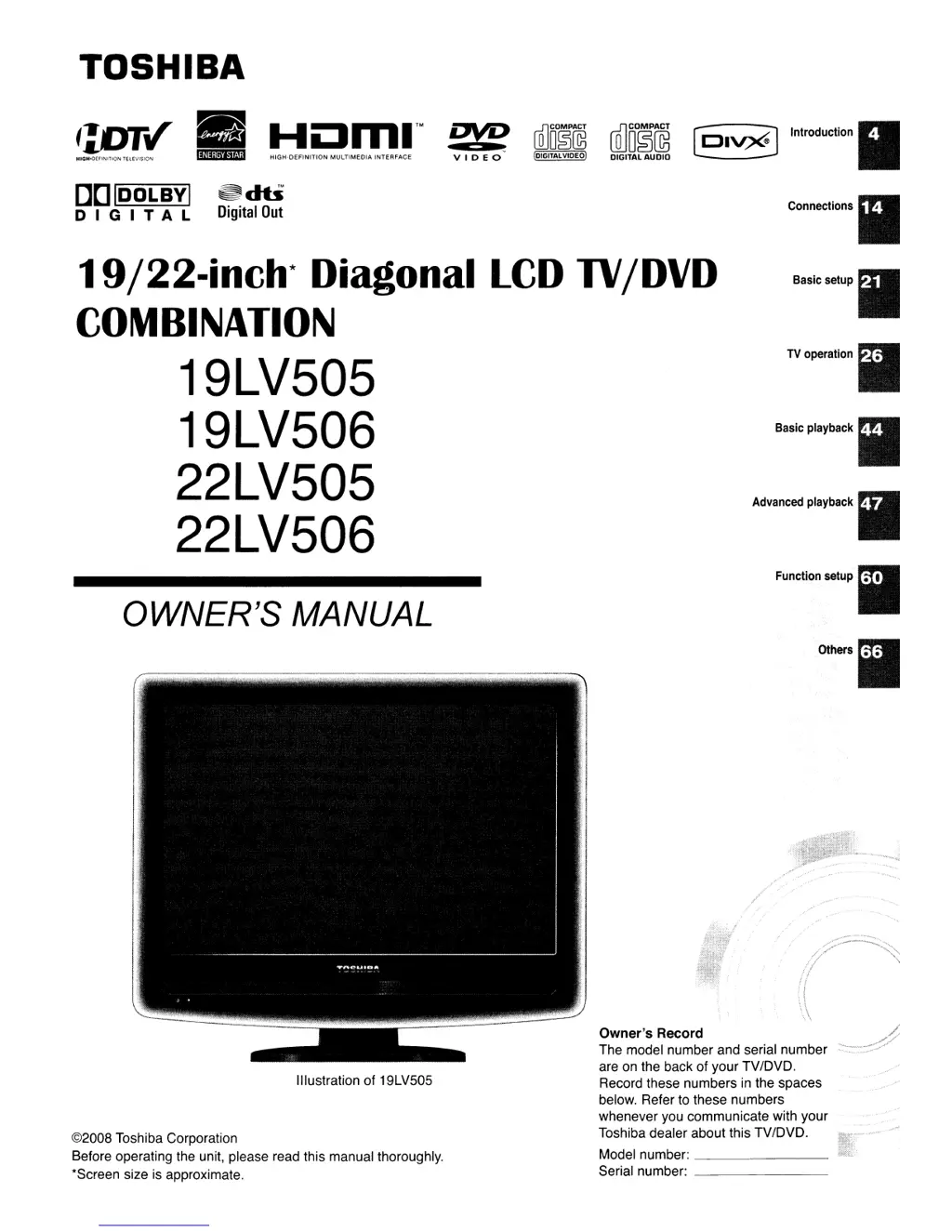
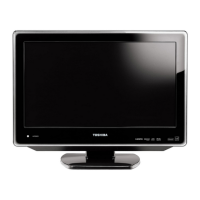
Illustration of 19LV505
©2008 Toshiba Corporation
Before operating the unit, please read this manual thoroughly.
'Screen size is approximate.
Owner's Record
The model number and serial number
are on the back of your TV/DVD.
Record these numbers
in
the spaces
below. Refer to these numbers
whenever you communicate with your
Toshiba dealer about this TV/DVD.
Model number: _
Serial number: _

Other manuals for Toshiba 19LV505

Questions and Answers

  • C
    Cole LoveSep 4, 2025
    Why does the picture wobble or drift on my Toshiba 19LV505 TV DVD Combo?
    • M
      Madeline JenningsSep 4, 2025
      If the picture on your Toshiba TV DVD Combo wobbles or drifts, the station or Cable TV may have problems, so try another station. Make sure the channels are set into memory. It's possible that the Cable TV company is scrambling the signal. Check the antenna or Cable TV connections, and reorient the antenna.
  • M
    Melissa GoodmanSep 18, 2025
    Why angle cannot be changed on Toshiba 19LV505 TV DVD Combo?
    • J
      john19Sep 18, 2025
      If the angle cannot be changed on your Toshiba TV DVD Combo, it may be because multi-angles are not recorded on the DVD disc.
  • J
    juanhurleySep 16, 2025
    How to display subtitles on Toshiba 19LV505?
    • F
      fcooperSep 16, 2025
      If there are no subtitles appearing on your Toshiba TV DVD Combo, it may be that some discs have no subtitles. If subtitles are cleared, press the SUBTITLE button on your remote.
  • B
    Brian CollinsSep 14, 2025
    Why can't I change the audio soundtrack and/or subtitle language on my Toshiba TV DVD Combo?
    • C
      Crystal MackSep 14, 2025
      If you cannot change the audio soundtrack and/or subtitle language when you playback a DVD on your Toshiba TV DVD Combo, it may be because a multilingual language is not recorded on the DVD disc.
  • S
    Sarah OlsonSep 12, 2025
    How to change the display language on Toshiba 19LV505 TV DVD Combo?
    • T
      Timothy MurphySep 12, 2025
      To change the display language on your Toshiba TV DVD Combo, select the proper language in the menu options.
  • S
    samuel04Sep 12, 2025
    How to turn on the on-screen display on Toshiba 19LV505 TV DVD Combo?
    • A
      alexa79Sep 12, 2025
      To turn on the on-screen display on your Toshiba TV DVD Combo, set the Display to On.
  • K
    Kathleen JohnsonSep 9, 2025
    How to fix no reception above channel 13 on Toshiba 19LV505?
    • C
      Charles ThorntonSep 9, 2025
      If you're not getting any reception above channel 13 on your Toshiba TV DVD Combo, ensure the Air/Cable selection is in the appropriate position. If you're using an antenna, check the UHF antenna connections.
  • R
    ronald55Sep 7, 2025
    What causes horizontal or diagonal bars on the screen of my Toshiba TV DVD Combo?
    • C
      Carolyn HullSep 7, 2025
      Horizontal or diagonal bars on the screen of your Toshiba TV DVD Combo might be caused by the following: * Check antenna or Cable TV connections, reorient antenna. * Check for sources of possible interference.
  • R
    Robert AlvaradoSep 5, 2025
    How to fix no CATV reception on Toshiba 19LV505?
    • J
      Jonathan McclainSep 5, 2025
      If you're experiencing no CATV reception on your Toshiba TV DVD Combo, check all Cable TV connections. Set the Air/Cable selection to the Cable position. The station or Cable TV system may have problems, so try another station.
  • M
    morrisonclaireAug 20, 2025
    What to do if the Toshiba 19LV505 TV DVD Combo remote control does not function?
    • S
      Shannon LoveAug 20, 2025
      If the remote control for your Toshiba TV DVD Combo is not working, try the following: * Aim the remote control directly at the remote sensor. * Operate the remote within approximately 5 meters or reduce the amount of light in the room. * Ensure there are no obstacles blocking the path of the beam between the remote and the sensor. * Replace the batteries, as they may be weak. * Check that the batteries are inserted correctly.

Summary

Introduction and Safety Information

Safety and Child Safety

Important safety precautions and guidelines for child safety when using the TV.

Connecting Your Toshiba TV;DVD

Antenna and Cable TV Connections

Instructions for connecting indoor/outdoor antennas and cable TV services.

Basic Setup and Initial Configuration

Automatic Setup Process

Step-by-step guide for initial TV/DVD installation, language, and channel tuning.

Operating Your Toshiba TV;DVD

Basic TV Functions

Using power, volume, channel tuning, display, sleep, and mute functions.

Advanced DVD and Media Playback

Disc Playback Basics

Basic playback functions like play, pause, stop, fast forward, rewind, and disc handling.

Customizing Function Settings

Additional Information and Support

Troubleshooting

Diagnosing and resolving common issues with the TV/DVD unit.

Toshiba 19LV505 Specifications

Display IconDisplay
screen size19" diagonal
pixel resolution1440 x 900
brightness350 cd/m2
Ports & Interfaces IconPorts & Interfaces
hdmi inputs1
component inputs1
s-video inputs1
Weight and Dimensions IconWeight and Dimensions
unit dimensions with stand16.81 x 15.79 x 8.15 in
unit dimensions without stand16.81 x 14.33 x 2.64 in
unit weight12.32 lbs

Related product manuals