Connecting your TV
Using the PC Settings
• Mostofthepicturecontrolsandfunctionsare
available.Howeverfeaturesnotavailablewillbe
greyedout.
• Firstpress untilthevideoinputmodelist
appearsonthescreen,thenpresssorrand
QinordertoselectthePCinputmode
(-page14).
• Thisfunctionmaynotbeavailableforsome
signalorifnosignalisreceived.
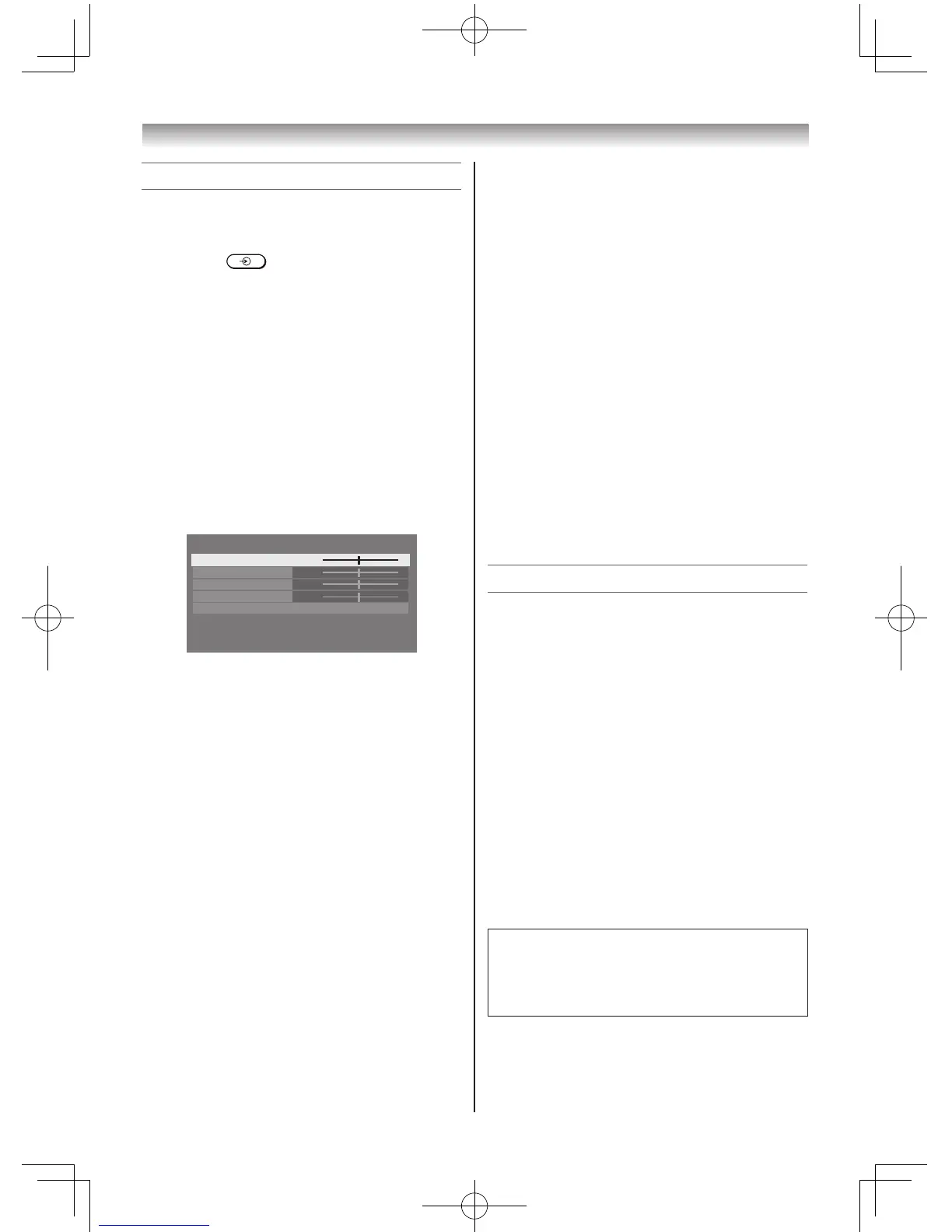
• TheoptimumpointsoftheClock Phase
andSampling Clockadjustmentsmaybe
incomprehensibleaccordingtotheinputsignals.
Adjusting the picture position
1 PressMENU,thenpressvorwtodisplay
theSETUP menu.
2 PresssorrtoselectPC Settings.
3 PressQtodisplaythePC Settingsmenu.
4 Presssorrtoselectanoptionyouwantto
adjust.Pressvorwtoadjustthesettingsas
required.
Adjusting the Clock Phase of the picture
IftheClock Phase,whichsynchronizethePC
signalandLCDdisplay,isnotoptimized,the
picturewillblur.
ThisfunctionenablesyoutoadjustClock Phase
anddisplayaclearpicture.
1 FromthePC Settingsmenu,presssorr
toselectClock Phase.
2 Pressvorwtoobtainaclearpicture.
Adjusting the Sampling Clock
IftheSampling Clockdoesnotmatchwiththe
dotclockfrequencyofthePC,blurredpicture
detailwilloccur,orscreenwidthwillchange,or
driftpatternsinverticallinesmaybeapparent.
Thisfunctionenablesyoutoadjustitand
optimizethepicture.
1 FromthePC Settingsmenu,presssorr
toselectSampling Clock.
2 Pressvorwtooptimizethepicture.
Resetting the PC Settings
TheResetfunctionadjuststhePC Settingsto
thefactorysettings.
1 FromthePC Settingsmenu,presssorr
toselectReset.
2 PressQ.
Note:
WhenaPCisconnectedusingHDMInoneof
thesefunctionwillbeavailable.
Using the Media Player
TheTVallowsyoutoenjoyphotosstoredona
USBdevice.
Notes:
• Donotinsert/removeaUSBdevicewhilein
use.
• MENU is not available during playback.
Media Player Specifications
Device
USBdevice:
USBMassStorageClassdevices(MSC)
Notes:
• Connectivityisnotguaranteedforall
devices.
• ConnecttheUSBdevicetotheTVdirectly.
• DonotuseaUSBhub.
Supported file system
FAT12,FAT16andFAT32
Youmustobtainanyrequiredpermission
fromcopyrightownerstodownloadoruse
copyrightedcontent.Toshibacannotanddoes
notgrantsuchpermission.



 To Next Page
 Loading...