P3/WMA/JPEG playback
t_P3 and WMA files can be pmayed
beck. Aieo_ you can dispmay JPEG
flies on the TV screen and enjoy
them as a elide show,
Some discs may not pray due to
the condition of the recording.
Preparation:
. Turn ON the TV and set to the video input mode=
. Load the disc storing MP3, WMA or JPEG.
. Press DVD to select the DVD mode= (The DVD indicator wilI light=)
Using the BROWSER screen
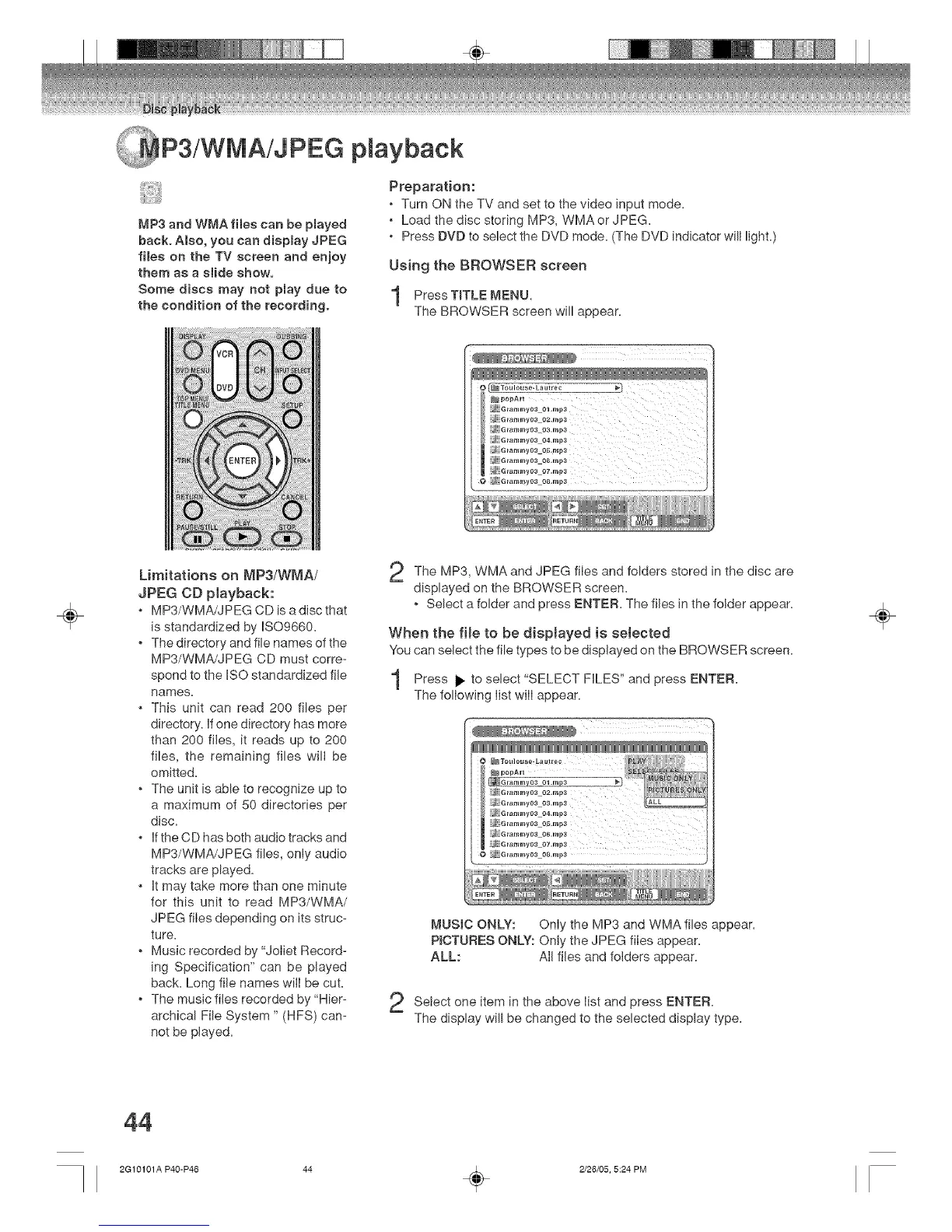
PressTITLE MENU.
The BROWSER screen will appear=
NpopAi _
=_ Grammya3 01 .rap3
._ G_ammy03 o2.mpa
_ ._ G_ar_my03 03.m_
J G_ammy03 04.mp,_
! 2_ G_ammv0a os.mpa
2_ Grammvoa o6.mpa
_ :Gramm,/03 r_7.mp3
{_ _G_ammy03 08.rap3
÷
Limitations on MP3/WMA/
JPEG CD playback:
. MP3/WMA/JPEG CD is a disc that
is standardized by ISO9660.
. The directory and file names of the
MP3/WMA!JPEG CD must corre-
spond to the ISO standardized file
names=
. This unit can read 200 flies per
directory. If one directory has more
than 200 files, it reads up to 200
files, the remaining files wilI be
omitted=
. The unit is able to recognize up to
a maximum of 50 directories per
disc=
. If the CD has both audio tracks and
MP3/WMA/JPEG files, only audio
tracks are played=
. It may take more than one minute
for this unit to read MP3/WMA/
JPEG files depending on its struc-
ture.
. Music recorded by "JoIiet Record-
ing Specification" can be played
back= Long file names wilI be cut=
. The music flies recorded by "Hier-
archical File System " (HFS) can-
not be played=
The MP3, WMA and JPEG files and folders stored in the disc
are
displayed on the BROWSER screen=
. Select a folder and press ENTER= The flies in the folder appear=
When the file to be dispJayed is selected
"Youcan select the file types to be displayed on the BROWSER screen=
Press to select "SELECT FILES" and ENTER=press
The folIowing Iist wilI appear=
:_ Grammy03 05.rap3
i_; G ra_Hny03 08.rnp3
_,IUSIC ONLY: Only the MP3 and WMA flies appear=
P_CTURES ONLY: Only the JPEG files appear=
ALL: All flees and folders appear=
Setect item in the above Iist and ENTER=
one
press
The display will be changed to the selected display type=
÷
44
2G 10101A P40-P46 44 _ 2/26/05, 5:24 PM



 To Next Page