1.TROUBLESHOOTING FOR THE HARDWARE
Clearing a Paper Misfeed 39
1 TROUBLESHOOTING FOR THE HARDWARE
5
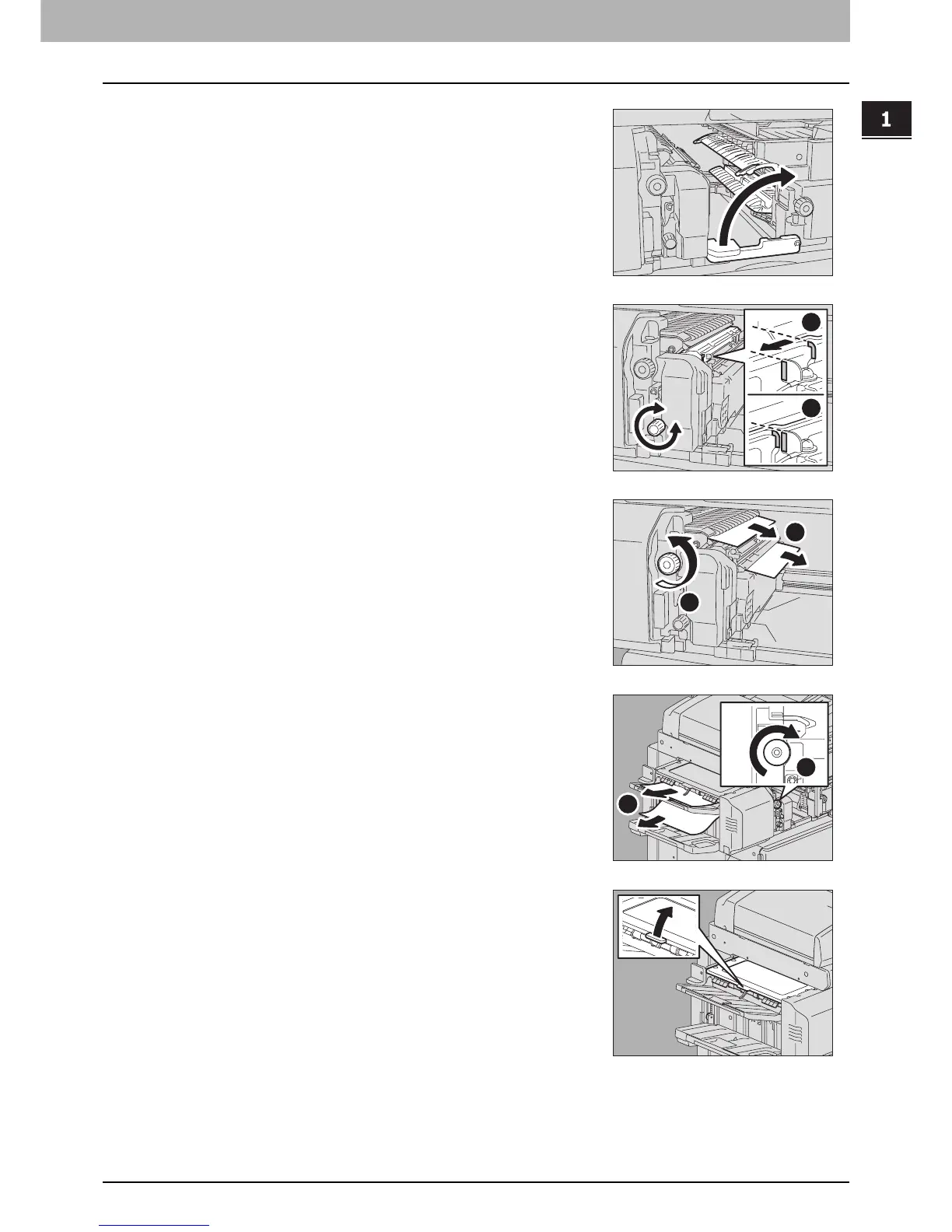
Return the green lever to its original position.
6
When the Hole Punch Unit is installed and used for
punching holes, while pulling the green dial toward
you, turn it to align the yellow marks on the parts.
7
Turn the upper green dial counterclockwise to remove
the misfed paper.
8
Turn the upper green dial clockwise to remove the
misfed paper.
9
Holding the green knob, open the upper cover.
2
1
2
1
2
1



 To Next Page
 Loading...






