3 INSTALLING PRINTER DRIVERS FOR WINDOWS
116 Other Installations
3
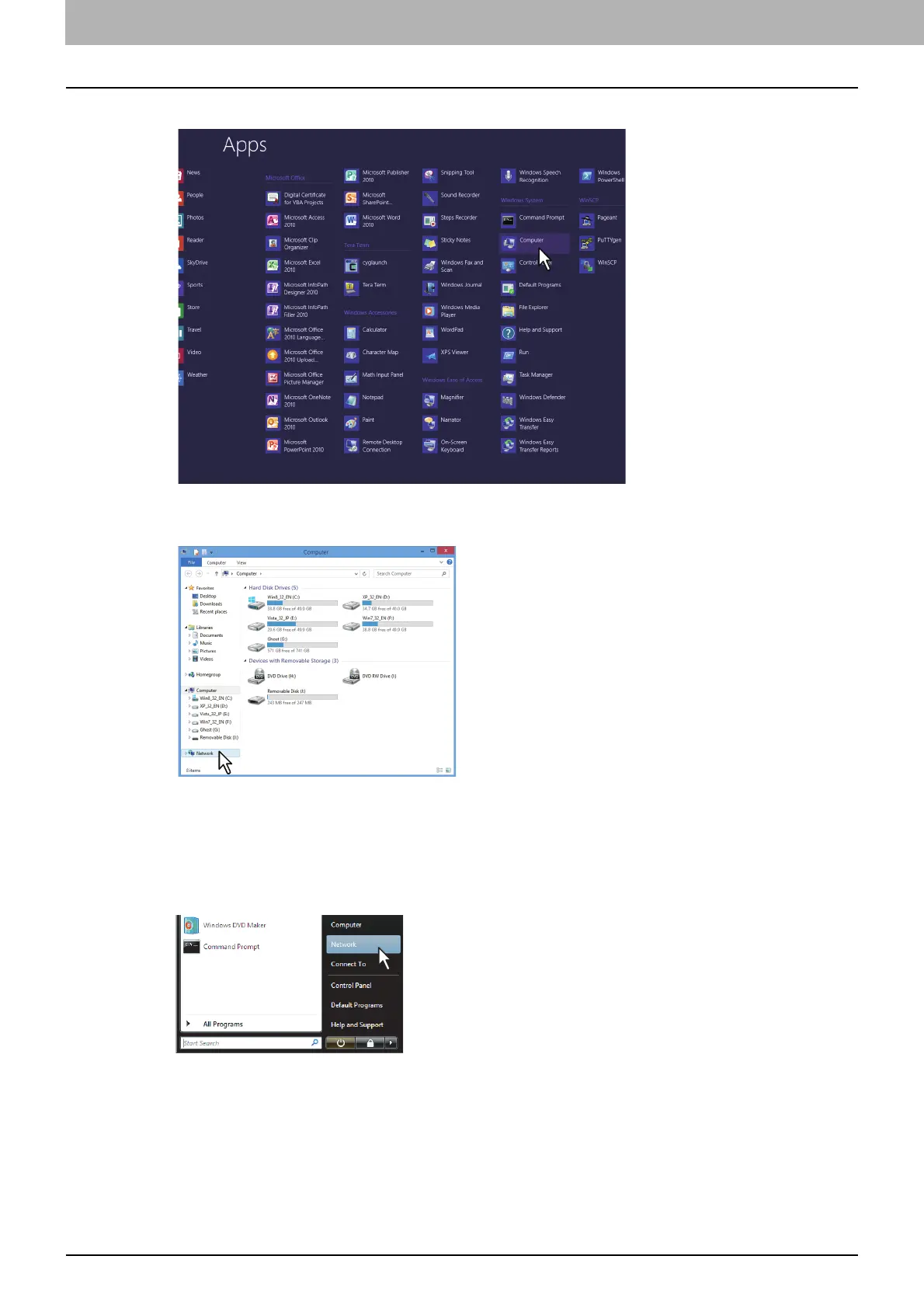
Click [Computer].
The [Computer] screen appears.
4
Click [Network].
The [Network] screen appears.
Windows Vista / Windows Server 2008
Follow the steps below to install a printer driver on Windows Vista / Windows Server 2008.
1
Click the start button and click [Network] to open the [Network] screen.
Go to step 4 if the Network discovery is enabled.
Go to the next step if the Network discovery is disabled.



 To Next Page
 Loading...











