3.INSTALLING PRINTER DRIVERS FOR WINDOWS
Other Installations 117
3 INSTALLING PRINTER DRIVERS FOR WINDOWS
2
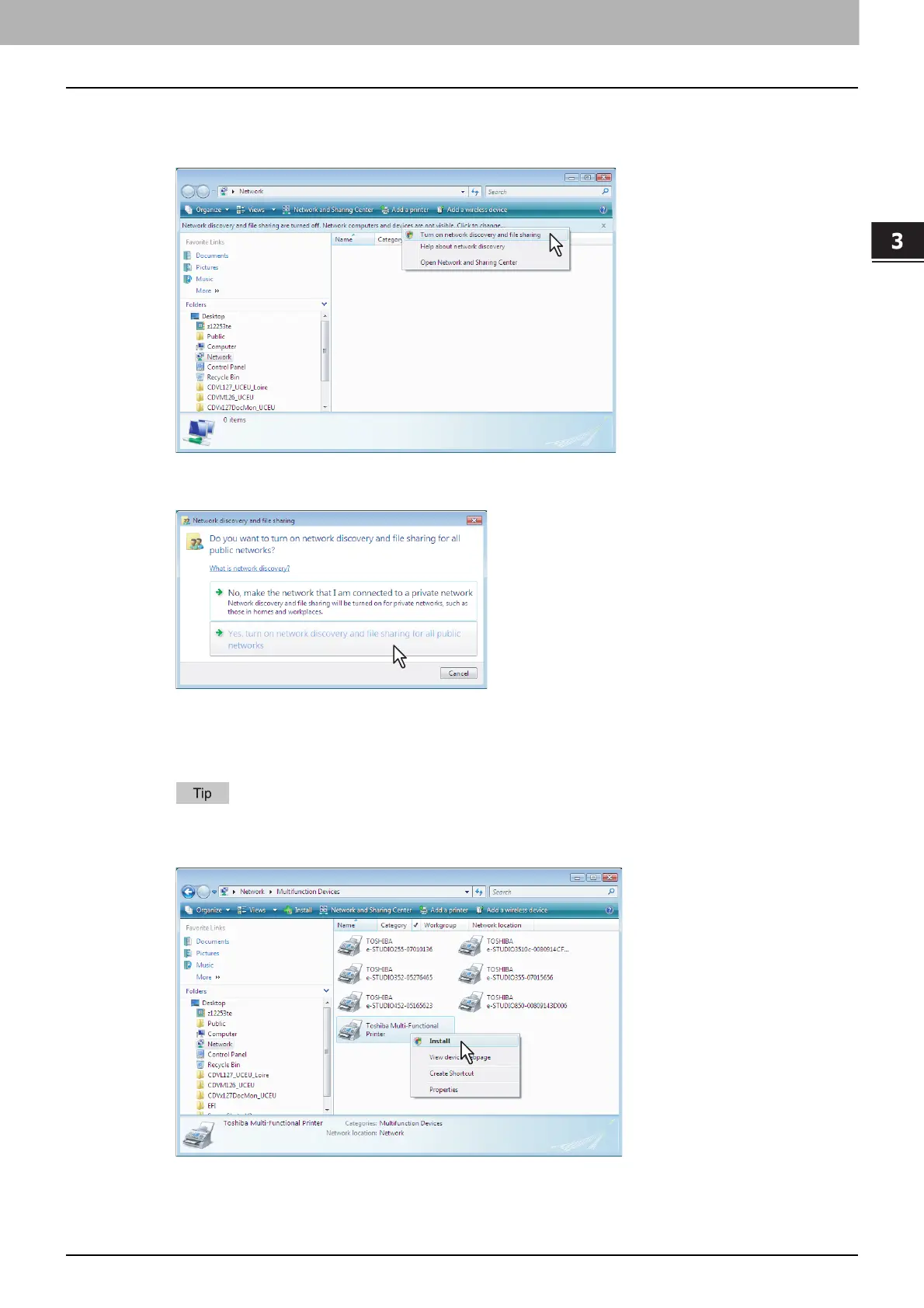
Click [Network discovery and file sharing is turned off. Network computers and devices
are not visible. Click to change]. Then select [Turn on network discovery and file
sharing].
The [Network discovery and file sharing] dialog box appears.
3
Click [Yes, turn on network discovery and file sharing for all public networks].
Connected computers and icons of the multifunction devices are displayed in the [Network] screen.
4
Select the icon of the multifunction device of the equipment and right-click to make the
menu appear, then click [Install].
You can display only the multifunction devices by checking [Multifunction Devices] on the [Category]
box.
[PnPX Device Association] is displayed on the task bar.



 To Next Page
 Loading...











