EasyManua.ls Logo

Toshiba HDR5010 - User Manual

Toshiba HDR5010
48 pages
Print Icon
To Next Page IconTo Next Page
Loading...
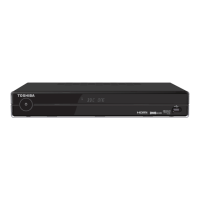
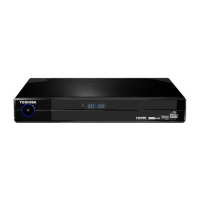
Digital TV recorder
HDR5010KB
OWNER’S MANUAL
© 2010 Toshiba Corporation
HDR5010 User Guide.indb 1 22/07/2010 10:38

Questions and Answers

  • L
    Lynn MurphyJul 30, 2025
    What to do if Toshiba DVR does not record?
    • J
      Jennifer SullivanJul 30, 2025
      If your Toshiba Digital TV recorder is not recording, check the Library menu for free space on the hard disk and delete recordings if necessary. Try putting the Digital TV recorder into Standby mode, then unplug it completely from the mains for at least one minute before reconnecting.
  • G
    Glenn HarrisonAug 4, 2025
    How to fix no picture on Toshiba HDR5010 DVR?
    • M
      Melissa BuckAug 4, 2025
      If your Toshiba DVR shows no picture or a distorted picture, ensure the unit is switched on and the aerial is correctly connected. Check all connections between the unit and your TV. Also, verify that your TV is displaying the correct AV input. You can also check the signal strength. Powering your TV off and then on at the mains supply may also resolve the issue.
  • B
    Brittney GarciaAug 9, 2025
    Why is there no sound on my Toshiba HDR5010 DVR?
    • L
      Laura CookAug 9, 2025
      If there is no sound from your Toshiba DVR, first check if the TV is muted. Ensure the aerial is correctly connected to the unit and verify all connections between the unit and your TV, Hi-Fi, or Surround Sound System. If the signal is weak, this can also cause a lack of sound. Try powering your TV off and then on at the mains.
  • M
    Martin MorrisonAug 14, 2025
    Why does my Toshiba HDR5010 DVR say it's too hot?
    • E
      Emily PhelpsAug 14, 2025
      If your Toshiba DVR displays a banner saying “Your box is too Hot,” reposition the unit to ensure all ventilation holes are open and nothing is blocking them. Consider moving the unit to a more suitable position, such as not on top of or under other equipment.
  • T
    theresahoustonAug 18, 2025
    Why does my Toshiba HDR5010 take so long to switch on?
    • V
      Vanessa FisherAug 18, 2025
      If your Toshiba Digital TV recorder takes a long time to switch on, it may be because the hard disk is nearly full. Try deleting some recordings to free up space.
  • T
    travismoralesAug 25, 2025
    How to fix Toshiba HDR5010 DVR if it has no power?
    • K
      Kenneth HarveyAug 25, 2025
      If your Toshiba DVR has no power, check that the AC mains adapter is correctly connected and that the unit is switched on.

Summary

Introduction

Important Safety Information

Essential safety guidelines for operating the digital TV recorder, covering electrical hazards, ventilation, and handling.

General Product Information

Details about HDD handling, recording capacity, copyright, and basic product info.

Environmental and Compliance

Information on product disposal, battery recycling, and regulatory compliance (WEEE).

Licensing and Trademarks

Details on the End User Licence agreement and acknowledgement of product trademarks.

Getting Started

Package Contents Overview

List of items included in the product packaging, such as the recorder, remote, and accessories.

Digital TV Recorder Overview

Description of the digital TV recorder's front and rear panels, including ports and indicators.

Remote Control Overview

Identification and explanation of all buttons and functions on the remote control.

Battery Installation

Step-by-step instructions for inserting batteries into the remote control.

Connecting Your Digital TV Recorder

Guide on connecting the digital TV recorder to aerials, TVs, and other devices.

Powering On and Standby Mode

Procedure for turning the digital TV recorder on, off, and placing it in standby mode.

Automatic Tuning Setup

Guide to automatically scanning and tuning available TV channels upon initial setup.

Using Your Digital TV Recorder

Everyday TV Operation

Basic functions like channel changing, volume control, and using subtitles for daily viewing.

Common Symbols Explained

Glossary of symbols used in menus, EPG, and channel lists for better understanding.

Electronic Programme Guide (EPG)

How to view programme schedules, get information, and set recordings using the EPG.

Channel List Management

How to access and manage the list of available TV channels.

Info Display Features

Using the info display to get programme details and set recordings.

Picture In Picture (PIP)

Instructions for using the Picture In Picture feature to watch two channels simultaneously.

Recording Programmes

Methods for recording TV programmes, including instant, timer, and series recordings.

Recording Options and Conflicts

Details on recording options like HD alternative, series record, and managing recording conflicts.

Timeshifting Live TV

How to pause, rewind, and fast-forward live TV broadcasts.

Timers and Series Recording Management

Managing recording timers, including manual setup and series recording.

Modifying Recording Timers

Steps to edit existing timers, change recording types, and set PIN protection.

Library and Playback Management

Browsing, organizing, and playing back recorded content from the library.

Photo Viewer Functionality

How to connect USB devices and view photos on the TV.

Main Menu Navigation

Accessing and navigating the main menu structure and options.

Settings and Customization Options

Configuring display, audio, picture modes, and channel lists.

Advanced Settings and Accessibility

Adjusting display, auto standby, channel updates, subtitles, and audio descriptions.

Dolby Settings and Format Options

Configuring audio output settings, including Dolby options and disk formatting.

Audio Delay and Network Settings

Setting up audio delay, dynamic range control, and network connection.

Parental Control and Tuning

Using parental controls, locking channels, setting PINs, and manual channel tuning.

Additional Information

Remote Control Programming

Instructions for programming the remote control to operate a TV using brand codes.

Troubleshooting Common Issues

Solutions for common problems related to picture, sound, power, and remote control operation.

Product Specifications

Technical details of the digital TV recorder, including dimensions, power, and connectivity.

Remote Control Brand Codes

List of codes for programming the remote control with different TV brands.

Toshiba HDR5010 Specifications

General IconGeneral
Storage Capacity500 GB
Recording FormatMPEG-2
USB Ports2
Weight2.5 kg
HDMI OutputYes
USB PortYes
Recording Resolutionup to 1080p
Ethernet PortYes
Video OutputHDMI, Composite
Tuner TypeDVB-T
Supported Video FormatsMPEG
Supported Audio FormatsMP3, AAC

Related product manuals