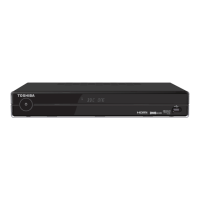
Connecting your Digital TV Recorder
q
Plug your aerial lead into the RF IN socket of the recorder.
w
If required, plug an Ethernet cable between the LAN socket and an Ethernet
system. Refer to page 37 for more details. Cable not supplied.
e
If required, plug a SCART cable between the SCART OUTPUT socket of the
recorder and your TV, Video or DVD recorder. Cable not supplied.
r
If required, plug a RF cable between the RF OUT socket of the recorder and your
TV, Video or DVD recorder. Cable not supplied.
t
Plug a HDMI cable between the HDMI OUT socket of the recorder and your TV.
Cable not supplied.
y
If required, plug a HDMI cable between your DVD player, DVD recorder, Set-top box,
Games console and the HDMI IN 1 or 2 socket of the recorder. Cable not supplied.
u
If required, plug a USB Flash drive or a cable from a Digital Still Camera or Card
reader in to the USB socket. Refer to page 31 for more details.
i
If required, plug an Optical cable (TOS link) between the SPDIF output socket of
the recorder and your Hi-Fi or Surround Sound System. Cable not supplied.
o
Plug the supplied AC mains adapter between the power socket of the recorder and
a standard wall socket. Only switch on the wall socket when all cables have
been attached. (Do not cut off the supplied AC mains adapter’s plug.)
Note:
• Refertopage16formoreinformationonhowtochangetheinputmodetoHDMI1or2andUSB.
• AHDMIcableisrecommendedasitgiveshigherqualitypictureandsoundandisrequiredforHighDenition
viewing.
• Socket names vary according to make and model of your equipment.
• The USB socket does not support all USB devices or cameras.
TV aerial
t
iu
r
o
ew
y
q
Getting Started
13
HDR5010 User Guide.indb 13 22/07/2010 10:38


 To Next Page
 Loading...