EasyManua.ls Logo

Toshiba HDR5010KB - User Manual

Toshiba HDR5010KB
48 pages
Print Icon
To Next Page IconTo Next Page
Loading...
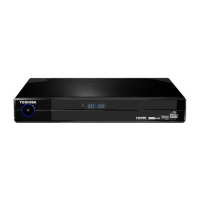
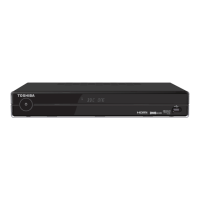
Digital TV recorder
HDR5010KB
OWNER’S MANUAL
© 2010 Toshiba Corporation
HDR5010 User Guide.indb 1 8/6/10 09:08:10

Other manuals for Toshiba HDR5010KB

Questions and Answers

  • C
    Cody TuckerAug 1, 2025
    Why is my Toshiba HDR5010KB not recording?
    • M
      Mr. Kenneth ScottAug 1, 2025
      If your Toshiba DVR is not recording, first, check the Library menu for available space on the hard disk and delete recordings if it's full. If that doesn't work, put the DVR into standby mode, unplug it from the mains for at least one minute, and then reconnect it.
  • J
    Jessica SchultzAug 6, 2025
    What to do if my Toshiba HDR5010KB DVR box is too hot?
    • T
      Tracy LongAug 6, 2025
      If your Toshiba DVR displays a banner indicating it's too hot, it means the unit's ventilation is blocked or it is not positioned correctly. Reposition the unit, ensuring all ventilation holes on the top and bottom are open and unobstructed. Consider moving it from on top of or under other equipment to a more suitable location.
  • A
    Anthony RodriguezAug 12, 2025
    How to fix no picture on Toshiba DVR?
    • U
      uewingAug 12, 2025
      If you are experiencing no picture or a distorted picture on your Toshiba DVR, ensure the unit is switched on, the aerial is correctly connected, and all connections between the unit and your TV are secure. Verify that your TV is displaying the correct AV input. Check the signal strength. Power your TV off and then on at the mains.
  • N
    Natalie BrownAug 18, 2025
    Why is there no sound on my Toshiba HDR5010KB?
    • M
      Morgan HartAug 19, 2025
      If there is no sound from your Toshiba DVR, ensure that the TV is not muted. Check that the aerial is correctly connected to the unit, and all connections between the unit and the TV, Hi-Fi, or Surround Sound System are secure. Check the signal strength for the channel you are watching. If the signal is weak, you may have picture but no sound. Power your TV off and then on at the mains.
  • B
    Bethany BatesAug 25, 2025
    Why does my Toshiba HDR5010KB DVR take so long to switch on?
    • A
      Anthony StevensonAug 25, 2025
      If your Toshiba Digital TV recorder takes a long time to switch on, it may be because the hard disk is nearly full. Delete some recordings to free up space.

Summary

Introduction

Important Safety Information

Crucial safety guidelines for operating the digital TV recorder.

General Information and Copyright

Details on Toshiba's liability, product handling, and copyright notices.

Environmental and Disposal Information

Product disposal, recycling, and battery handling guidelines.

Licence and Trademarks

End user licence terms and acknowledgements of trademarks.

Getting Started

Package Contents

List of items included in the product packaging.

Recorder and Remote Control Overview

Identification of the digital TV recorder's panels and remote control buttons.

Inserting Batteries into Remote Control

Step-by-step guide for installing batteries in the remote control.

Connecting and Powering On

Instructions for connecting the recorder and turning it on.

Using Your Digital TV Recorder

Everyday Operations

Common tasks like changing channels, volume, and text display.

Programme Guide and Channel List

How to use the EPG and access the channel list for programme information.

Recording Programmes and Timeshifting

Methods for recording programmes and using the timeshift feature.

Library Management and Photo Viewer

Managing recordings in the library and using the Photo Viewer.

Additional Information

Remote Control Programming

Procedures for programming the remote control to operate your TV.

Troubleshooting Common Issues

Solutions for picture, sound, remote control, and recording problems.

Technical Specifications

Detailed technical specifications of the digital TV recorder.

Remote Control Brand Codes

List of codes for programming the remote control for various TV brands.

Toshiba HDR5010KB Specifications

General IconGeneral
USB 2.0 ports quantity2
Ethernet LAN (RJ-45) ports1
HDD capacity500 GB
Product colorBlack
Power consumption (typical)30 W
Weight and Dimensions IconWeight and Dimensions
Weight2860 g
Dimensions (WxDxH)360 x 270 x 60 mm

Related product manuals