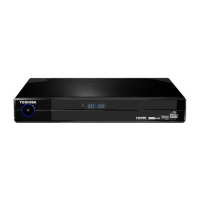
The Photo Viewer
The Photo viewer function, allows you to view photos from devices, such as, Digital still
cameras (DSC), USB Card readers and USB Flash drives.
Operating the Photo Input
Prepare the Photo input equipment as follows:1.
Digital Still Camera:
Set up according to the instructions for “connecting to PC” in the camera’s User’s
manual.
USB Card Reader:
Insert only one memory card.
USB Flash Drive:
No preparation required.
Connect the USB cable or USB Flash drive to the USB socket 2. q. Alternatively you can
use the USB socket on the back panel.
Select the USB viewing mode (see page 16). If connecting a camera, turn it On, as 3.
instructed in the camera’s User’s manual.
Refer to the following page for operation of the viewer / slide show.4.
To prevent possible loss of data, switch to a different input mode and switch off the 5.
USB device before removing it.
Note:
Do not connect any apparatus other than a DSC, USB Card reader or USB Flash drive to the Photo input •
socket. It may cause a malfunction.
Do not connect a DSC, USB Card reader or USB Flash drive using a USB Hub. Pictures may not be displayed •
correctly, or it may cause a malfunction.
Certain types of USB device may not work with this Photo Viewer function.•
q


 To Next Page
 Loading...