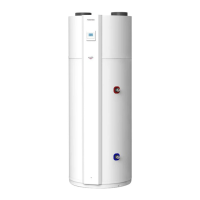
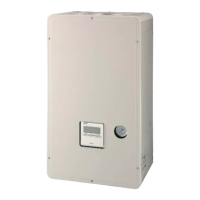
Toshiba XXXXXXX(<SanSerif1>X/X)
–8–
Hydro Unit
Owner’s Manual
EN
Performing Auto mode operation
• The setting temperature can be set automatically
according to the outside temperature.
• Press the AUTO TEMP. button.
• The temperature indication changes to “A” and the
water temperature is automatically set according to
the outside temperature.
To correct the set value for the Auto mode
• Press the AUTO TEMP. button for 4
seconds or more to enter the auto curve adjusting
mode.
• The function code setting screen appears. Press the
TIME button to display a temperature
between -5 to +5°C.
In this case, temperature is displayed as -5, -4, -3,
-2, -1, 0, 1, 2, 3, 4, or 5.
Only ZONE1 temperature is displayed.
When the SET button is pressed after the
temperature is changed, the set temperature is
registered.
• When the TEST button is pressed, the
registered data is determined. The unit exits the
function code setting mode and “A” appears on the
display.
• Each time AUTO TEMP. button is pressed,
the mode changes as follows:
Hot water
Performing hot water supply operation
• Press the HOT WATER button to start the
hot water supply operation.
• The set temperature appears under on
the remote controller, and lights.
• During the heat pump operation or while the internal
heater is energized, or is displayed.
Setting temperature
• Press the SELECT button to move
and select .
• Change the set temperature with the TEMP.
button.
No indication
(cancel)
Auto
8-EN
+00EF99904001_01EN.book Page 8 Monday, June 28, 2010 6:17 PM



 To Next Page
 Loading...