
 Need help?
Do you have a question about the Toshiba MV14FM4 and is the answer not in the manual?
Review electrical safety warnings and precautions to prevent shock.
Understand FCC compliance and warnings regarding radio frequency energy.
Read and follow all operating and safety instructions for proper use.
Ensure proper placement away from water, heat, and ensure ventilation.
Understand power sources and grounding for safe operation.
Protect the unit from power surges, lightning, and overloading.
Prevent object entry and ensure proper outdoor antenna grounding.
Refer servicing to qualified personnel and use correct replacement parts.
Properly manage moisture condensation to prevent unit damage.
Avoid extreme heat, cold, moisture, and dust for optimal performance.
Ensure ventilation holes are not blocked to prevent overheating.
Procedures for liquid spills and power cord safety.
Identify and understand the functions of front panel buttons and jacks.
Locate and identify rear panel input/output jacks and power cord.
Control power, volume, channels, mute, and navigate menus.
Manage tape playback, search, recording, and timer functions.
Register a password to enable and use the V-Chip parental control.
Configure TV and movie rating settings to restrict content for children.
Initiate timed recordings and extend duration with simple button presses.
Program unattended recordings for specific dates and times.
Set start time, end time, channel, and tape speed for recording.
Address ignition, ghosts, RFI, and snowy picture disturbances.
Resolve issues with power, TV reception, color, and picture stability.
Address sound, captioning, playback noise, and remote control problems.
Identify symptoms of dirty video heads and perform cleaning.
Details of 90-day, 1-year, and 2-year warranties for parts and picture tube.
Find authorized service stations and present proof of purchase.
 General
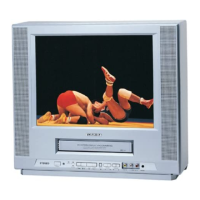
| Type | TV VCR Combo |
|---|---|
| Brand | Toshiba |
| Model | MV14FM4 |
| Screen Size | 14 inches |
| Display Type | CRT |
| Tuner | NTSC |
| Audio Output | Mono |
| Remote Control | Yes |
| Inputs | Composite |

 To Next Page









