EasyManua.ls Logo

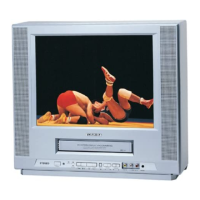
Toshiba MV19N2 - User Manual

Toshiba MV19N2
64 pages
Print Icon
To Next Page IconTo Next Page
Loading...
SERVICE MANUAL
COLOR TELEVISION/
VIDEO CASSETTE
RECORDER
MV19N2
FILE NO. 140-200216
DOCUMENT CREATED IN JAPAN, Dec., 2002

Questions and Answers

  • J
    James WeeksAug 16, 2025
    Why does my Toshiba TV VCR Combo remote control not work?
    • J
      Jamie LloydAug 16, 2025
      If your Toshiba TV VCR Combo remote control isn't working, make sure you're pointing it directly at the sensor on the device. Also, try moving closer (within 15 feet) and reducing bright light in the room. Ensure there's nothing blocking the signal between the remote and the device. Weak batteries can also be the culprit, so try replacing them, making sure they are correctly inserted.
  • N
    Nathaniel SandersAug 19, 2025
    How to fix poor picture quality on Toshiba TV VCR Combo?
    • X
      xbowersAug 19, 2025
      If your Toshiba TV VCR Combo shows no picture or a poor picture, first try switching to another channel, as the TV station might be experiencing issues. Check your picture control adjustments. Then, investigate for any local interference that might be affecting the reception. Finally, ensure the antenna (CATV) connector is securely connected, or try repositioning or rotating the VHF/UHF antenna.
  • M
    michael82Aug 22, 2025
    Why is there no sound on my Toshiba MV19N2?
    • T
      Thomas WalkerAug 22, 2025
      To troubleshoot poor or absent sound on your Toshiba TV VCR Combo, first try switching to another channel in case the TV station is experiencing issues. Check the CATV connection and VHF/UHF antenna, and reposition or rotate the antenna to improve signal. Investigate and eliminate any potential sources of local interference. Also, ensure that the MUTE button has not been activated.
  • S
    Sydney HansonAug 25, 2025
    How to remove noise bars on Toshiba MV19N2 TV VCR Combo screen?
    • J
      Jennifer ClarkAug 26, 2025
      If your Toshiba TV VCR Combo is displaying noise bars on the screen, the tape may be old or worn, consider replacing it. If that doesn't solve the issue, manually adjust the tracking using the SET/TR +/- buttons on the remote control. If the problem persists, the video heads might be dirty and require cleaning.
  • D
    David FieldsAug 27, 2025
    What to do if my Toshiba MV19N2 has no CATV reception?
    • M
      Matthew JensenAug 27, 2025
      If your Toshiba TV VCR Combo isn't receiving CATV, start by checking all CATV connections to make sure they are secure. Then, go to the TV/CATV Mode menu option and ensure it is set to the CATV mode. If the issue persists, the cable TV service might be interrupted, and you should contact your cable TV company.
  • S
    Sheila Watts DDSAug 30, 2025
    Why is the color bad on my Toshiba TV VCR Combo?
    • S
      Samantha Nguyen MDAug 30, 2025
      If your Toshiba TV VCR Combo shows no color or has poor color, first try changing the channel in case the TV station is having issues. Check your picture control adjustments. Look for any local interference that might be affecting the reception. Also, check the CATV connection or VHF/UHF antenna, and reposition or rotate the antenna.
  • Y
    yatesrandallSep 2, 2025
    Why does my Toshiba TV VCR Combo keep shutting off?
    • D
      Donald StanleySep 2, 2025
      If your Toshiba TV VCR Combo is shutting off unexpectedly, it could be due to several reasons. The TV station might have stopped broadcasting, so try tuning to a new channel. Check if the Sleep Timer is set and, if so, set it to "0". Also, verify if the OFF TIMER is set and, if it is, set it to "CANCEL".
  • C
    Craig WardSep 4, 2025
    Why is timer recording not working on my Toshiba MV19N2 TV VCR Combo?
    • M
      Michael HodgeSep 4, 2025
      If your Toshiba TV VCR Combo timer recording isn't working, reset the present time to ensure it's accurate. Also, check and reset the recording start and end times to the correct values. Lastly, make sure you've pressed the TIMER REC buttons so that the TIMER REC indicator is lit.
  • T
    Tyler WilliamsSep 7, 2025
    Why can't I get channels above 13 on my Toshiba MV19N2 TV VCR Combo?
    • V
      Veronica LewisSep 7, 2025
      If you're not getting reception above channel 13 on your Toshiba TV VCR Combo, ensure that the TV/CATV Mode menu option is set to the appropriate mode. Also, check the UHF antenna to make sure it is connected properly.
  • C
    christopher64Sep 10, 2025
    What to do if Toshiba MV19N2 power is on but not operating?
    • K
      Keith SparksSep 10, 2025
      If your Toshiba TV/VCR combo is on but not operating, ensure a video cassette is properly inserted. Also, check that the TIMER REC buttons are not depressed; if they are, press them to release.

Toshiba MV19N2 Specifications

General IconGeneral
BrandToshiba
ModelMV19N2
CategoryTV VCR Combo
LanguageEnglish

Related product manuals