EasyManua.ls Logo

Toshiba RAS-10EAVP-E - User Manual

Toshiba RAS-10EAVP-E
31 pages
Print Icon
To Next Page IconTo Next Page
Loading...
ENGLISHFRANÇAISDEUTSCHITALIANOESPAÑOLΕΛΛΗΝΙΚΑPORTUGUÊSРУССКИЙ ЯЗЫК SVENSKA
AIR CONDITIONER (SPLIT TYPE)
OWNER’S MANUAL
MODE D’EMPLOI
BEDIENUNGSANLEITUNG
MANUALE DI ISTRUZIONI
MANUAL DEL PROPIETARIO
Ο∆ΗΓΙΕΣ ΧΡΗΣΗΣ
MANUAL DO UTILIZADOR
BRUKSANVISNING
ИНСТРУКЦИЯ ДЛЯ ПОЛЬЗОВАТЕЛЯ
For general public use
CLIMATISEUR (TYPE SEPARE)
Pour utilisation grand public
KLIMAGERÄT (GETEILTE AUSFÜHRUNG)
Für allgemeine Verwendung
CONDIZIONATORE D’ARIA (TIPO SPLIT)
Per l’uso in generale
ACONDICIONADOR DE AIRE (TIPO SEPARADO)
Para el uso público general
ΚΛΙΜΑΤΙΣΤΙΚΗ ΜΟΝΑ∆Α (∆ΙΑΙΡΟΥΜΕΝΟΥ ΤΥΠΟΥ)
Για γενική δηµόσια χρήση
AR CONDICIONADO (TIPO SPLIT)
Para utilização geral
LUFTKONDITIONERING (SPLITTYP)
För allmän användning
КОНДИЦИОНЕР (РАЗДЕЛИТЕЛЬНЫЙ ТИП)
Для общего бытового использования
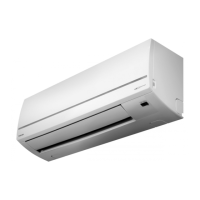
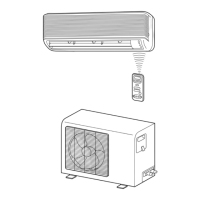
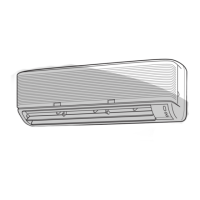
Indoor Unit Outdoor Unit
Unité intérieure Unité extérieure
Innenraumgerät Außengerät
Unità interna Unità esterna
Unidad interior Unidad exterior
Εσωτερική µονάδα Εξωτερική µονάδα
Unidade interior Unidade exterior
Innedel Utedel
Внутренний блок Наружный блок
RAS-B10EKVP-E
RAS-B13EKVP-E
RAS-B16EKVP-E
RAS-M10EKCVP-E
RAS-M13EKCVP-E
RAS-M16EKCVP-E
RAS-10EAVP-E
RAS-13EAVP-E
RAS-16EAVP-E
RAS-M14EAV-E
RAS-M18EAV-E
RAS-M14EACV-E
RAS-M18EACV-E
Thank you for purchasing this TOSHIBA Air Conditioner. Please read this owner’s manual carefully before using
your Air Conditioner.
Avant tout, merci d’avoir porté votre choix sur un climatiseur TOSHIBA. Veuillez lire attentivement ce mode d’emploi
avant de mettre en service le climatiseur.
Wir danken Ihnen für den Kauf dieses TOSHIBA-Klimageräts. Lesen Sie die Bedienungsanleitung sorgfältig durch,
bevor Sie das Gerät in Betrieb nehmen.
Grazie per aver acquistato questo Condizionatore d’Aria TOSHIBA. Prima di usare il Condizionatore d’Aria, si
consiglia di leggere con attenzione il presente manuale.
Gracias por adquirir este acondicionador de aire TOSHIBA. Lea este manual del propietario detenidamente antes de
utilizar su acondicionador de aire.
Ευχαριστούµε για την αγορά αυτού του κλιµατιστικού της ΤΟSΗΙΒΑ. Παρακαλείστε να διαβάσετε προσεκτικά τις
οδηγίες χρήσης πριν χρησιµοποιήσετε την κλιµατιστική µονάδα σας.
Obrigado por ter adquirido este ar condicionado da TOSHIBA. Leia atentamente este manual do utilizador antes de
utilizar o ar condicionado.
Tack för ditt inköp av denna TOSHIBA luftkonditionering. Läs den här bruksanvisningen noga innan du använder
din luftkonditionering.
Благодарим Вас за покупку этого кондиционера фирмы TOSHIBA. Перед использованием Вашего
кондиционера прочитайте, пожалуйста, внимательно эту инструкцию для пользователя.


Table of Contents

Other manuals for Toshiba RAS-10EAVP-E

Questions and Answers

Summary

Indoor and Outdoor Unit Combinations

Single Unit Connection

Details compatible indoor and outdoor units for single connections.

Multi Unit Connection

Refers to specifications for multi outdoor unit connections.

Indoor Unit Model Names

Heat Pump Models

Indoor units capable of both cooling and heating operations.

Cooling-Only Models

Indoor units designed exclusively for cooling.

Accessories and Components

Air Filter Components

Lists components related to air filters shown in an illustration.

General Safety Precautions

Installation and Movement Warnings

Covers warnings for installation, movement, and repair safety.

Operation Safety Warnings

Alerts users to dangers during operation, including electrical shock.

Installation and Operation Cautions

Installation Cautions

Specific cautions for installation, such as drain hose and power supply.

Operation Cautions

Cautions regarding usage, ventilation, and electrical safety during operation.

Parts Identification

Outdoor Unit Components

Lists components of the outdoor unit with corresponding numbers.

Indoor Unit Components

Lists components of the indoor unit with corresponding numbers.

Indoor Unit Indicators and Controls

Display Panel Indicators

Explains the meaning of indicators on the indoor unit display.

Indoor Unit Reset Button

Describes the function and usage of the RESET button on the indoor unit.

Remote Control Functions

Infrared Signal Transmitter

Describes the function of the infrared signal transmitter.

Power and Mode Buttons

Explains the ON/OFF, MODE, and temperature adjustment buttons.

Fan and Louver Control Buttons

Details the FAN, SWING, and FIX buttons for airflow control.

Timer and Special Function Buttons

Explains ON/OFF Timer, SET, CLR, Hi POWER, MEMO, and PRESET buttons.

Remote Control Indicators and Setup

Remote Control Display Indicators

Explains the meaning of indicators shown on the remote control display.

Remote Control Switching Function

Describes how to set up the remote control for multiple units.

Loading Remote Control Batteries

Instructions for inserting batteries into the remote control.

Remote Control Battery and Clock Setup

Battery Information and Replacement

Details battery type, lifespan, and replacement procedures.

Setting and Adjusting the Clock

Guides on setting the initial clock and adjusting it later.

Using the Remote Control

Filter Preparation

Steps for preparing filters before use.

Remote Control Usage Cautions

Important cautions for proper remote control operation and signal reception.

Remote Control Holder Installation

Instructions for installing and mounting the remote control holder.

Automatic Operation Modes

Automatic Operation (AUTO)

Explains how the unit automatically selects cooling, heating, or fan mode.

Automatic Operation (AUTO CHANGEOVER)

Details the AUTO mode for switching between modes based on room temperature.

Basic Operation Modes

Cooling and Heating Operation

Instructions for setting up cooling or heating operations.

Dry Operation

How to use the dehumidification (dry) mode.

Fan Only Operation

Instructions for operating the unit in fan-only mode.

PURE Operation

Starting and Stopping PURE Operation

Details on how to activate and deactivate the air purifying function.

Stopping Air Conditioner and PURE Operation

How to stop both air purifying and air conditioner operations.

PURE Operation When Stopped

How to use PURE operation when the unit is not running.

Hi POWER and Timer Operations

Hi POWER Operation

Explains the high power mode for rapid cooling or heating.

Setting ON Timer

Instructions for setting the timer to turn the unit on.

Setting OFF Timer

Instructions for setting the timer to turn the unit off.

Advanced Timer Settings

Combined ON;OFF Timer Operation

Details on setting both ON and OFF timers simultaneously.

Daily Combined Timer

How to set recurring daily timer schedules.

Cancelling Timer and Clock Display

Procedures for cancelling timers and viewing the clock.

Memory and Preset Operation

Storing Settings with MEMO Button

How to store frequently used operation settings using the MEMO button.

Operating with Preset Settings

How to recall and use stored settings with the PRESET button.

Air Flow Direction Adjustment

Vertical Air Flow Control

How to adjust vertical louvers manually or automatically swing.

Horizontal Air Flow Adjustment

Instructions for manually adjusting horizontal louvers.

Auto Restart Operation

Setting Auto Restart

Steps to enable the automatic restart function after power loss.

Cancelling Auto Restart

Procedure to disable the auto restart function.

Air Conditioner Operation Principles

Automatic Operation Logic

Explains how the unit selects modes based on room temperature.

Hi POWER and ECO Operation Logic

Details the operational logic behind Hi POWER and ECO modes.

Economical Operation Tips

Maintaining Room Temperature

Advice on keeping the room at a comfortable temperature for efficiency.

Efficient Usage Habits

Tips on filter cleaning, window management, and timer use.

Temporary and Cleaning Operations

Temporary Operation Function

How to operate the unit temporarily without the remote control.

Cleaning Operation Function

Details on the automatic cleaning function for the indoor unit.

Usual Maintenance

Cleaning Indoor Unit and Remote Control

Guidelines for cleaning the indoor unit and remote control.

Pre-Operation Checks and Air Filter Cleaning

Checks before operation and step-by-step instructions for cleaning air filters.

Air Inlet Grille Cleaning

Air Filter Installation Completion

Final steps for installing the air filter after cleaning.

Air Inlet Grille Cleaning Procedure

Detailed instructions for removing and cleaning the air inlet grille.

Special Maintenance

Attaching Zeolite-plus Filter

Instructions for attaching the supplied Zeolite-plus filter.

Cleaning the Zeolite-plus Filter

Procedures for cleaning the Zeolite-plus filter, including washing and drying.

Air Ionizer Cleaning

Ionizer Cleaning Procedure

Steps for cleaning the air ionizer, including safety warnings.

Plasma Pure Filter Cleaning

Plasma Filter Cleaning Preparation and Steps

Preparation and initial steps for cleaning the plasma pure filter.

Operation and Performance Details

Protection Features and Heating Characteristics

Explains protection features and heating characteristics like preheating.

Defrosting, Snow, and Power Failure

Covers defrosting, snow considerations, and power failure behavior.

Operating Conditions and Recommended Temperatures

Details recommended operating temperatures for different modes.

Troubleshooting Common Issues

Critical Faults and Initial Checks

Identifies critical issues requiring immediate dealer contact and initial checks.

Inoperative Unit Troubleshooting

Checks for issues when the unit is not operating at all.

Performance Issues Troubleshooting

Solutions for poor cooling or heating performance.

Normal Operation Explanations

Indoor Unit Condensation and Noise

Explains condensation on the indoor unit and normal operational noises.

Air Odors, Indicators, and Frost

Addresses room air odors, indicator behavior, and outdoor frost.

Airflow Changes and Outdoor Mist

Explains airflow adjustments and mist generation from the outdoor unit.

Indicators and Sounds (Not Defects)

Filter Indicator and Panel Issues

Explains reasons for the FILTER indicator turning on.

Indoor Unit Operational Sounds

Describes normal sounds produced by the indoor unit during operation.

Outdoor Unit Operational Sounds

Describes normal sounds produced by the outdoor unit during heating.

Technical Specifications

Model and Power Supply Details

Details model numbers, power supply voltage, and frequency.

Performance Capacities and Dimensions

Lists cooling/heating capacities, current, power, and physical dimensions.

Operating Conditions for Performance

Specifies air inlet temperatures for cooling and heating performance.

Remote Control Troubleshooting

Remote Control Operation Issues

Addresses problems with mode switching and fan speed control.

Remote Display and Signal Issues

Solutions for display problems and lack of receiving tone.

Declaration of Conformity

Product Compliance Statement

Declares conformity with EU directives for electromagnetic compatibility and low voltage.

Toshiba RAS-10EAVP-E Specifications

General IconGeneral
Cooling Capacity2.5 kW
Heating Capacity3.2 kW
EER3.21
COP3.61
RefrigerantR410A
Power Supply220-240V, 50Hz
Energy Efficiency Ratio (EER)3.21
Coefficient of Performance (COP)3.61
Outdoor Unit Dimensions (WxHxD)780 x 550 x 290 mm
Indoor Unit Weight9 kg
Outdoor Unit Weight30 kg
Noise Level (Outdoor)50 dB

Related product manuals