EasyManua.ls Logo

Toshiba RD100KB - User Manual

Toshiba RD100KB
80 pages
Print Icon
To Next Page IconTo Next Page
Loading...
1
EN
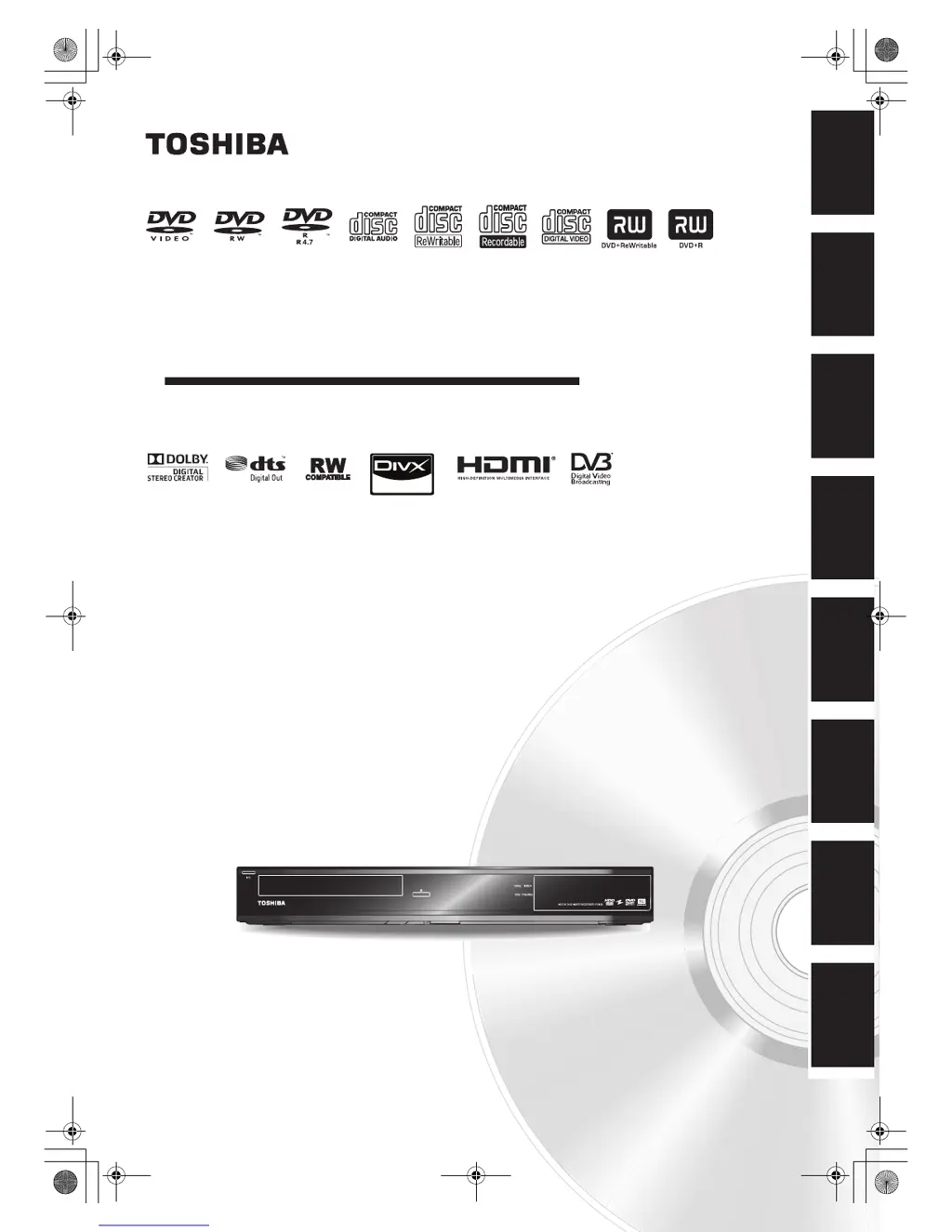
HDD & DVD VIDEO RECORDER
RD100KB
OWNER’S MANUAL
Introduction Connections
Basic Setup /
TV View Operation
Recording Playback Editing Function Setup Others
© 2010 Toshiba Corporation
For Customer Use:
Carefully read the Model No. and Serial No. located at the
back of the unit and enter the information below. Retain
this information for future reference.
Model No. __________________________
Serial No. __________________________
E2TE0BD_EN.book Page 1 Friday, March 5, 2010 4:49 PM

Table of Contents

Questions and Answers

  • P
    patrickstevenAug 15, 2025
    What to do if no picture, sound or menu appears on Toshiba RD100KB screen?
    • P
      Patricia BowersAug 15, 2025
      If you're not getting a picture, sound, or menu on your Toshiba DVD Recorder screen, first ensure all connections are secure and correct. Also, inspect the cables for any damage. Make sure the correct external input channel is selected on your TV and that you've completed the channel setting.
  • J
    Jessica ChapmanAug 18, 2025
    How to fix Toshiba RD100KB DVD Recorder if the power does not turn on?
    • A
      Adam PerryAug 19, 2025
      If your Toshiba DVD Recorder isn't turning on, make sure the AC power cord is securely connected. Also, check the batteries in the remote control to ensure they aren't weak.
  • G
    griffinbradleyAug 21, 2025
    Why no image from HDMI connection on Toshiba RD100KB?
    • C
      Charles HamiltonAug 21, 2025
      If you're not getting an image from your HDMI connection on your Toshiba DVD Recorder, check the HDMI connection itself. Verify that the connected monitor or device supports HDCP. Review the HDMI settings on your devices. Ensure the output format of the DVD recorder matches the supported input format of the connected device. Note that if the unit is connected to an unauthorized display device with an HDMI cable, the audio and video signals may not be output.
  • A
    annbuckAug 25, 2025
    Why does the clock display not appear on the front panel of Toshiba RD100KB?
    • B
      Billy ButlerAug 25, 2025
      If the clock display isn't appearing on the front panel of your Toshiba DVD Recorder, first, ensure the AC power cord is securely connected. If there was a power failure, check the breaker and the clock settings. Note that when the unit is in standby mode, the front panel display is off because Power Saving mode is active.
  • R
    robertsondrewAug 27, 2025
    Why does my Toshiba RD100KB DVD Recorder turn on automatically?
    • L
      Lisa LeeAug 27, 2025
      If your Toshiba DVD Recorder is turning on by itself, it could be because the unit automatically turns on 2 seconds before a timer recording.
  • S
    Sarah PattersonAug 30, 2025
    Why can't I perform clock and channel settings on my Toshiba DVD Recorder?
    • A
      andersonmatthewAug 30, 2025
      If you cannot set the clock or channel on your Toshiba DVD Recorder, it is because a recording is in progress. These operations are not available during recording.
  • J
    johnwatsonSep 2, 2025
    How to input DV signal to Toshiba RD100KB?
    • A
      Andrew AllenSep 2, 2025
      To input a DV signal into your Toshiba DVD Recorder: before connecting, turn on the power supplies for both the unit and the DVC, ensuring both have stopped. Only a “DVC-SD” signal can be input. Do not connect any device other than the DVC. If the DVC isn't recognized after connection, turn off the power to the unit and reconnect the DVC.
  • P
    Peter StevensSep 5, 2025
    Why DVC cannot be operated with Toshiba DVD Recorder?
    • C
      cathy43Sep 6, 2025
      If the DVC cannot be operated with your Toshiba DVD Recorder, it may be due to signal input or DVC operation being disabled depending on the DVC type. If a DVC signal cannot be input, use an external input (AV2/AV3) for analog connection via audio/video cables. DVC control may also be disabled depending on the DVC type.
  • X
    xwilliamsSep 8, 2025
    Why certain functions of the DVC cannot operate on Toshiba RD100KB?
    • B
      briangreeneSep 8, 2025
      If certain functions of the DVC do not operate with your Toshiba DVD Recorder, it may be because some functions are not supported depending on the DVC type. With DV(AV4), the disc display menu will not appear unless disc playback is executed.
  • L
    Lauren ManningSep 12, 2025
    How to switch DV audio signal on Toshiba RD100KB DVD Recorder?
    • A
      angela96Sep 12, 2025
      To switch the DV audio signal on your Toshiba DVD Recorder, note that for recording with the DVC, the recording audio signal can be set to either 12 bits or 16 bits. To record an audio signal, set it to 12 bits.

Summary

Introduction and Safety

Precautions and Hazards

Essential safety warnings for fire, shock, laser, and general hazards.

Installation, Maintenance, and Initial Setup

Guidelines for unit placement, maintenance, and initial configuration.

Connections and TV Operation

Connecting to TV and External Equipment

Instructions for connecting the unit to various audio-visual devices and TVs.

Channel Tuning and TV Operation

Procedures for scanning channels and operating TV view functions.

Recording and Disc Management

DVD Recording Basics and Restrictions

Information on DVD recording formats, capabilities, and limitations.

Disc Formatting and Finalisation

Procedures for formatting discs and finalising them for playback on other devices.

Timer and Series Recording

How to schedule recordings in advance, including series link functionality.

Playback and Editing

HDD, Disc, and Media File Playback

Steps for playing back content from HDD, discs, and various media files.

Title List and Editing Operations

Navigating the title list and performing basic editing operations.

Function Setup and Troubleshooting

General, HDMI, and DVB Settings

Configuring general unit settings, HDMI output, and DVB tuner options.

Troubleshooting Common Issues

Solutions for common operational problems and error messages.

Specifications

Toshiba RD100KB Specifications

General IconGeneral
BrandToshiba
ModelRD100KB
CategoryDVD Recorder
LanguageEnglish

Related product manuals