EasyManua.ls Logo

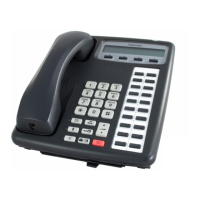
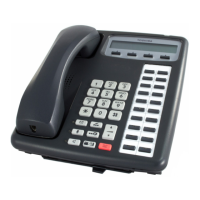
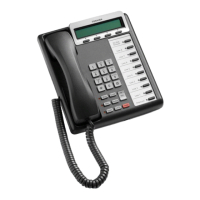
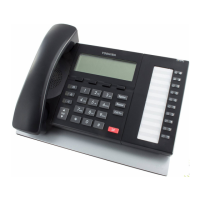
Toshiba Strata DK - User Manual

Toshiba Strata DK
136 pages
Print Icon
To Next Page IconTo Next Page
Loading...
Telecommunication Systems Division
May 1999
Digital Business Telephone Systems
Digital Telephone
User Guide
(includes LCD, Add-on Module, and Direct Station Selection Console)

Table of Contents

Other manuals for Toshiba Strata DK

Questions and Answers

  • E
    ericastrongJul 31, 2025
    Why is my Toshiba Cordless Telephone handset not ringing?
    • M
      Matthew ReynoldsJul 31, 2025
      If the Toshiba Cordless Telephone handset isn't ringing, ensure the nickel-cadmium battery is adequately charged by charging it for 8-10 hours. Also, verify that the Ringer Alert setting is not set to Ring Off. Ensure the base unit antenna is fully vertical. The handset may be too far from the base unit.
  • J
    Jon PhillipsAug 9, 2025
    How to fix Toshiba Cordless Telephone when CHARGE LED does not come on?
    • A
      Antonio DavisAug 9, 2025
      If the CHARGE LED on your Toshiba Cordless Telephone doesn't light up when the handset is on the base, ensure the AC adapter is correctly plugged into both the base unit and the wall outlet, and the wall outlet switch is turned on. Also, check that the handset is properly seated on the base and the nickel-cadmium battery pack is correctly placed in the handset. Clean the charging contacts on both the handset and the base unit.
  • E
    Erik HortonAug 20, 2025
    What to do if my Toshiba Cordless Telephone conversation is interrupted?
    • P
      pdanielAug 20, 2025
      If your Toshiba Cordless Telephone conversation is frequently interrupted, make sure the base unit antenna is fully vertical. Also, try moving closer to the base unit.

Summary

Introduction

Organization

Explains the structure and content of the user guide.

Conventions

Defines symbols, terms, and formatting used throughout the document.

The Grand Tour

Buttons

Details the fixed and flexible buttons on the digital telephone.

LCD

Explains the functions and display of the Liquid Crystal Display.

LED Indicators

Describes the meaning of various LED lights on the telephone.

Volume Controls

Details how to adjust speaker and handset volume levels.

Features

Before You Begin

Guides new users on initial telephone setup and features.

Automatic Line Selection

Explains how the system automatically selects available lines.

Call Forward

Covers setting up call forwarding to different destinations.

Message Waiting

Covers indications and retrieval of messages.

Do Not Disturb (DND)

Explains how to activate and manage the Do Not Disturb feature.

Speed Dial

Explains how to store and dial numbers using speed dial codes.

LCD Operation

Control Buttons

Details the functions of the Mode, Page, and Scroll control buttons.

Soft Keys

Explains how to use soft keys for quick access to features.

Messages

Covers sending, receiving, and managing messages.

Name;Number Display

Explains how to enter and display names/numbers.

Add-on Module;DSS Console

DADM

Describes the Digital Add-on Module and its features.

DSS Console

Details the Direct Station Selection Console and its functions.

[DSS] Button

Explains the functionality and LED status of the DSS button.

Toshiba Strata DK Specifications

General IconGeneral
BrandToshiba
ModelStrata DK
CategoryTelephone
LanguageEnglish

Related product manuals