English - 15 -
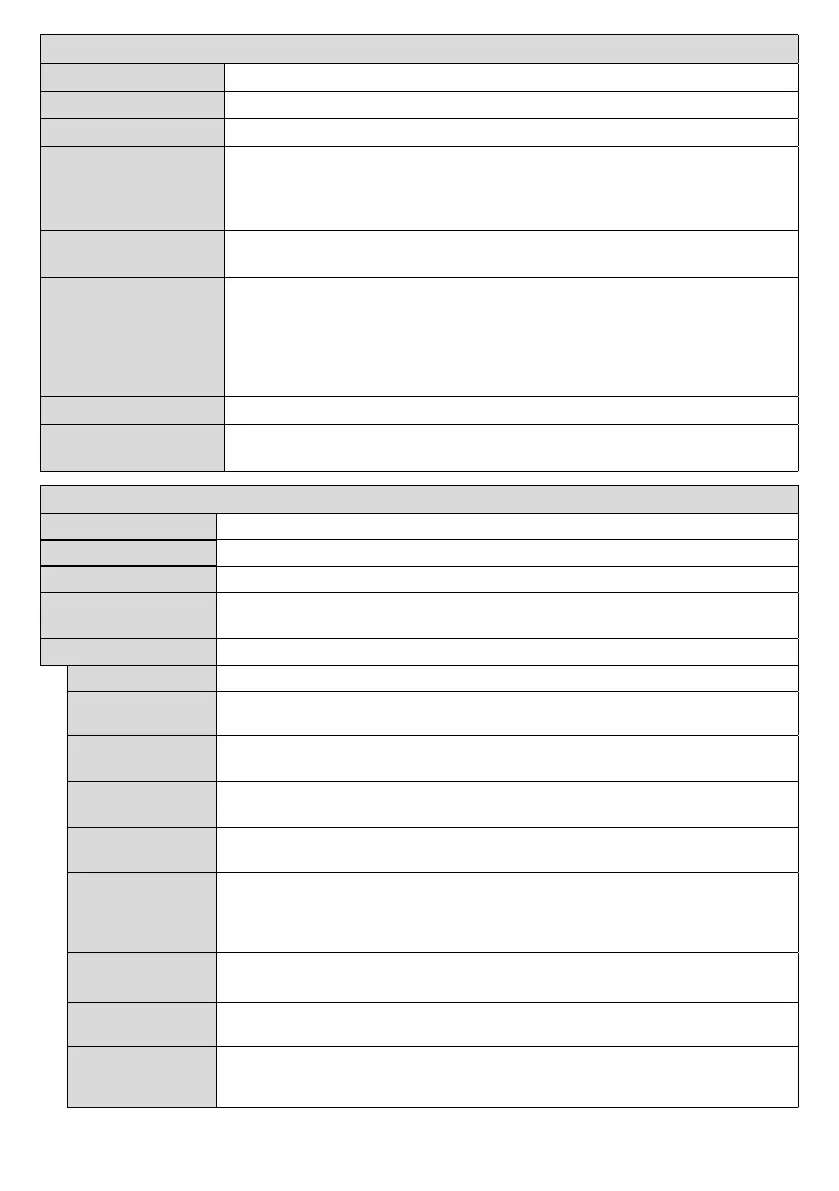
System - Sound Menu Contents
Volume
Adjusts the volume level.
Selects the equalizer mode. Custom settings can be made only when in User mode.
Balance
Adjusts whether the sound comes from the left or right speaker.
Headphone
Sets headphone volume.
Please ensure before using headphones that the headphone volume is set to a low
to headphone.
AVL (Automatic
Volume Limiting)
Headphone/Lineout
can select this option as Lineout
set this option as Headphone.
Please ensure before using headphones that this menu item is set to Headphone.
If it is set to Lineout
which could damage your hearing.
Digital Out
Sets digital out audio type. PCM or Compressed
Bass Gain
Controls the bass gain level. Use Left or Right button to set.
Note: This feature may not be available depending on the model of your unit.
System - Settings Menu Contents
Sets the OSD menu language preference.
Sets date and time.
Enables or disables selected source options.
Network/Internet
Displays network/internet settings.
More
Displays other setting options of the Display.
Menu Timeout
Changes timeout duration for menu screens.
Standby LED
Enables or disables the functionality of the standby led. If disabled the led will not
function.
Software
upgrade
OK to see the menu options.
Application
Version
Displays current software version.
Auto Display
Sets the desired time for the Display to automatically go into standby mode when not
being operated.
Audio Video
Sharing
Audio Video Sharing
tablet pc. If you have a compatible smartphone or tablet pc and the appropriate software
software for more information.
Video Wall
Settings
Cell and Offset options are available.
CEC
With this setting you can enable and disable CEC functionality completely. Press Left
or Right button to enable or disable the feature.
CEC Auto Power
On
This function allows the connected HDMI-CEC compatible device to turn on the Display
and switch to its input source automatically. Press Left or Right button to enable or
disable the feature.


 To Next Page