TOTALIFT Battery Chargers User's Manual
__________________________________________________________________________________________________________________________________________________
Page 15/19
The cause if this problem may be a wrong setting of the input voltage: if the input is set to a
certain value (for example: 610 V) but the real voltage is lower (for example: 575 V), the
charging current will be significantly lower than the nominal value, thus causing a longer time
to reach the gassing voltage.
AUTOMATIC DATA SAVING
• If, during the charge or equalization, one or more black-outs of the mains happen, the
microprocessor automatically saves all the relevant information about the state of the
charge.
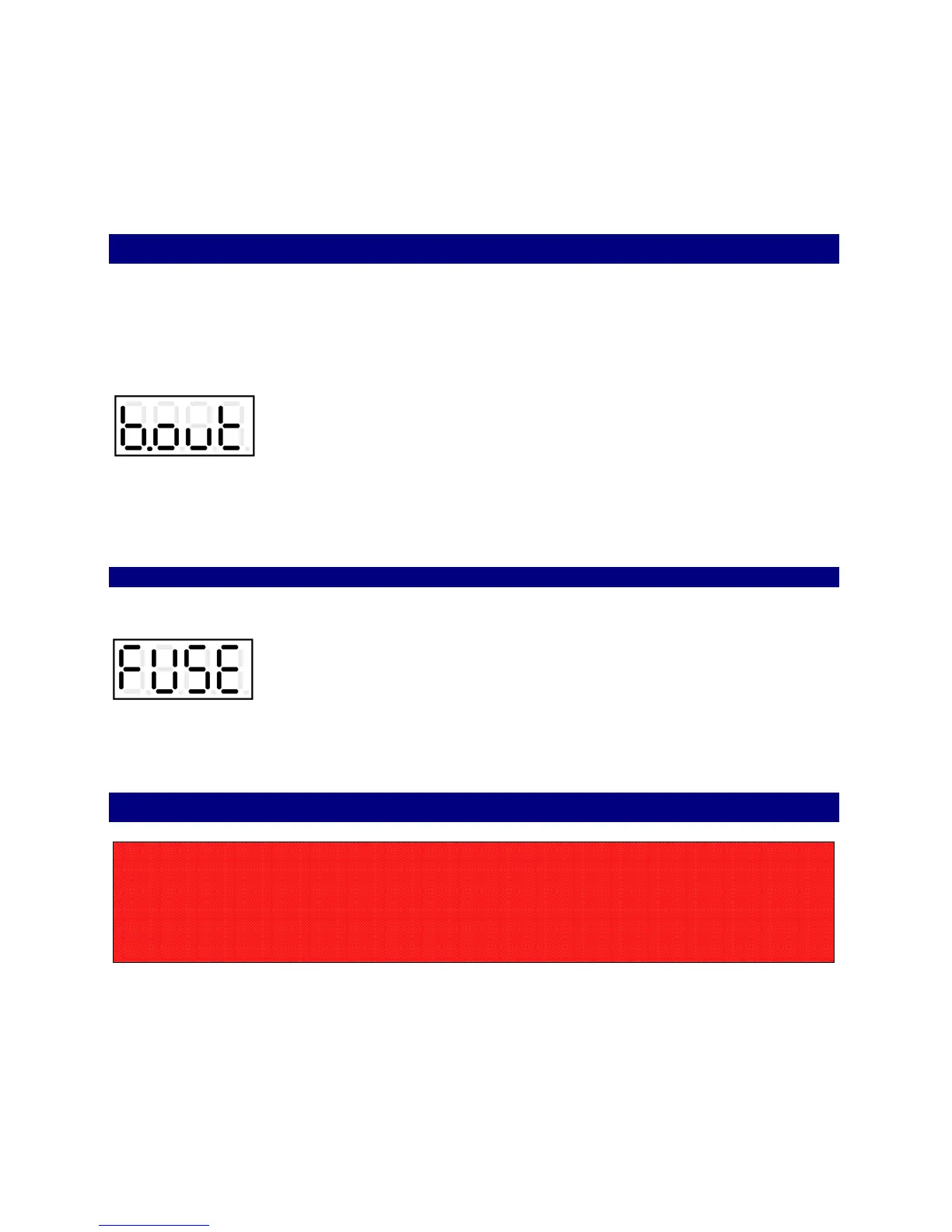
While the input power is absent and the battery is connected to the charger, the display will
show the message “Black Out”:
• When the power supply is available again, the charger will re-start automatically from the
exact point of interruption, and the charge will be normally completed.
BLOWN FUSE DETECTION
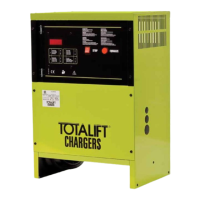
• If the output fuse is blown or absent, the display will show the message “Fuse”:
This message may appear also if the battery has been left discharged for long time, causing
the sulphating process on the plates.
AUTOMATIC CHARGE TERMINATION
• When the charge is complete, the charger shuts down, and the display shows the scrolling
message “End Elapsed x.x h”.
CAUTION!
NEVER disconnect the battery while it's being charged.
Disconnecting the battery while it's being charged is hazardous
for the user and voids the charger warranty.


 To Next Page