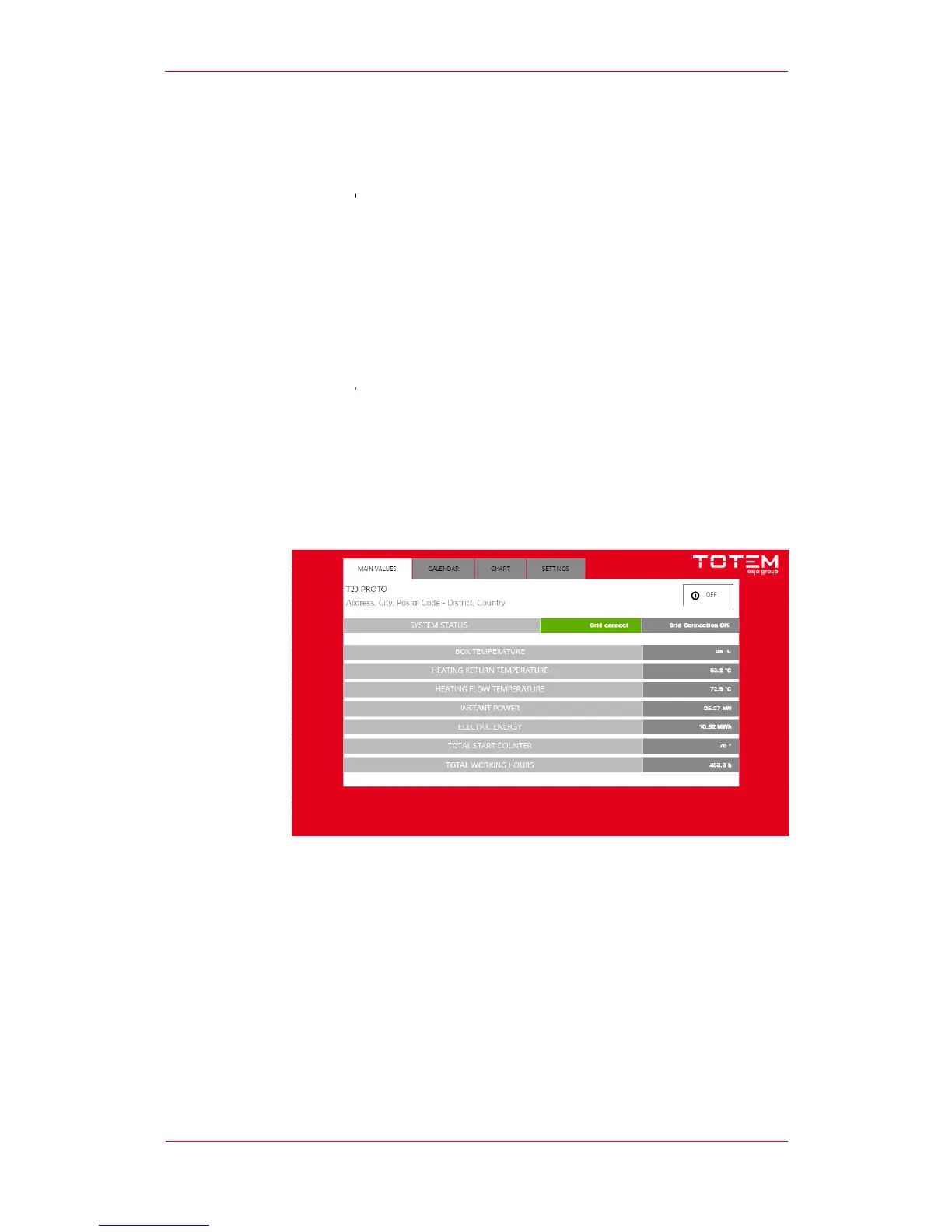
The figure shows the Panel’s main screenshot.
The start button is found i
meaning that pressing the button will enable the unit to start.
When the unit is in operation, the button will display the word
pressing the button the unit will be switched off.
The screenshot also shows the following items
touchscreen monitor featuring 4 screenshots
The figure shows the Panel’s main screenshot.
The start button is found i
n the screenshot’s upper right corner.
switched off, the word “ON” will be displayed on the button
meaning that pressing the button will enable the unit to start.
When the unit is in operation, the button will display the word
pressing the button the unit will be switched off.
The screenshot also shows the following items
touchscreen monitor featuring 4 screenshots
switched off, the word “ON” will be displayed on the button


 To Next Page