3 of 12
Important concepts
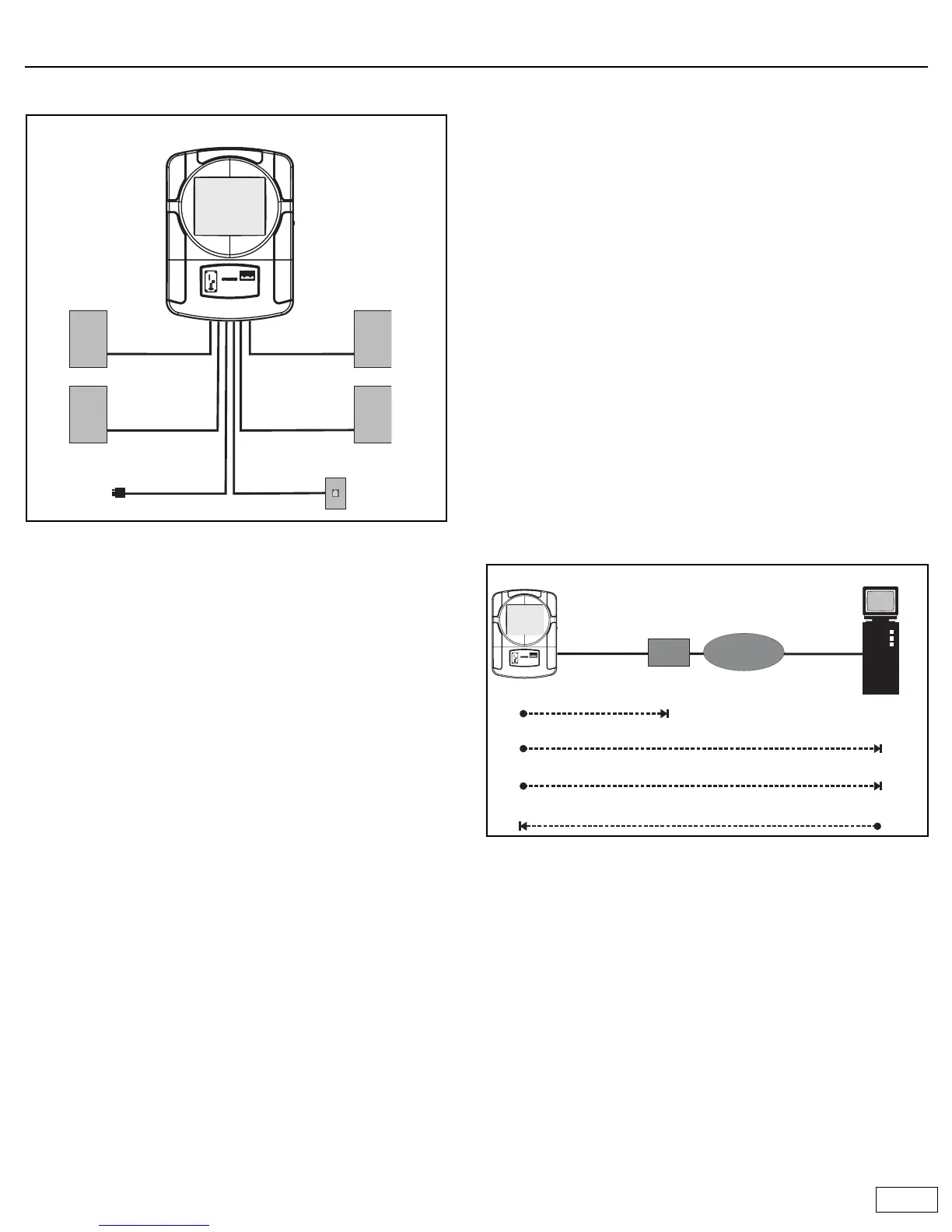
Wiring overview
Audio Input
Ovation can accept input from a microphone and an external sound
source. For instructions on how to make these connections, refer to the
Ovation Operator’s Manual.
Jukebox registration
To avoid unauthorized use of the jukebox, each jukebox has a registration
number assigned to it. To activate the jukebox, you must enter its
registration number. The jukebox then calls the TouchTunes server to
validate the number. If the registration number is valid, the server
activates the jukebox. If not, the jukebox remains inoperative.
Once a jukebox has been activated, all jukebox features come into effect.
Sleep mode
Sleep mode provides a way for operators to temporarily deactivate the
jukebox so it can be moved to a new location. Before the jukebox is
moved, it is placed into sleep mode. After arrival at its new location, the
jukebox must be re-activated using the appropriate registration number.
Important: Sleep mode must always be used when moving the jukebox.
Nightly song queue purge
This feature automatically deletes all unplayed songs that are in the queue
if the jukebox is turned off (using the Night Mode button) for more than
four hours. This way, when the jukebox is turned back on, a location is not
forced to play songs queued up the previous evening.
The four hour time period can be customized in the range of 1 to 14 hours.
To do this, you must contact the Touchtunes service hotline at 1-888-711-
5853.
This feature is on by default. To turn it off you must contact the
Touchtunes service hotline.
Nightly communications
Every night the jukebox calls the TouchTunes server. This call serves
several important purposes:
• Reports daily income: TouchTunes uses this information to calculate
revenue for the jukebox.
• Reports the number of plays for each song: This is required so that
TouchTunes can track its royalty obligations and make the
appropriate payments to music publishers.
• Downloads updates to the jukebox software (if required): This
ensures that whenever updates are available, all jukeboxes in the field
are automatically upgraded.
• Downloads new songs: Operators can create a list of songs they
want to add to the jukebox and the songs are automatically
downloaded when the jukebox calls the server. The jukebox also has a
Vote for Download feature. When enabled, it allows customers to
vote for their favorite songs. The song that obtains the most votes
every week is downloaded and added to the jukebox. If you signed up
for the revenue enhancement program, TouchTunes automatically
manages the songs on the jukebox for maximum profitability during
the nightly call.
• The jukebox uses the Internet to communicate with the TouchTunes
server. Using the area code of the location’s phone number, the
jukebox determines the nearest ISP (Internet service provider) to call.
Failure to communicate
A jukebox that fails to communicate with the TouchTunes server will
eventually be disabled. This occurs as follows:
• If the jukebox fails to communicate with the TouchTunes server for
several consecutive days, a red telephone icon appears in the top
right corner of the Attract screen. This warning icon will appear for
the next few days. If you touch this icon, the jukebox displays the
message “This jukebox will be disabled in XX days.”
• When the jukebox becomes inoperable, instead of the Attract screen
you will see the message “This jukebox has been deactivated. Please
contact your operator.”
Ovation
Left speaker Right speaker
Zone 1 Zone 1
Left speaker Right speaker
Zone 2 Zone 2
Phone line
AC power
ISP
Internet
Internet
TouchTunes Server
A connection is established with TouchTunes server via the Internet.
Jukebox
Jukebox calls nearest ISP.
Jukebox sends status information and song requests.
Server sends songs and new operating software.



 To Next Page