45
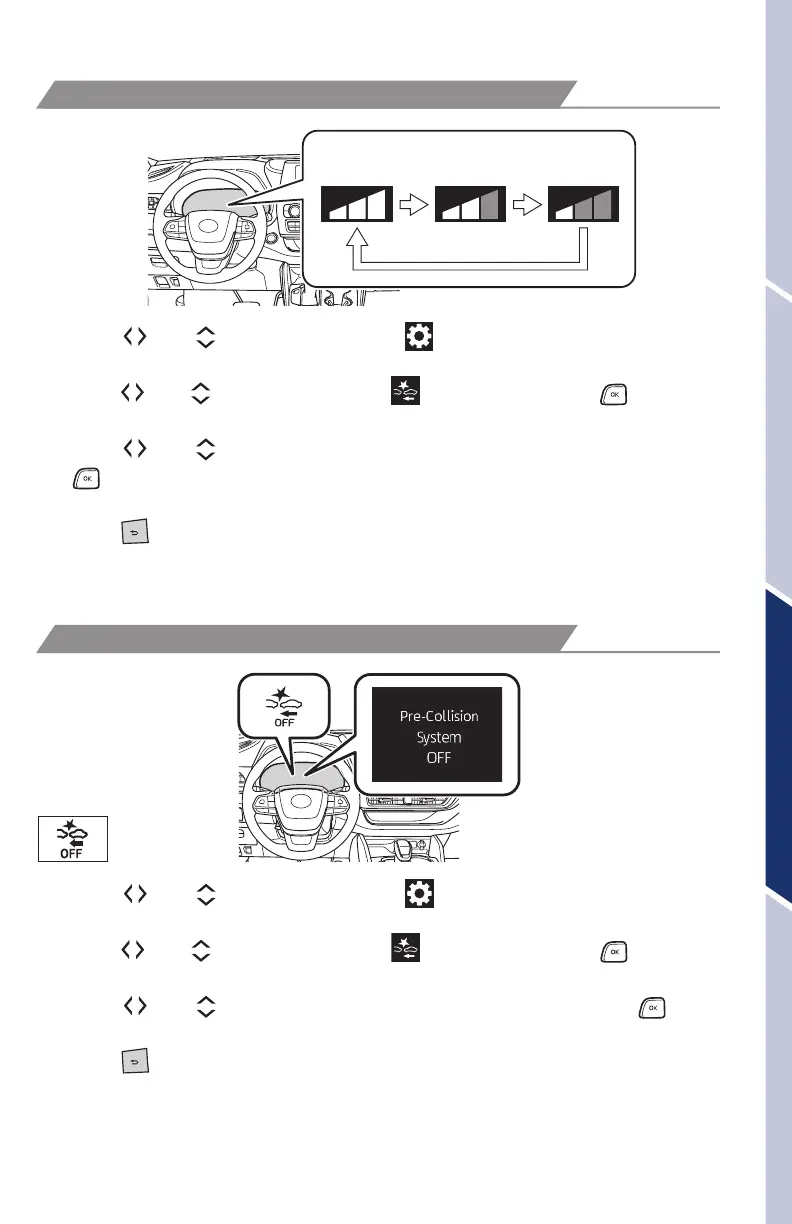
CHANGING PRE-COLLISION ALERT TIMING
DISABLING PRE-COLLISION SYSTEM (PCS)
Far
Middle
(default)
Near
(1) Press “ ” or “ ” switches and select “ ” from the Multi-Information Display
(MID).
(2) Press “
” or “ ” switches and select “ PCS” and then press “ .” The
setting screen is displayed.
(3) Press “
” or “ ” switches and select “Sensitivity” and then press and hold
“
” to select the desired setting. Each time it is pressed, the response to the
PCS warning timing changes as shown above.
(4) Press “
” to go back to the menu.
Note: PCS is enabled each time the vehicle is turned on. The system can be
disabled/enabled and the alert timing of the system can be changed. (Alert
timing only, brake operation remains the same.)
(1) Press “
” or “ ” switches and select “ ” from the Multi-Information Display
(MID).
(2) Press “
” or “ ” switches and select “ PCS” and then press “ .” The
setting screen is displayed.
(3) Press “
” or “ ” switches and select “PCS on/off” and then press “ ” to
select the desired setting.
(4) Press “
” to go back to the menu.
Note: The system is enabled each time the vehicle is turned on.
Refer to the Toyota Owner’s Manual for additional information on PCS operation,
settings adjustments, limitations, and precautions before attempting to use it.
OVERVIEWFEATURES & OPERATIONSTOYOTA SAFETY SENSESAFETY & EMERGENCY FEATURES
130494_MY21_Highlander_QRG_V7_ML_070821_PRINT_R1.indd 45 7/9/21 6:47 AM















 To Next Page