358
HIGHLANDER_U (OM0E017U)
5-2. Setup
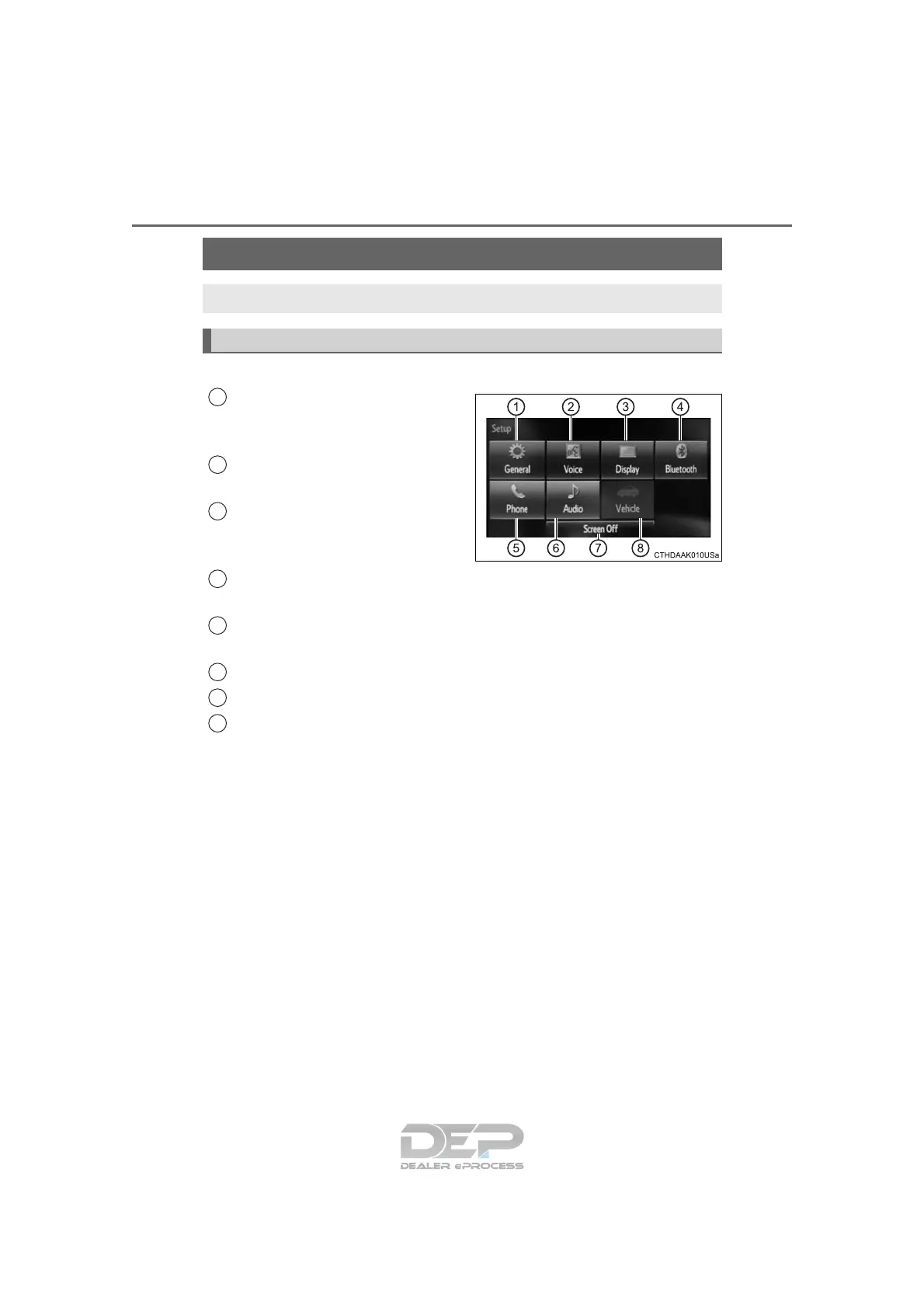
Press the “SETUP” button to display the “Setup” screen.
Select to adjust the settings for
operation sounds, screen ani-
mation, etc. (→P. 359)
Select to set the voice settings.
(→P. 362)
Select to adjust the settings for
contrast and brightness of the
screen. (→P. 361)
Select to adjust the settings for registering, removing, connecting
and disconnecting Bluetooth
®
devices. (→P. 395)
Select to adjust the settings for phone sound, contact, message,
etc. (→P. 4 11)
Select to set audio settings. (→P. 360)
Select to turn the screen off.
Select to set the vehicle customization. (→P. 680)
Setup menu
You can adjust Entune Audio to your desired settings.
Display “Setup” screen
1
2
3
4
5
6
7
8

















 To Next Page