387
5-7. Connecting Bluetooth
®
5
Audio system
HIGHLANDER_U (OM0E017U)
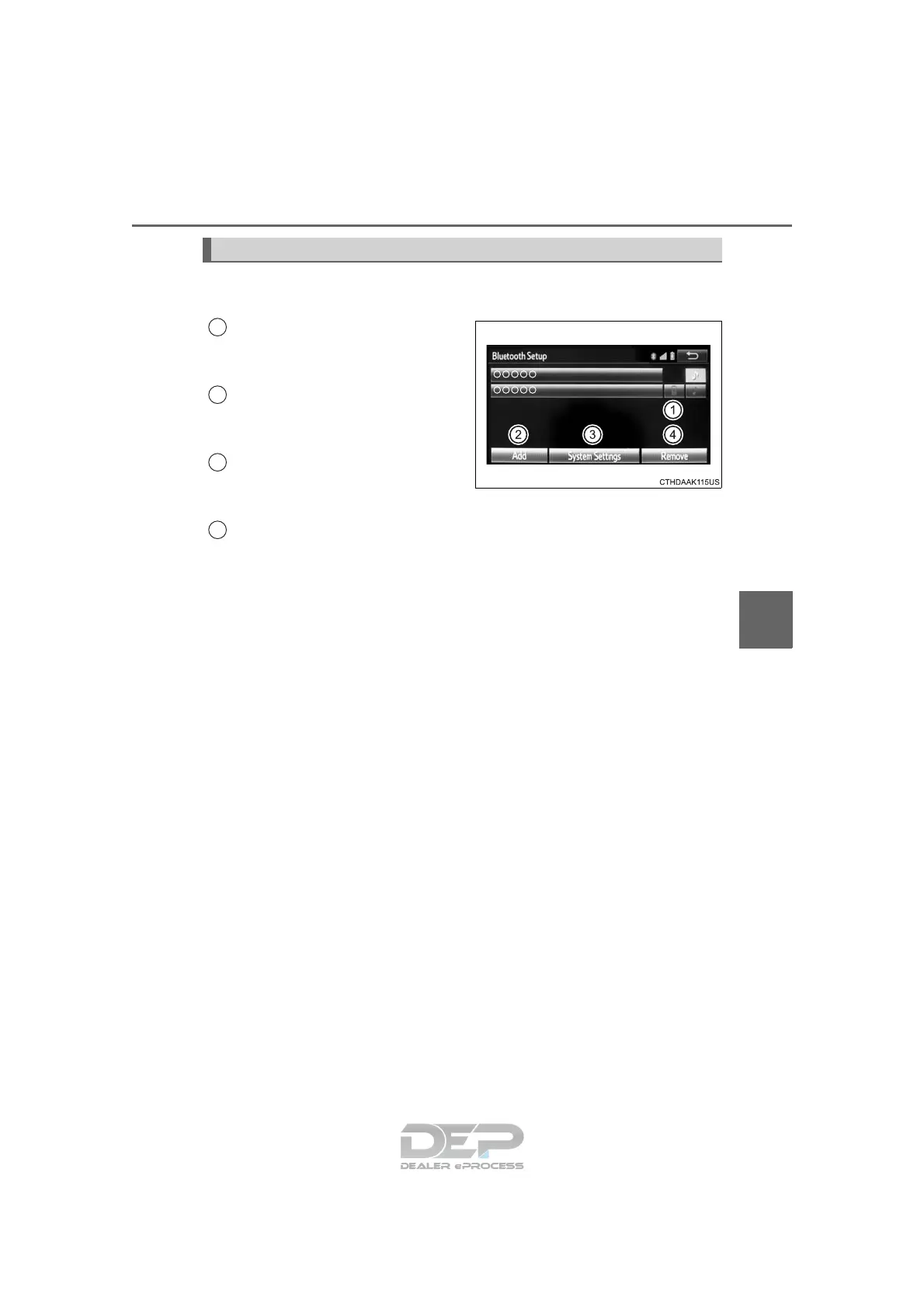
To display the screen shown below, press the “SETUP” button and
select “Bluetooth
*” on the “Setup” screen.
Select to connect the device to
be used with Entune Audio.
(→P. 392)
Select to register a Bluetooth
®
device to be used with Entune
Audio. (→P. 390)
Select to set detailed
Bluetooth
®
system settings.
(→P. 395)
Select to delete registered devices. (→P. 391)
*: Bluetooth is a registered trademark of Bluetooth SIG, Inc.
Registering and connecting from the “Bluetooth* Setup” screen
1
2
3
4












 To Next Page