27
GB
Multifunctional Unit 5 in 1
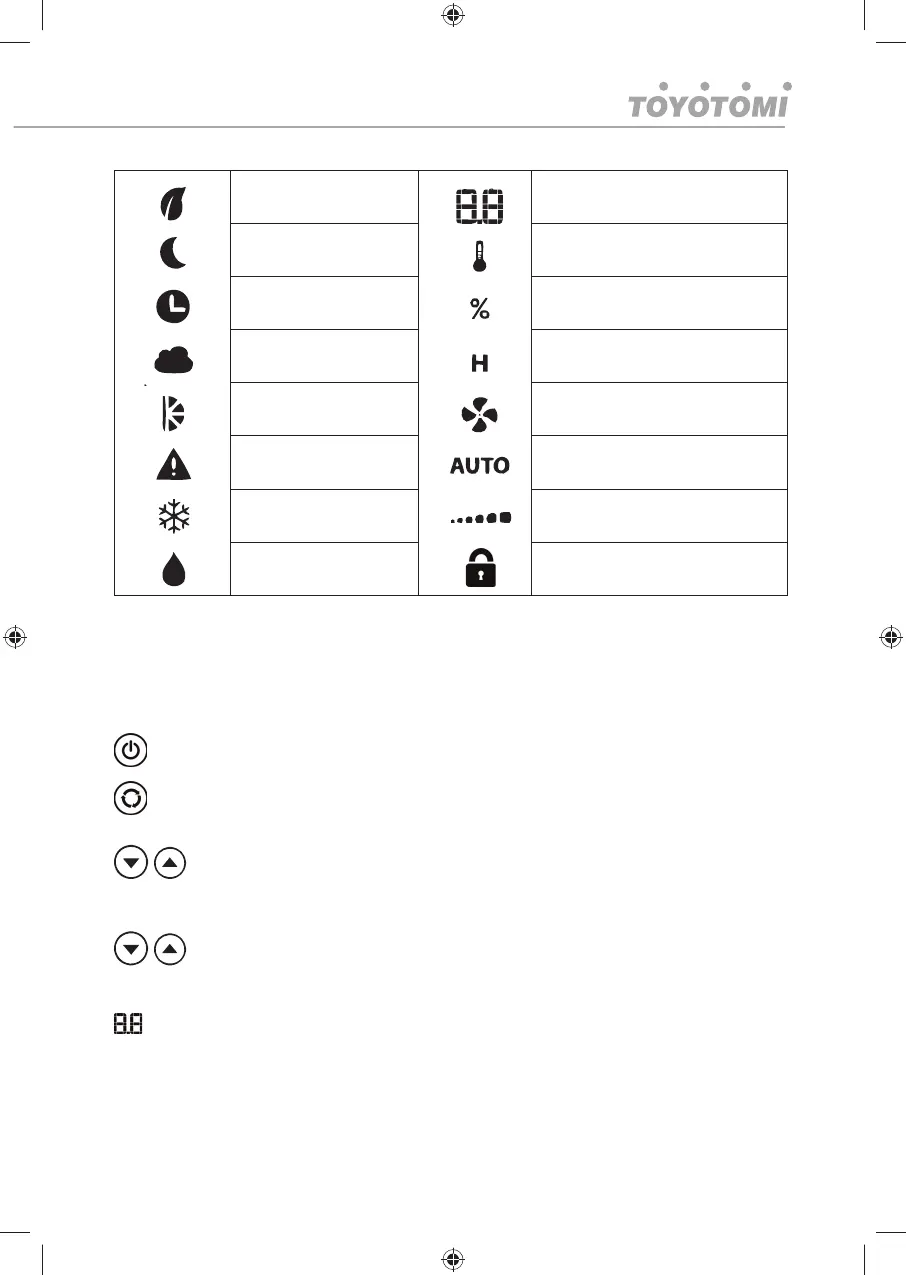
Air Purifi er mode Temperature / Humidity / Hours
Sleep mode on Temperature
Timer on Humidity
Humidifi er mode Time
Swinging on Fan speed icon
Error Alarm Auto mode
Air Conditioner mode Fan speed
Dehumidifi er mode Child Lock
OPERATION GUIDE
When plugged in the unit is automatically in standby status
POWER KEY: Press Press this button to turn the unit on and enter cooling mode.
Press again and the unit will switch off.
FUNCTION: Press this key to choose Air Conditioner, Dehumidifi er, Humidifi er, Air Purifi er
Mode (with optional HEPA fi lters), Fan
TEMP- and TEMP+ button: sets temperature in air conditioning mode. Temperature
can range from 17- 30℃. Those keys increment or decrement the preset temperature
by 1℃ each time they are pressed within the 17- 30℃ range.
HUM- and HUM+ during dehumidifying & humidifying function: This key increment or
decrement the preset humidity by 5% each time it is pressed within 30- 90% range.
LCD DISPLAY. The display indicates the current setting temperature, humidity or the timer
settings and will be accompanied by temperature (℃), humidity (%) or hours (H) signs.
When the set temperature or the timer is adjusted, the new setting is shown then the display
returns the current set temperature.
The display will also show function modes and fan speed informations.
※ The display is also used to show error codes should a fault occur, see ERROR CODES.




 To Next Page