EasyManua.ls Logo

TP-Link Archer T2UH - Chapter 2 Installation; 2.1 Hardware Installation

TP-Link Archer T2UH
52 pages
Print Icon
To Next Page IconTo Next Page
To Previous Page IconTo Previous Page
Loading...
Archer T2UH
Chapter 2 Installation
Please install the adapter into your computer before installing the driver and utility software from
the Resource CD.
2.1 Hardware Installation
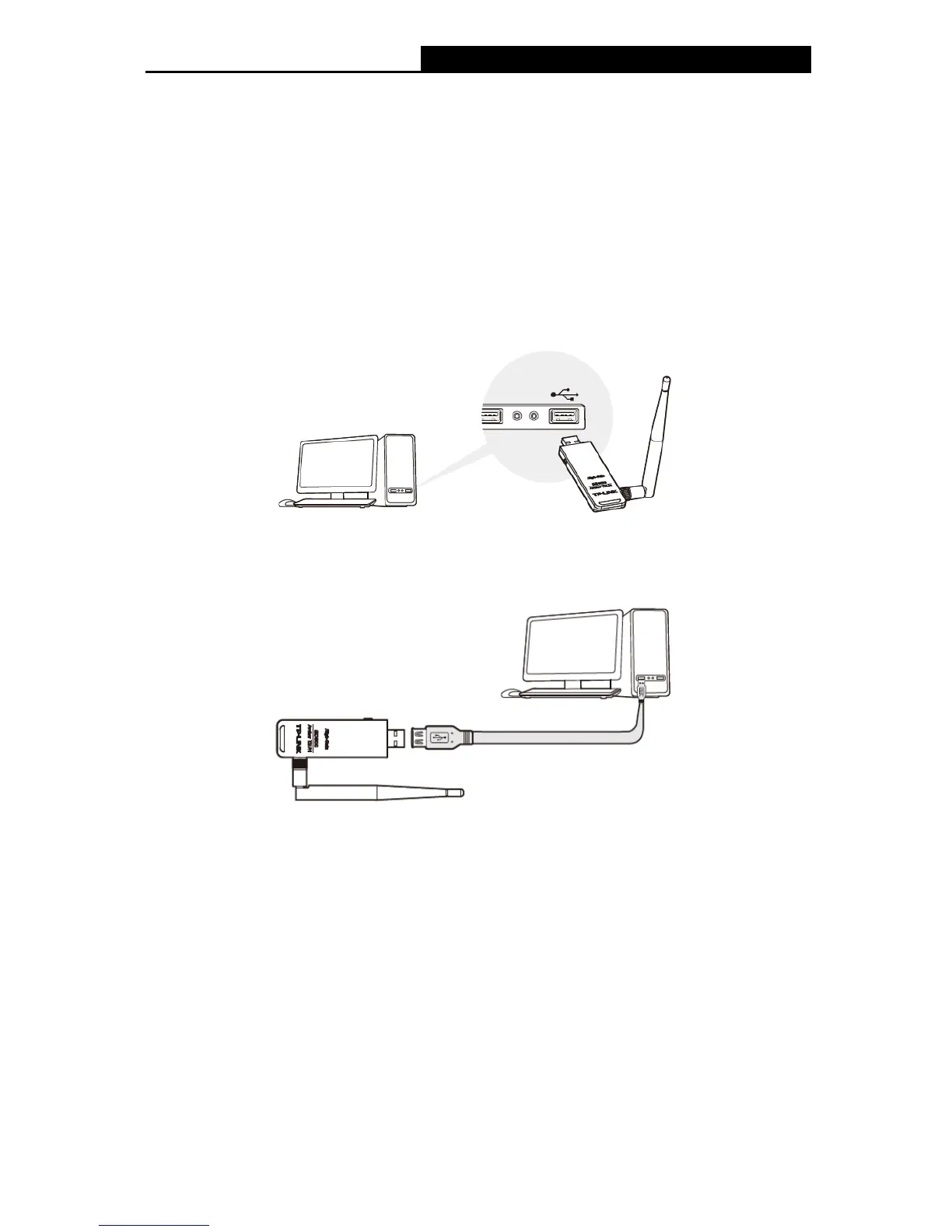
There are two methods:
Method One:
Plug the adapter into an available USB interface on your computer directly.
Method Two:
Connect the adapter and your computer with the provided USB cable.

Note:
When the hardware has been successfully installed on your computer, you may be prompted
'Found New Hardware Wizard' (as shown in Figure 2-1); please click Cancel, and then follow
the Software Installation steps to install driver and utility for your adapter.
3

Other manuals for TP-Link Archer T2UH

Related product manuals