Archer T4U TP-LINK Wireless USB Adapter User Guide
5
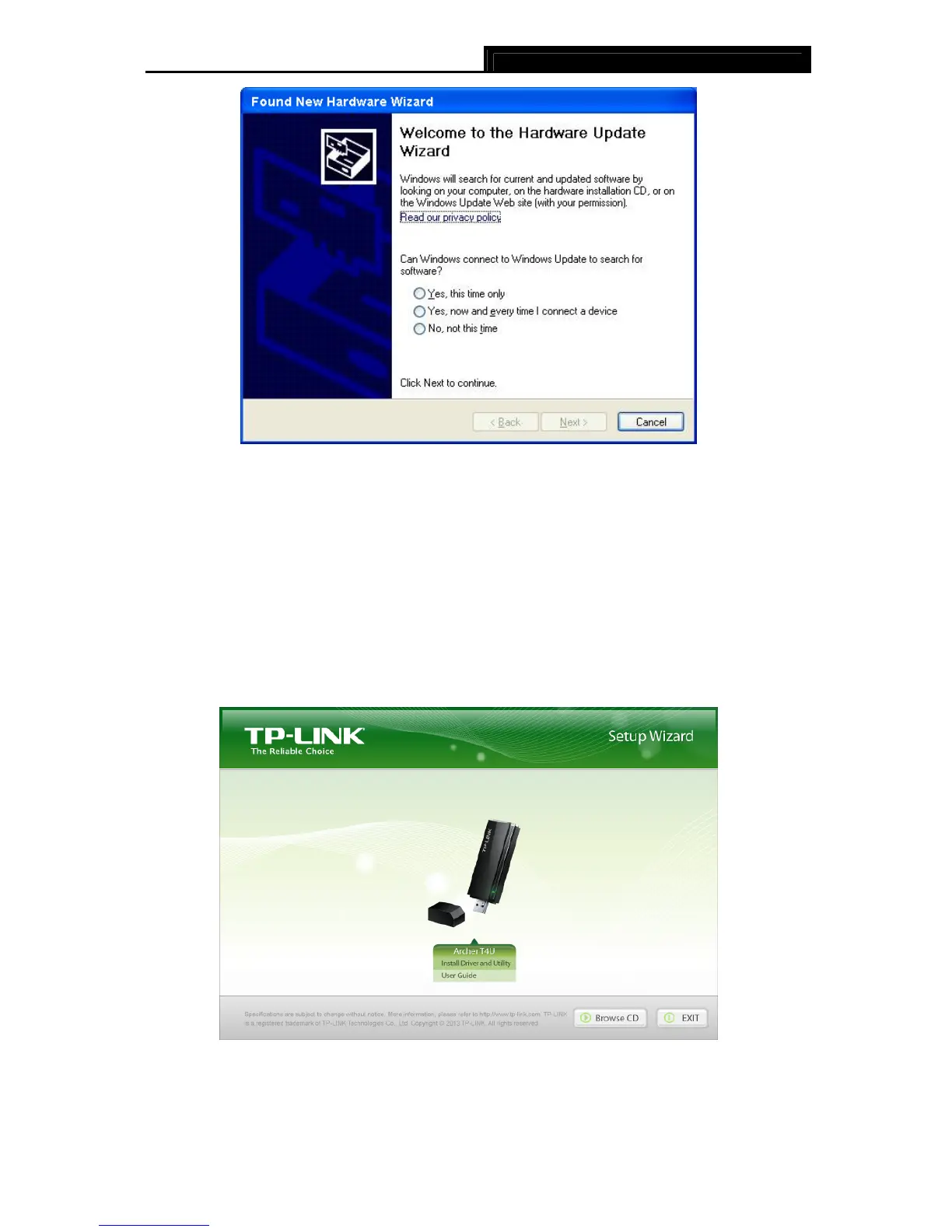
Figure 2-1 Found New Hardware Wizard in Windows XP
2.2 Software Installation
The adapter’s Setup Wizard will guide you through the installation procedures for Windows XP,
Windows 7 and Windows 8. The procedures in different systems are quite similar, therefore
here we use the procedures in Windows 7 as an example.
1. Insert the Resource CD into your CD-ROM drive and then select model Archer T4U on the
window that pops up (as shown in the below Figure 2-2). There will be a menu including:
Install Driver and Utility and User Guide. Click Install Driver and Utility to begin.
Figure 2-2
2. The InstallShield Wizard window will appear. Click Next to continue.










 To Next Page