Archer T4U TP-LINK Wireless USB Adapter User Guide
22
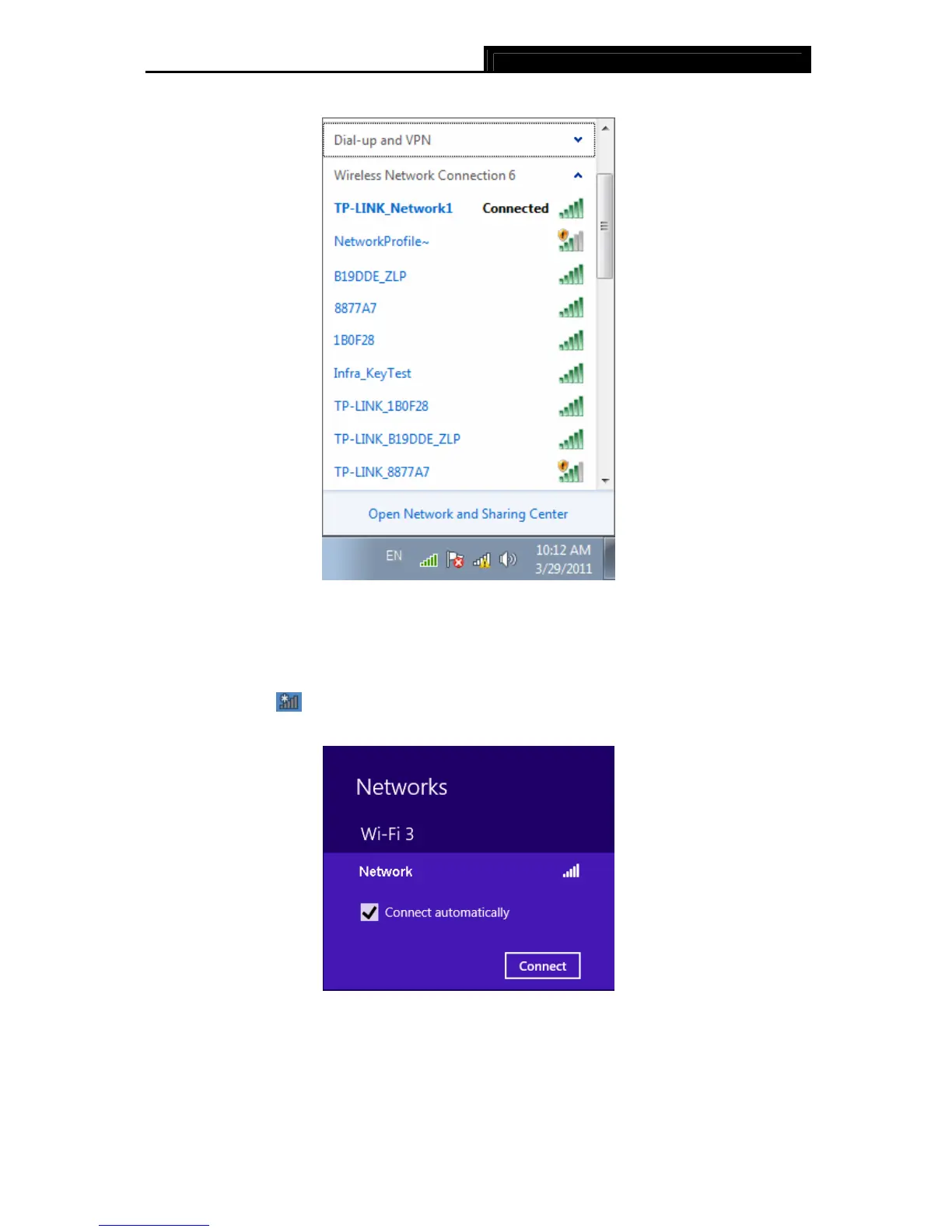
3. You have now successfully connected to the network.
Figure 3-26
3.3.3 In Windows 8
Windows 8 users may use the built-in wireless utility. Follow the steps below.
1. Click the icon
at the bottom of your screen, and a network list will appear at the right
side of your screen. Select your target network, and then click Connect.
Figure 3-27
2. If the network is unencrypted, you will directly connect to it.
If the network is encrypted, enter the password (network security key) and then click Next
to continue.










 To Next Page