Archer T4U TP-LINK Wireless USB Adapter User Guide
19
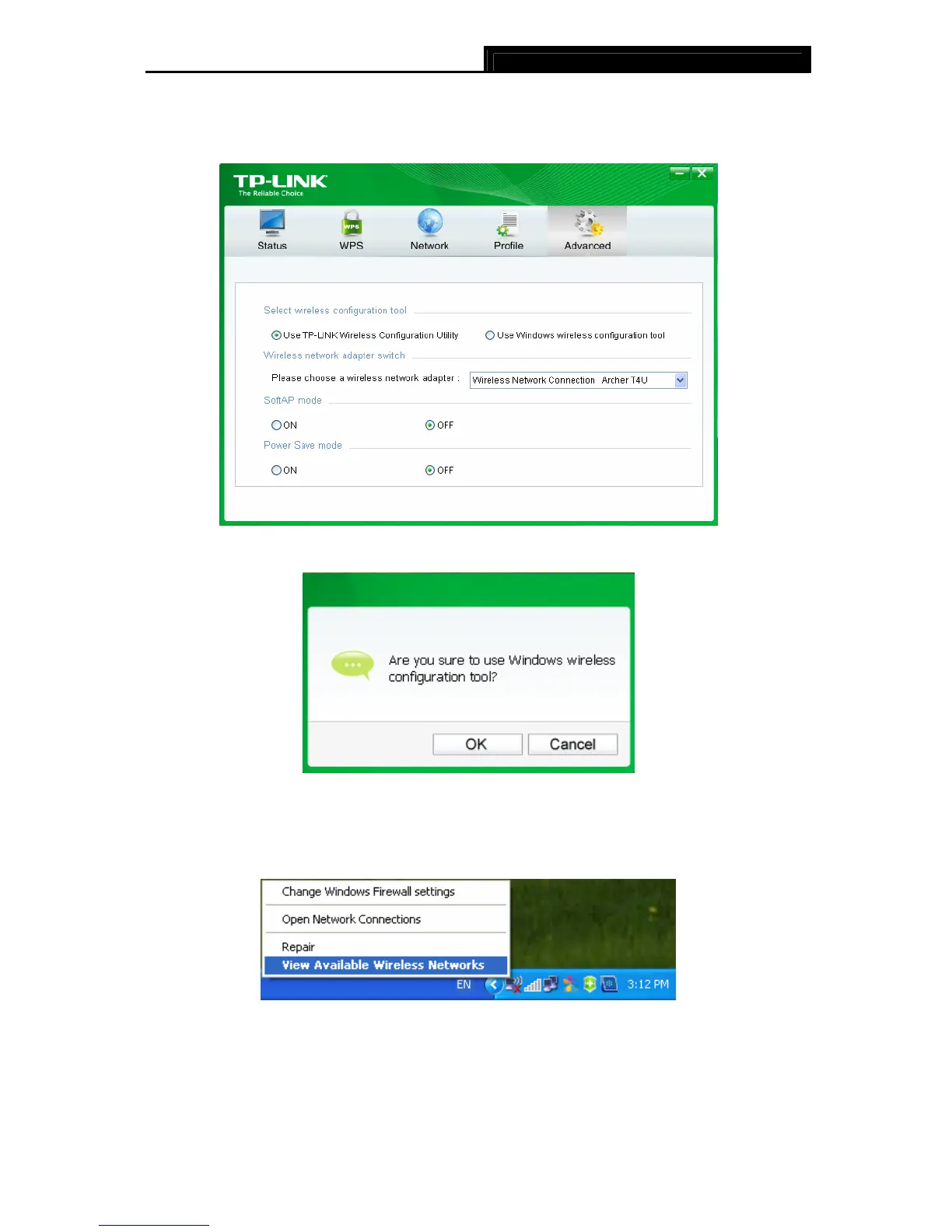
Or double-click the utility icon to load the utility configuration page. Click Advanced in the
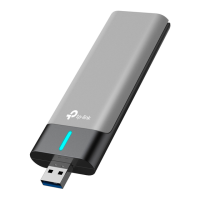
tools section and then select Use Windows wireless configuration tool in the figure
shown below. Click OK when Figure 3-20 appears to continue.
Figure 3-19
Figure 3-20
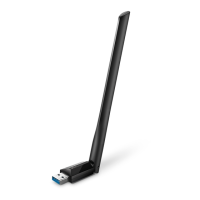
2. Right-click on the wireless computer icon in your system tray (lower-right corner). Select
View Available Wireless Networks.
Figure 3-21
3. The utility will display any available wireless networks in your area. Click on a network
(displayed using the SSID) and click the Connect button.










 To Next Page