Archer T4U TP-LINK Wireless USB Adapter User Guide
29
• For 64-bit encryption - You can enter 10 hexadecimal digits (any combination of 0-9,
a-f, A-F, zero key is not permitted) or 5 ASCII characters.
• For 128-bit encryption - You can enter 26 hexadecimal digits (any combination of 0-9,
a-f, A-F, zero key is not permitted) or 13 ASCII characters.
¾ Security Key: Enter the passphrase. Click the Show characters box to see the
passphrase. Unchecking it will hide it.
¾ Start this connection automatically: Check this box to automatically connect to this
network next time.
¾ Save: Click Save to save your settings.
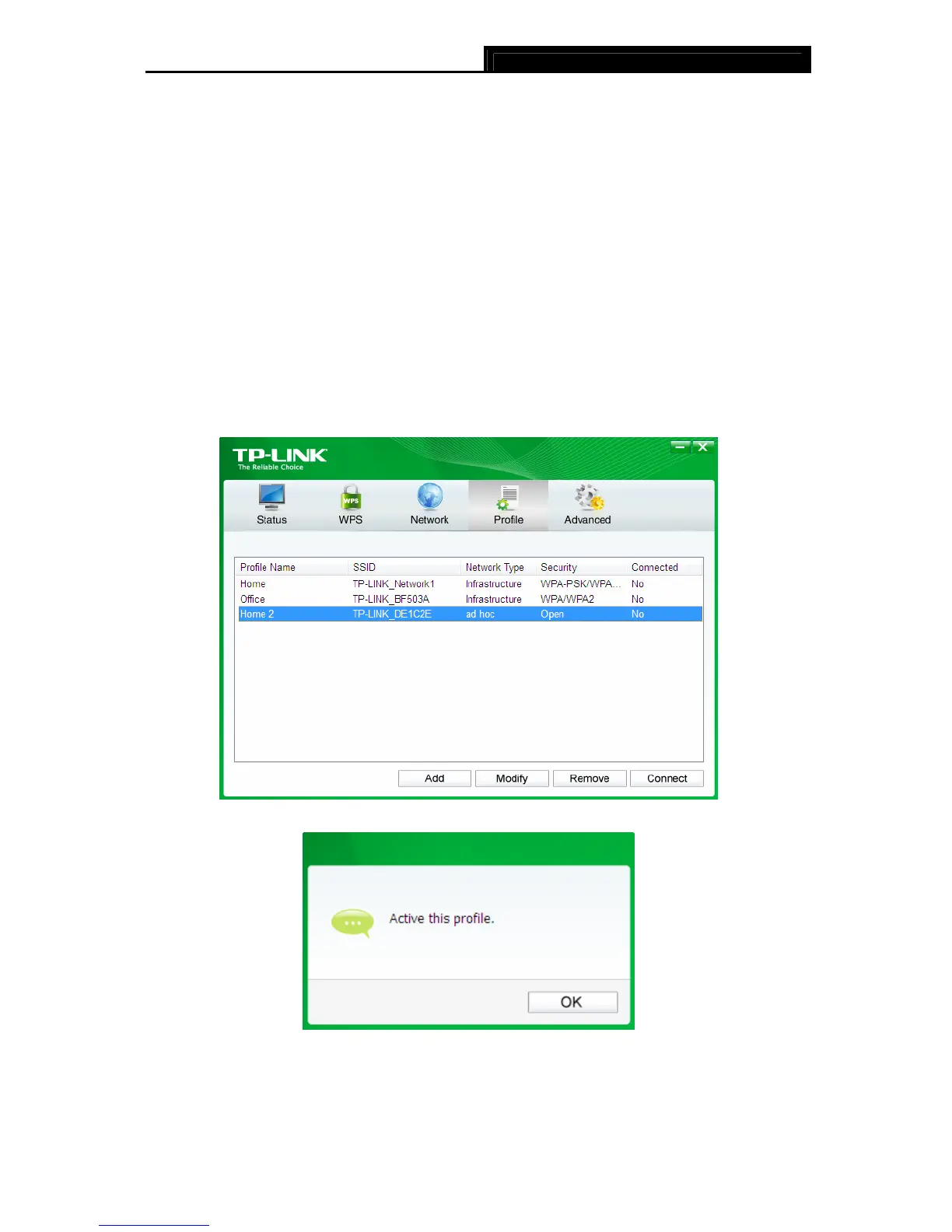
Having completed the above settings, the Profile page should looks like the following figure. To
connect to a desired network, just highlight the network you would like to connect to and click
the Connect button on the bottom of the window. Then click OK in Figure 4-8 to activate the
profile.
Figure 4-7
Figure 4-8










 To Next Page